Automation Planning Steps: A Beginner’s Guide to Documenting, Roadmapping, and Quick Wins
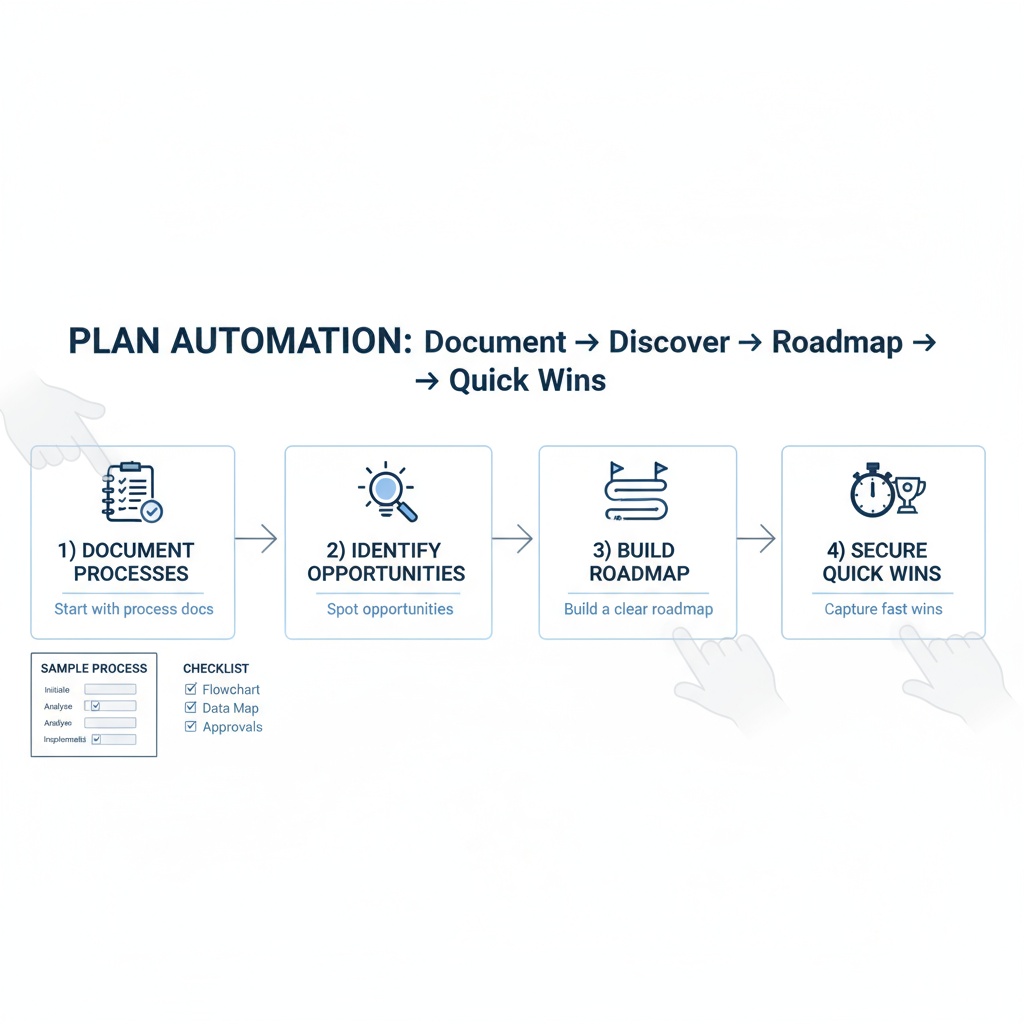
Automation Planning Steps: A Beginner’s Guide to Documenting, Roadmapping, and Quick Wins
Estimated reading time: 8 minutes
Key Takeaways
- Automation planning helps document current processes, identify automation opportunities, and build a structured roadmap for quick wins.
- A phased approach reduces risk by focusing on high-value, low-complexity pilots before broader rollouts.
- Effective roadmaps align stakeholders, define measurable success metrics, and set realistic timelines.
- Documentation and mapping are foundational: clear inputs, outputs, owners, and handoffs drive automation success.
- Start small to realize quick wins and build momentum for larger automation initiatives.
Table of contents
What is Automation Planning?
Automation planning is the structured activity of documenting, mapping, and planning how to automate business processes. A well-crafted plan helps teams move from scattered ideas to a repeatable, measurable approach that delivers tangible ROI.
Key aspects include:
- Documenting current processes
- Identifying automation opportunities
- Building a practical automation roadmap
- Planning for implementation and quick wins
For more on documenting processes, see Introduction to Business Automation.
To see how roadmaps are applied in practice, check out The Future of Work with AI Agents.
Understanding and Documenting Business Processes
Before diving into automation, you need a clear picture of your current processes. Process documentation creates a foundation for successful automation by mapping workflows, roles, and dependencies.
1. Visual Mapping
- Create flow diagrams showing process steps
- Include decision points and branches
- Map interactions between different departments
- Document inputs and outputs for each stage
See No-Code/Low-Code Automation Tools for mapping support: No-Code/Low-Code Automation Tools.
Illustrative workflows and roles are discussed in Automation Use Cases for Freelancers and Agencies.
2. Role Definition
- List all stakeholders involved
- Define responsibilities clearly
- Identify process owners
- Document approval hierarchies
Illustrative workflows and roles are discussed in Automation Use Cases for Freelancers and Agencies.
3. System Integration Points
- Map current software tools used
- Document data transfer points
- Identify manual handoffs
- Note existing automation tools
Example tool integration scenarios are covered in Automation Use Cases by Industry.
Pro Tip: Use tools like Lucidchart or Microsoft Visio for visual documentation. These platforms make it easy to share and update process maps as needed. For more mapping tools, see No-Code/Low-Code Automation Tools.
[Source: https://ngenioussolutions.com/blog/implementing-process-workflow-automation/]
Identifying Automation Opportunities
Not every process should be automated. Focus on identifying the right opportunities by looking for:
High-Value Targets
- Repetitive data entry tasks
- Rule-based decision making
- Time-consuming approvals
- Regular report generation
- Standard document creation
Evaluation Criteria
- Time Impact
- Hours saved per week
- Number of employees affected
- Process frequency
- Error Reduction
- Current error rates
- Cost of mistakes
- Compliance requirements
- Resource Usage
- Current manual effort
- Tool costs
- Training requirements
[Source: https://www.cflowapps.com/workflow-automation/]
Creating an Automation Roadmap for Beginners
Your automation roadmap serves as a strategic guide for implementation. Here’s how to create one:
Phase 1: Assessment (1-2 weeks)
- Document current state
- Identify pain points
- Gather stakeholder input
- Set baseline metrics
Phase 2: Planning (2-4 weeks)
- Prioritize opportunities
- Set SMART goals
- Select appropriate tools
- Define success metrics
Phase 3: Implementation (4-12 weeks)
- Start with pilot projects
- Test and validate
- Train users
- Monitor results
[Source: https://thedigitalprojectmanager.com/pmo/workflow-planning/]
Next steps: Refine the roadmap based on pilot outcomes, scale successful pilots, and establish governance to sustain momentum.
Implementation and Quick Wins
Focus first on high-impact, low-risk automations that can be delivered quickly. Quick wins build confidence, demonstrate ROI, and create momentum for larger automation initiatives.
- Pilot small, reusable automations
- Automate repetitive data entry and reporting
- Document outcomes and adjust based on feedback
For additional guidance on implementing process workflow automation, see Implementation Guide.
Frequently Asked Questions
Is automation planning only for large organizations?
Not at all. A lightweight plan can help small teams document processes, identify high-value automation opportunities, and create a phased roadmap for quick wins.
What is the typical ROI from automation projects?
ROI varies, but many teams see improvements in efficiency, error reduction, and faster cycle times. Start with pilots to quantify ROI before broader rollouts.
Which tools should I use for process documentation?
Popular options include no-code/low-code tools like Lucidchart, Visio, or dedicated BPM software. Choose based on team familiarity and integration needs.
How do you measure success for an automation roadmap?
Establish baseline metrics, define SMART goals, track time savings, error reductions, and adoption rates to gauge success.
Can automation coexist with human roles?
Yes. The aim is to shift humans toward higher-value activities like design, strategy, and complex problem solving while automation handles repetitive tasks.