Robotic Process Automation for Small Business: A Complete Guide to Boost Efficiency and Cut Costs
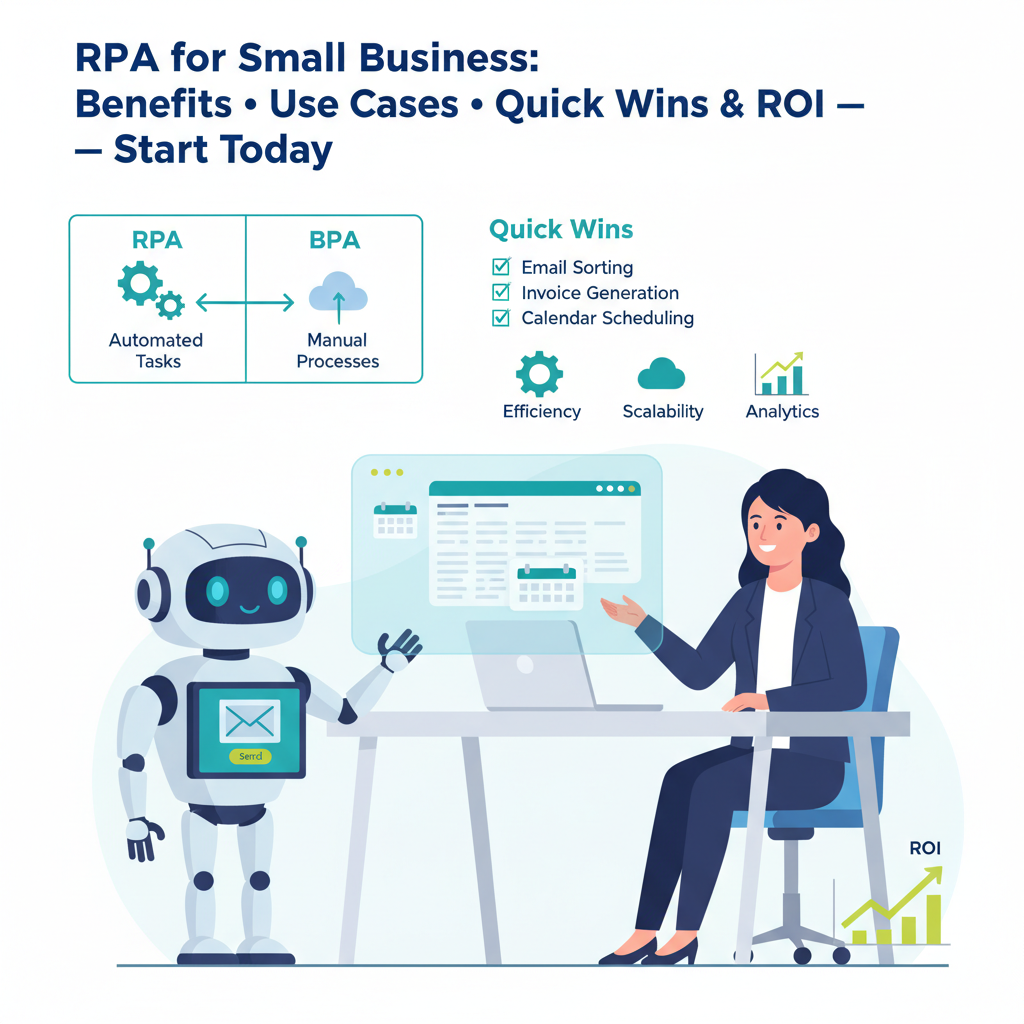
Robotic Process Automation for Small Business: A Complete Guide to Boost Efficiency and Cut Costs
Estimated reading time: 12 minutes
Key Takeaways
- Cost Savings: Studies show ROI ranging from 30% to 200% in the first year of implementation.
- Increased Efficiency: Tasks are completed faster with minimal errors.
- Scalability: Handle growing workloads without adding staff.
- Improved Customer Satisfaction: Deliver consistent, rapid service.
Table of contents
- What is Robotic Process Automation (RPA)?
- The Benefits for Small Businesses
- RPA Use Cases for Small Business
- BPA vs RPA: What’s the Difference?
- RPA Examples
- RPA Tools for Small Business
- Getting Started with RPA: Implementation Tips
- Conclusion
- Additional Resources
- Internal reading and related posts
- Frequently Asked Questions
RPA uses software robots to automate repetitive, rule-based digital tasks, enabling small enterprises to compete more effectively through improved efficiency and reduced operational expenses.
To put RPA into a broader automation context for small businesses, you may also want to read Introduction to Business Automation (https://anilbohra.me/business-process-automation-guide-2/).
What is Robotic Process Automation (RPA)?
At its core, RPA uses software robots to mimic repetitive, rule-based human tasks such as data entry, invoice processing, and report generation. These digital workers operate on existing software interfaces, requiring no complex system changes or backend modifications.
What makes RPA attractive for small businesses? Its practical implementation—bots interact with applications just like human employees would, but they work 24/7 without fatigue or errors. This technology brings several key benefits to small businesses:
- Cost Savings: ROI in the first year
- Increased Efficiency: Faster completion with fewer errors
- Scalability: Grow without adding staff
- Improved Customer Satisfaction: Consistent, rapid service
Source for benefits: BitCot
RPA Use Cases for Small Business
Small businesses can implement RPA across various operations to improve their bottom line. Here are key applications that deliver immediate value:
- Customer Service Automation
- Chatbots handle routine customer inquiries
- Automated response systems reduce wait times
- Consistent service delivery around the clock
- Invoice Processing and Bookkeeping
- Automated data extraction from invoices
- Payment tracking and reconciliation
- Reduction in errors in financial records
- Inventory Management
- Automated stock level monitoring
- Reorder point triggers
- Prevention of stockouts and overstocking
- Lead Generation and Management
- Automated lead collection from multiple sources
- Lead qualification and scoring
- Scheduled follow-up communications
Real-world results show improvements such as 50-70% faster invoice processing and quicker customer responses through RPA.
BPA vs RPA: What’s the Difference?
Understanding the distinction between Business Process Automation (BPA) and RPA is crucial for making the right investment decision:
Business Process Automation (BPA):
- Focuses on automating entire workflows
- Requires significant system changes
- Involves complex decision-making processes
- Suitable for major process redesign
Robotic Process Automation (RPA):
- Automates specific, rule-based tasks
- Works with existing systems
- Minimal disruption to operations
- Perfect for quick wins and immediate ROI
Comparison Table:
| Aspect | RPA | BPA |
|---|---|---|
| Focus | Task-level automation | End-to-end processes |
| Complexity | Low to moderate | Moderate to high |
| Integration | Uses existing interfaces | Requires system changes |
| Implementation | Quick and simple | Complex and time-consuming |
| Cost | Lower initial investment | Higher implementation costs |
Source: Empowered Automation
RPA Examples
Several leading RPA platforms offer solutions tailored for small businesses:
- UiPath
- Intuitive drag-and-drop interface
- Extensive automation capabilities
- Scalable pricing models
- Blue Prism
- Enterprise-grade security
- Reliable performance
- Comprehensive support options
- Automation Anywhere
- Cloud-based deployment
- Flexible pricing
- Strong community support
RPA Tools for Small Business
When selecting an RPA tool for your small business, consider these key factors:
Pricing Options
- UiPath Starter Plan: Affordable entry point with essential features
- Automation Anywhere Community Edition: Free starter version available
- Blue Prism SMB Solutions: Competitive pricing with robust support
Essential Features to Consider
- Drag-and-drop interface for easy bot creation
- Cloud deployment options
- Pre-built integrations with common business applications
- Scalability options as your business grows
Implementation Tips
- Start with a single process automation
- Choose tools matching your technical expertise
- Consider total cost of ownership
- Evaluate vendor support options
For No-Code/Low-Code Automation Tools, see No-Code/Low-Code Automation Tools to accelerate development without heavy coding.
Getting Started with RPA: Implementation Tips
To ensure success, start with a pilot project, define clear goals, and measure impact before scaling across the organization.
Conclusion
Robotic process automation offers small businesses a powerful way to compete in today’s digital landscape. By automating routine tasks, companies can reduce costs, improve accuracy, and free up staff for more strategic work.
Get started with these steps:
– Identify repetitive tasks in your operations
– Choose an RPA tool that matches your needs and budget
– Begin with a pilot project
– Measure results and expand gradually
The future of small business lies in smart automation, and RPA provides an accessible entry point into this transformation.
Additional Resources
- UiPath Resource Center
- Blue Prism Automation Journey
- Empowered Automation RPA Benefits
Internal reading and related posts
- Introduction to Business Automation
- Common Processes to Automate in Small Businesses
- No-Code/Low-Code Automation Tools
- Automation Use Cases by Industry
- Freelancer and Agencies Automation Use Cases
- How to Plan Your First Automation Project
Frequently Asked Questions
Is Devin AI going to replace human developers?
While Devin can automate many routine coding tasks, it currently lacks the creative problem-solving, business understanding, and strategic thinking that senior developers provide. It’s more likely to augment human capabilities rather than replace them entirely.
How much does Devin AI cost?
Pricing details vary depending on usage levels and enterprise requirements. Contact Cognition Labs for current pricing information and enterprise packages.
What programming languages does Devin support?
Devin supports major programming languages including Python, JavaScript, Java, C++, and Go. Support for additional languages is continuously being expanded based on user demand.
Can Devin work with existing codebases?
Yes, Devin can analyze and work with existing codebases, though performance varies depending on code quality, documentation, and complexity. It works best with well-structured, documented projects.
Is Devin suitable for enterprise-level development?
Devin shows promise for enterprise use, particularly for routine development tasks and maintenance work. However, enterprises should carefully evaluate their specific needs and conduct thorough testing before full implementation.
How does Devin compare to other AI coding assistants?
Unlike tools like GitHub Copilot or ChatGPT, Devin claims full autonomy in software development. While other tools assist developers, Devin aims to function as an independent software engineering team member.