Social Media Automation Tools: What They Are, Why They Matter, and How to Get Started
Social Media Automation Tools: What They Are, Why They Matter, and How to Get Started
Estimated reading time: 9 minutes
Key Takeaways
- Automate repetitive tasks to reclaim time and maintain consistency across platforms
- Make data-driven decisions with built-in analytics and reporting
- Enable collaboration at scale with multi-user access and approval workflows
- Start small and test with free trials and choose a tool that fits your goals
Table of contents
- What Are Social Media Automation Tools?
- Benefits of Using Social Media Automation Tools
- Popular Social Media Automation Tools (Overview + Light Comparison)
- How to Choose the Right Social Media Automation Tool
- Step-by-Step Guide to Automate Social Media Posting
- Challenges and Considerations
- Conclusion
- Frequently Asked Questions
Picture this: It’s 11 PM on a Sunday, and you’re hunched over your laptop, frantically scheduling posts for the week ahead across Instagram, LinkedIn, Facebook, and Twitter. You’ve already spent two hours crafting captions, resizing images, and manually copying-pasting content from one platform to another. Sound familiar?
If you’ve ever felt like social media is running you instead of the other way around, you’re not alone. Managing multiple social networks manually isn’t just time-consuming—it’s practically impossible to do consistently while still focusing on the strategic work that actually grows your business.
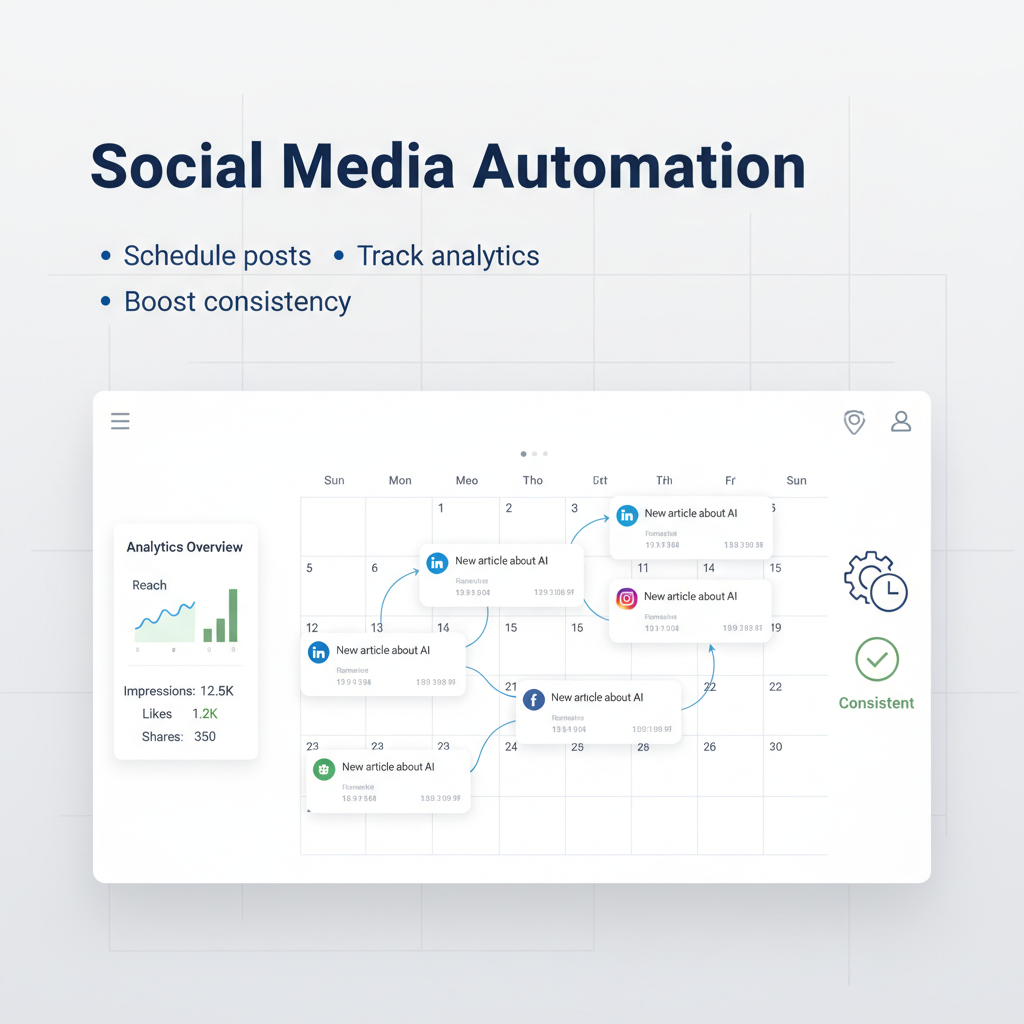
That’s where social media automation tools come in. These platforms are designed to handle the repetitive, time-draining tasks of social media management—from scheduling and publishing posts to tracking analytics and monitoring conversations—all from one central dashboard. They’re not about replacing the human touch that makes social media work. Instead, they free you up to focus on what really matters: creating great content, building genuine relationships with your audience, and making smart, data-driven decisions about your strategy.
In this guide, we’ll walk through everything you need to know about social media automation tools. We’ll cover what they actually do, why they’re essential for anyone serious about digital marketing today, how to choose the right one for your needs, and a step-by-step process for getting started. Whether you’re a solo creator juggling two platforms or an agency managing dozens of client accounts, there’s an automation solution that can transform how you work.
Read more about automation ideas for freelancers and agencies
What Are Social Media Automation Tools?
If you think automation is just about scheduling posts, think again—today’s tools do much more.
Social media automation tools are centralized software platforms designed to automate repetitive social media management tasks while maintaining content quality and audience engagement. Instead of logging into five different apps to post the same announcement or spending hours manually compiling performance reports, these tools bring everything together in one place.
But here’s what makes modern automation platforms truly powerful: they extend far beyond simple scheduling. Yes, you can plan posts weeks in advance and handle multiple platforms and time zones without breaking a sweat. But you can also monitor brand mentions in real-time, respond to messages from a unified inbox, track detailed analytics about what’s working (and what’s not), and even automate workflows that trigger posts based on specific events or actions.
Let me break down the core functionalities you’ll find in most social media automation tools:
Scheduling and Publishing
This is the foundation. You can create posts once and schedule them to go live at optimal times across multiple platforms—whether that’s Tuesday at 10 AM on LinkedIn or Saturday evening on Instagram. Most tools let you plan content weeks or even months in advance, which means you can batch-create content when inspiration strikes instead of scrambling daily.
Content Calendars and Queues
Visual calendars give you a bird’s-eye view of your entire content strategy. You can see what’s going out when, spot gaps in your schedule, and easily drag-and-drop posts to different time slots. Some tools also offer content queues—essentially reusable time slots that automatically cycle through your evergreen content, keeping your accounts active without constant manual input.
Analytics and Reporting
Built-in dashboards track the metrics that matter: reach, clicks, engagement rates, follower growth, and audience demographics. Instead of manually pulling data from each platform’s native analytics (which all look different and use different metrics), you get standardized reports that make it easy to compare performance across channels and identify trends.
Social Listening and Monitoring
Advanced tools can automatically track mentions of your brand, products, competitors, or industry keywords across social media. This helps you stay on top of conversations, spot potential issues early, and jump into discussions where your expertise adds value.
Engagement Tools
Many platforms offer unified inboxes that consolidate comments, messages, and mentions from all your social accounts into one stream. This makes it much easier to respond quickly and ensure nothing falls through the cracks—because let’s be honest, checking five different apps for new messages isn’t sustainable.
Advanced Features
Depending on the tool, you might also get content curation suggestions, team collaboration features with approval workflows, AI-powered caption assistance, integration with tools like IFTTT or Zapier, and even connections to your CRM or email marketing platform.
Read more about no-code and low-code automation tools
Think of these tools as your social media command center. They automate the routine tasks that eat up your time, while giving you better visibility and control over your entire social presence. The result? You spend less time on busywork and more time on strategy, creativity, and genuine engagement.
Benefits of Using Social Media Automation Tools
Imagine reclaiming hours each week while growing your audience and improving your content strategy—here’s how automation makes it possible.
Time Savings That Actually Matter
Let’s start with the obvious one: automation tools eliminate the manual drudgery of posting. Instead of logging into each platform multiple times a day, you schedule everything in one session. Instead of manually compiling spreadsheets of performance data, you generate reports with a few clicks.
But the real time savings go deeper. When you’re not constantly context-switching between platforms and scrambling to post on time, you can focus on the work that actually moves the needle—developing your content strategy, creating higher-quality posts, engaging meaningfully with your community, and analyzing what’s working so you can do more of it.
Take a solo entrepreneur running a coaching business. Before using Buffer, she spent 30-45 minutes every single day posting to Instagram, Facebook, and LinkedIn. Now she batches all her content creation on Sunday afternoons—about two hours total—and schedules a month’s worth of posts in one sitting. That’s roughly eight hours saved every month, which she’s reinvested into creating video content and actually talking to potential clients.
Consistency Is King
Here’s a truth about social media algorithms: they reward consistency. Accounts that post regularly get more reach than those that post sporadically, regardless of follower count. But maintaining a consistent posting schedule manually is exhausting, especially when life gets busy or you’re managing multiple accounts.
Automation tools solve this problem elegantly. Your content keeps flowing even when you’re on vacation, swamped with client work, or dealing with a personal emergency. Content queues and bulk scheduling features mean your accounts stay active 24/7—including weekends and holidays—without requiring you to be glued to your phone.
This consistency doesn’t just please the algorithms. It builds trust with your audience. When people know they can expect valuable content from you regularly, they’re more likely to engage, share, and eventually become customers or clients.
Better Analytics Lead to Better Decisions
One of the biggest game-changers in modern social media automation tools is the analytics capabilities. Most platforms provide dashboards that visualize your performance data in ways that actually make sense—showing you things like which types of content get the most engagement, what times your audience is most active, and which platforms are driving the most traffic to your website.
This data transforms social media from a guessing game into a strategic channel. Instead of posting randomly and hoping something sticks, you can see patterns. Maybe your educational carousel posts on Instagram consistently outperform single images. Maybe your LinkedIn audience engages most on Tuesday mornings. Maybe your audience loves behind-the-scenes content but ignores promotional posts.
A marketing manager at a B2B SaaS company used Sprout Social’s analytics to discover that their thought leadership articles posted on LinkedIn were driving 3x more website traffic than any other content type. Armed with that insight, they doubled down on that format and saw a 47% increase in qualified leads from social media over the next quarter. That’s the power of data-driven decision-making.
Collaboration and Scalability for Growing Teams
If you’re working with a team—whether that’s a small in-house marketing department or an agency managing multiple clients—automation tools become absolutely essential. Multi-user access means everyone can contribute to the content calendar without stepping on each other’s toes. Approval workflows ensure that posts get reviewed before they go live. Shared calendars give everyone visibility into what’s happening across all accounts.
This collaborative infrastructure becomes even more valuable as you scale. Adding a new social platform or client account doesn’t require exponentially more manual work—it just means connecting another profile to your existing system.
Read more about GoHighLevel for agencies
Popular Social Media Automation Tools (Overview + Light Comparison)
| Tool | Best For | Key Automation Features |
|---|---|---|
| Hootsuite | Agencies and teams | Multi-channel scheduling, monitoring streams, team collaboration, comprehensive analytics |
| Buffer | Small businesses and creators | Simple scheduling, content queues, basic analytics, intuitive interface |
| Sprout Social | Data-driven organizations | Unified inbox, advanced analytics, social listening, robust reporting |
| Later | Visual brands (Instagram-focused) | Drag-and-drop visual calendar, Instagram/TikTok/Pinterest specialization |
Let me give you a bit more context on each:
Hootsuite has been around since the early days of social media management, and it shows in the depth of features. It’s particularly strong for agencies and larger teams that need to manage multiple clients or brands. The platform offers monitoring streams where you can watch real-time feeds of mentions, hashtags, or keywords—essentially turning social media into something you can actively monitor rather than just broadcast to. The collaboration features are solid, with user roles, approval workflows, and team assignments. If you need comprehensive coverage across multiple platforms with deep analytics, Hootsuite is worth considering.
Buffer takes the opposite approach—simplicity and ease of use. It’s perfect for small businesses, solo creators, and anyone who finds most social media tools overwhelming. The interface is clean and intuitive, the scheduling process is straightforward, and the browser extension makes it easy to share content you find while browsing. Buffer also pioneered the concept of content queues—reusable time slots that automatically fill with your posts. The analytics are more basic than enterprise tools, but they cover what most small businesses actually need to know.
Sprout Social sits in the sweet spot for mid-sized to large organizations that want powerful features without unnecessary complexity. The unified inbox is particularly impressive—it brings together messages, comments, and mentions from all your social accounts into one stream, with smart filters and assignment features that make team collaboration seamless. The analytics and reporting capabilities are among the best in the industry, with customizable reports that actually look professional enough to present to executives or clients. Social listening features help you track brand sentiment and competitive intelligence.
Later carved out its niche by focusing heavily on visual planning, especially for Instagram. The drag-and-drop visual calendar lets you see exactly how your feed will look before posts go live—crucial for brands where aesthetics matter. While it’s expanded to support other platforms like TikTok, Pinterest, and Facebook, its strength remains in visual content planning. If you’re a fashion brand, photographer, restaurant, or any business where visual consistency is paramount, Later makes that easy.
Beyond these major players, there are several other tools worth mentioning. SocialPilot offers solid features at competitive prices, making it popular with agencies managing many clients. Sendible provides strong white-label options for agencies. Tailwind specializes in Pinterest and Instagram, with unique features like hashtag suggestions and SmartSchedule. And for those who want to build custom automation workflows, platforms like IFTTT and Zapier can connect social media with hundreds of other apps to create sophisticated, automated systems.
Read more about workflow automation tools and n8n
How to Choose the Right Social Media Automation Tool
Choosing the right automation tool can feel overwhelming—here’s how to find your perfect match based on your goals and workflow.
Start With Platform Support
This sounds obvious, but it’s crucial: make sure the tool actually supports the social networks you use. Most tools cover the big ones—Facebook, Instagram, Twitter, LinkedIn—but support for platforms like TikTok, Pinterest, YouTube, or newer networks varies widely. If Instagram is your primary platform, verify what features are supported, since Instagram’s API restrictions mean some tools can’t do certain things (like auto-publishing to personal profiles or Stories).
Evaluate Ease of Use
The best tool is the one you’ll actually use consistently. If the interface is confusing or the learning curve is steep, you’ll end up abandoning it and going back to manual posting. Look for intuitive dashboards, drag-and-drop calendars, and clear navigation. Most tools offer free trials—take advantage of them. Spend 30 minutes actually using the platform before committing.
Match Features to Your Needs
Be honest about what you actually need. If you’re a solo creator who just wants to schedule posts and see basic metrics, you don’t need (and shouldn’t pay for) enterprise-level social listening and team collaboration features. On the other hand, if you’re managing multiple client accounts with a team, those collaboration features become essential.
Ask yourself:
– Do I need just scheduling, or also advanced analytics?
– Will multiple people need access to this account?
– Do I need approval workflows before posts go live?
– Is social listening important for my brand monitoring?
– Do I want AI assistance with captions or optimal posting times?
Consider Pricing and Scalability
Automation tools typically offer tiered pricing based on the number of social profiles, users, and features. Many have free plans with limited functionality—great for testing, but often too restrictive for serious use. Entry-level paid plans usually start around $10-30 per month and work well for individuals or small businesses. Mid-tier plans ($50-200/month) add more profiles, users, and advanced features. Enterprise plans scale up from there.
Think about where you’ll be in six months or a year. If you’re planning to add more social platforms or team members, make sure the tool can grow with you without forcing you to migrate to a completely different platform.
Read more about affordable automation tools and budgeting
Don’t Overlook Support and Learning Resources
When you’re getting started with automation, you’ll have questions. Tools with strong customer support, comprehensive documentation, video tutorials, and active user communities make the learning curve much less painful. Check whether support is available via live chat, email, or just a help center. Read reviews specifically about customer service experiences.
Test Before You Commit
Almost every major social media automation tool offers either a free trial or a freemium plan. Use it. Connect your actual social accounts, schedule some real posts, explore the analytics, and see if the workflow feels natural. Also check independent reviews on sites like G2, Capterra, or Trustpilot to see what actual users love and hate about each platform.
Here’s a quick profile matching exercise:
- Solo creator managing 2-3 platforms, focused on Instagram and LinkedIn? Buffer or Later are probably your best bets.
- Small agency managing 5-10 client accounts with a team of 3-5 people? Look at Hootsuite or Sprout Social.
- E-commerce brand heavily focused on Pinterest and Instagram? Tailwind or Later will serve you well.
- Enterprise organization needing comprehensive social listening, reporting, and team collaboration? Sprout Social or Hootsuite’s higher-tier plans.
Read more about workflow automation tools and n8n
Step-by-Step Guide to Automate Social Media Posting
Step 1: Sign Up and Choose a Plan
Start by signing up for the tool you’ve selected based on the criteria we just covered. I recommend beginning with a free trial or the basic paid tier—you can always upgrade later if you need more features. Most platforms make signup easy, usually just requiring an email address and password. Set up two-factor authentication right away for security.
Step 2: Connect Your Social Media Accounts
Once you’re logged in, you’ll need to authorize the tool to access your social media accounts. This typically involves clicking a “Connect Account” button and then logging into each social platform to grant permissions. The tool will walk you through this process for each network—Instagram, Facebook, LinkedIn, Twitter, and so on.
One heads-up: Instagram has some API limitations that affect all third-party tools. You can usually schedule posts to Instagram business accounts, but the tool might send you a notification to manually publish rather than posting automatically. It’s a minor extra step, but worth knowing about upfront.
Step 3: Audit Your Existing Content and Define Goals
Before you start scheduling, take a step back. Look at your recent social media posts and identify what’s actually working. Which posts got the most engagement? What topics resonated? What formats (videos, carousels, single images, text posts) performed best?
Also, get clear on your goals. Are you trying to build brand awareness? Drive traffic to your website? Generate leads? Make direct sales? Your goals will shape what you post and how you measure success.
Step 4: Create a Content Calendar
Now it’s time to plan. Map out your content themes—maybe Mondays are for educational tips, Wednesdays for behind-the-scenes content, and Fridays for community engagement posts. Decide how often you’ll post on each platform (daily? three times a week?).
Most automation tools have built-in calendar views that make this visual and easy. You can also download content calendar templates if you want to plan offline first. The key is having a clear roadmap rather than winging it every day.
Step 5: Draft and Schedule Your Posts
Here’s where the magic happens. Start creating your posts—write captions, upload images or videos, add relevant hashtags, include links, and tag locations or other accounts as needed. Most tools let you customize each post for different platforms, which is smart since what works on LinkedIn doesn’t always work on Instagram.
As you create posts, schedule them to go live at optimal times. Many tools analyze your audience data and suggest the best times to post for maximum engagement. You can also use features like content queues that automatically space out your posts, or bulk scheduling to upload multiple posts at once via CSV files.
Try to schedule at least one to two weeks ahead. This gives you breathing room and ensures your accounts stay active even during busy periods.
Step 6: Set Up Automation Rules (Optional but Powerful)
If your tool supports it, you can create automation rules that trigger posts based on specific events. For example, you might set up a rule that automatically shares new blog posts to social media as soon as they’re published on your website. Or use IFTTT or Zapier to connect your social media tool with other apps—like automatically tweeting when you upload a new YouTube video.
Read more about workflow automation tools and n8n
These workflows take a bit of time to set up initially, but they can save massive amounts of time once they’re running.
Step 7: Monitor Performance Regularly
Automation doesn’t mean “set it and forget it.” Check your analytics dashboard weekly or monthly to see what’s working. Look for patterns in your top-performing content, note the best times and days for engagement, and track metrics like follower growth, reach, clicks, and conversions.
Use these insights to refine your content calendar. If educational carousel posts consistently outperform everything else, create more of them. If your audience engages more on weekday mornings than evenings, adjust your scheduling accordingly.
Step 8: Engage and Refine Continuously
Remember: automation should handle tasks, not relationships. Use your tool’s unified inbox or engagement features to respond to comments and messages promptly. Real, human interaction is what builds community and turns followers into customers.
Also, continuously refine your approach. Social media changes constantly—new features launch, algorithms shift, and audience preferences evolve. Your automation strategy should evolve too. Review your content calendar quarterly, update your automation rules as needed, and stay flexible.
Challenges and Considerations
The Risk of Over-Automation
The biggest danger with automation is losing the human touch that makes social media work. If every single post is pre-scheduled weeks in advance and you never post anything spontaneous, your feed can start feeling robotic. Your audience can tell when there’s no real person behind the account.
Even more problematic, automated posts can become tone-deaf during breaking news or crises. Imagine a cheerful promotional post going live after a tragedy or during a PR crisis. It happens more often than you’d think, and it’s never a good look.
The solution? Schedule the bulk of your content, but always leave room for real-time posts. Check your scheduled content regularly, especially when major events happen. And be ready to pause or delete scheduled posts if circumstances change.
Automation Shouldn’t Replace Genuine Engagement
Tools can schedule your posts and organize your inbox, but they can’t replace authentic human interaction. The most successful social media strategies use automation to free up time for genuine engagement—responding thoughtfully to comments, joining relevant conversations, answering DMs, and building real relationships with your community.
Block out time each day to actually engage on social media. Even just 15-20 minutes of authentic interaction will do more for your growth than perfectly scheduled posts alone.
Platform Changes and Algorithm Updates
Social media platforms frequently update their APIs, features, and algorithms. Sometimes these changes affect what automation tools can do. Instagram, for example, has tightened its API restrictions several times, limiting certain automation features. Twitter’s API changes in recent years have impacted many third-party tools.
Stay informed about platform updates and be prepared to adapt your automation strategy when necessary. Follow your automation tool’s blog or social channels—they’ll usually announce when platform changes affect functionality.
Keep Your Content Fresh
Automation makes it tempting to recycle the same evergreen content endlessly. While repurposing good content is smart, posting the exact same thing too frequently makes your feed stale. Plus, if you’re sharing links, those can become outdated.
Regularly audit your scheduled content. Update evergreen posts with fresh examples or statistics. Refresh old images. Check that all links still work and lead to current content. Treat your content library as something that needs maintenance, not just a set-it-and-forget-it archive.
Protect Your Account Security
When you connect social media accounts to third-party tools, you’re granting those tools significant access to your profiles. Use strong, unique passwords for both your social accounts and your automation tools. Enable two-factor authentication everywhere it’s available. Review the permissions you’ve granted and only give tools the access they actually need.
Also, be cautious about which team members have access to what. Use role-based permissions so not everyone can publish posts without approval or delete accounts accidentally.
Best Practices to Keep in Mind
– Schedule your regular content, but reserve space for spontaneous posts
– Always review your scheduled content when major news breaks
– Set calendar reminders to audit your automation rules quarterly
– Monitor your unified inbox daily for comments and messages
– Keep a backup of your content calendar outside the tool
– Test any new automation workflows on a small scale first
Read more about no-code and low-code automation tools
Conclusion
Social media automation tools have fundamentally changed how businesses, creators, and marketers manage their online presence. By handling repetitive tasks like scheduling posts, compiling analytics, and organizing engagement, these platforms free you up to focus on what actually matters—creating great content, building authentic relationships, and making strategic decisions based on real data.
The benefits are clear: you save hours every week, maintain consistent posting schedules that algorithms reward, access insights that improve your strategy, and scale your efforts without proportionally increasing your workload. Whether you’re a solo entrepreneur managing two platforms or an agency juggling dozens of client accounts, there’s an automation solution designed for your needs.
But remember, the “best” tool isn’t the one with the most features or the biggest name—it’s the one that fits your specific platforms, goals, team size, and budget. Buffer’s simplicity might be perfect for a small business, while Sprout Social’s advanced analytics could be essential for a data-driven organization. Later’s visual planning might be ideal for an Instagram-focused brand, while Hootsuite’s comprehensive features could be necessary for a large agency.
The key is to start. Pick a tool that seems like a good fit, take advantage of the free trial, and actually use it for a week or two. Connect your accounts, schedule some posts, explore the analytics, and see if the workflow feels natural. You can always switch tools later if needed—the important thing is to stop managing social media manually and start working smarter.
So here’s my challenge to you: choose one automation tool this week and set up a free trial. Schedule just your next week’s worth of posts. See how it feels to reclaim those hours you’ve been spending on manual posting. Check the analytics after a few days. I think you’ll be surprised at how much easier social media management becomes when you’re not doing everything by hand.
Read more about affordable automation tools and budgeting
Frequently Asked Questions
What are social media automation tools?
Social media automation tools are centralized software platforms designed to automate repetitive social media management tasks while maintaining content quality and audience engagement.
What can automation tools do beyond scheduling?
They can monitor brand mentions in real-time, respond to messages from a unified inbox, track detailed analytics, and automate workflows that trigger posts based on specific events or actions.
What is the main benefit of using automation?
The main benefit is that automation frees up time for strategy, creativity, and genuine engagement, rather than busywork.
}