How to Automate Data Entry for Increased Efficiency and Accuracy
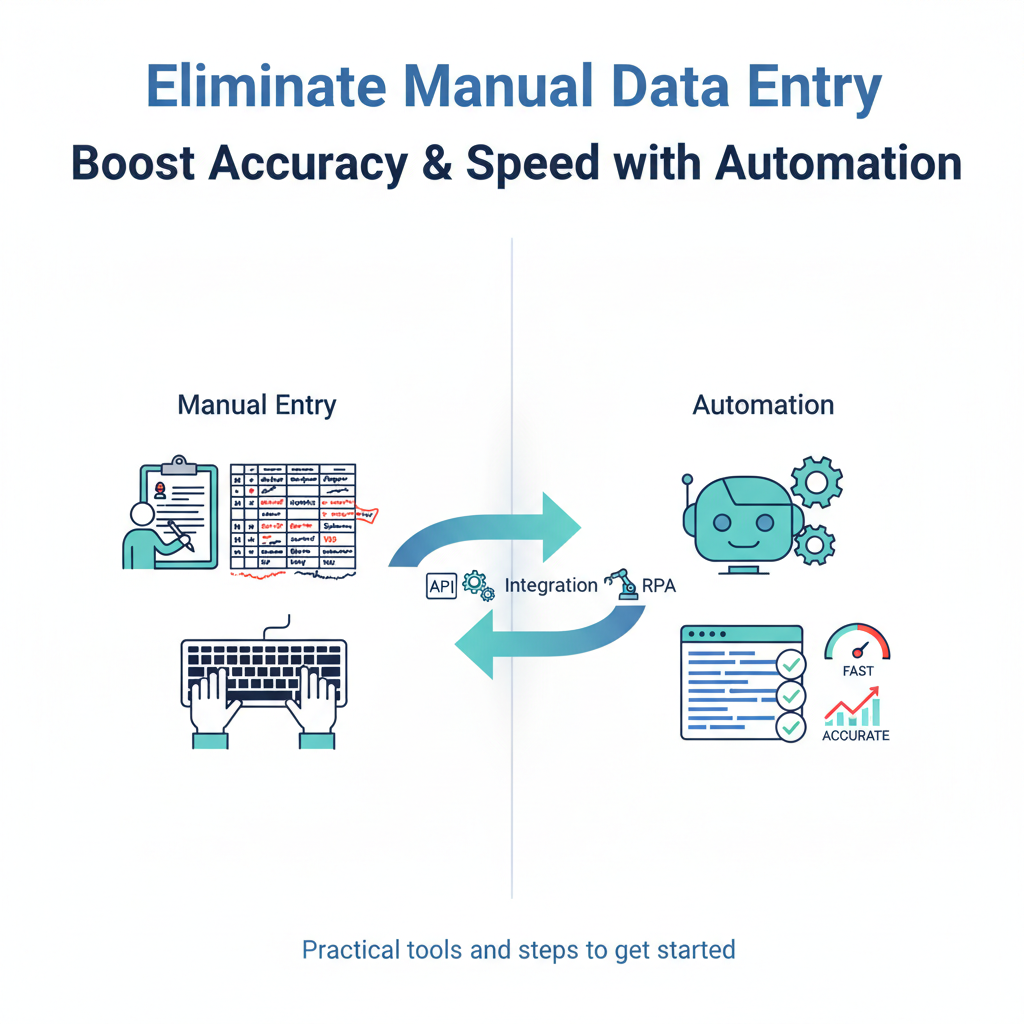
How to Automate Data Entry for Increased Efficiency and Accuracy
Estimated reading time: 8 minutes
Key Takeaways
- Automating data entry dramatically reduces manual effort and speeds processing, freeing teams for higher-value work.
- Accuracy improvements of 99%+ are common, reducing error-correction time and rework. Learn more
- Productivity gains and faster processing reduce overall costs, enabling scalable operations. See how
- Automation is best approached in stages with pilot programs and change management. Strategy guidance
- Future-ready data relies on AI, real-time processing, and end-to-end intelligent automation. Explore trends
Table of contents
- The Need for Data Entry Automation
- What Is Data Entry Automation?
- Benefits of Automating Data Entry
- Data Entry Automation Tools
- How to Implement Data Entry Automation in Your Business
- Common Challenges in Automating Data Entry and How to Overcome Them
- Future of Data Entry Automation
- Conclusion
- Call to Action
Imagine spending hours every day retyping invoices, customer information, or order details—only to find mistakes creeping in despite your best efforts. What if you could eliminate that tedious work entirely?
Data entry is the careful process of capturing, inputting, and organizing data from diverse sources—forms, emails, PDFs, spreadsheets—into business systems like CRMs or ERPs. It’s one of those unglamorous tasks that keeps organizations running. Without accurate data entry, your reporting falls apart, compliance becomes a nightmare, and decision-making turns into guesswork.
This article will explore how to automate data entry to save time, improve accuracy, and boost productivity. We’re talking about real transformation here—higher accuracy rates, faster processing times, lower operational costs, and freeing your employees to focus on work that actually moves the needle.
So, why is manual data entry such a challenge for businesses today?
The Need for Data Entry Automation
Picture this: It’s Tuesday afternoon, and Sarah from accounting is on her third hour of manually entering supplier invoices into the system. Her eyes are glazing over. She’s tired. And somewhere around invoice number forty-seven, she accidentally transposes two digits in a payment amount.
That’s the reality of manual data entry.
The challenges run deeper than just boredom. Human error rates in manual data entry typically range from 1–4%, and that might sound small until you realize what it means at scale. When you’re processing thousands of transactions, that error rate translates to hundreds of mistakes—each one requiring time to identify, investigate, and correct.
https://klearstack.com/blogs/automated-data-entry-software
Then there’s the sheer time investment. Workers spend countless hours retyping information from emails, scanning through PDFs, and manually entering data from paper documents. This extends processing times for everything from invoicing to customer onboarding. Your team ends up working late, projects get delayed, and the backlog keeps growing.
And let’s talk about cost. More volume means more staff. You’re not just paying for the initial data entry—you’re paying for the error correction, the audit time, the delayed payments, and the customer service issues that stem from bad data. The hidden costs add up fast.
https://parseur.com/blog/data-entry-automation
https://www.docuclipper.com/blog/manual-data-entry-vs-automated-data-entry/
The business impact is real. Slow invoice processing means delayed payments and strained supplier relationships. Data errors create compliance headaches that can result in fines. Customer service suffers when your team is working with outdated or incorrect information. And scaling? Forget about it. Growth shouldn’t require hiring an army of data entry clerks, but that’s exactly what happens when you’re stuck with manual processes.
https://start.docuware.com/blog/document-management/automated-data-entry
https://www.docuclipper.com/blog/manual-data-entry-vs-automated-data-entry/
Given these challenges, how can automation help?
What Is Data Entry Automation?
Data entry automation uses AI-powered software to capture, validate, and upload data without humans needing to manually type each field. It’s like having a tireless, incredibly accurate assistant who never gets bored or makes typos.
Here’s how it actually works in practice. Automation tools scan and interact with various document formats—emails, PDFs, scanned images, web forms. Using optical character recognition (OCR) and artificial intelligence, they identify and extract key fields like names, dates, amounts, and account numbers. Then they validate that data against your business rules, checking for proper formats, catching duplicates, and flagging anything that looks suspicious. Finally, they push the validated data directly into your target systems—your ERP, CRM, database, or spreadsheets.
https://blog.mation.com/automated-data-entry-reducing-manual-input-more-reliable-data
Compare that to manual entry, where someone has to look at a document, read each field, type it into the system, and hope they didn’t make a mistake. Manual entry is slow and prone to fatigue-induced errors. It’s inconsistent because different people interpret and enter data differently. And it’s nearly impossible to scale efficiently.
Automation, on the other hand, applies consistent rules every time. It processes documents at machine speed. It standardizes formats automatically. And it includes built-in validation checks that catch issues before bad data enters your systems.
https://www.hyland.com/en/resources/articles/data-entry-automation
https://start.docuware.com/blog/document-management/automated-data-entry
https://klearstack.com/blogs/automated-data-entry-software
Think of it this way: manual data entry is like handwriting a letter and mailing it. Automation is like having a smart assistant that instantly converts your spoken words into perfectly formatted text, checks it for errors, and delivers it to the right person—all in seconds.
Now that we understand what automation is, what benefits can it bring to your business?
Benefits of Automating Data Entry
Eliminate Manual Data Entry
The biggest win is reducing the hours wasted on mind-numbing retyping.
Automation can reduce manual data entry effort by 80–95%. For many workflows, you’re essentially eliminating the retyping entirely. Your team reviews and approves instead of manually keying in every field.
https://heydan.ai/articles/why-everyone-automating-data-entry
But it’s not just about speed—it’s about accuracy. Automated systems routinely achieve over 99% accuracy, compared to typical human accuracy of around 96–99%. Some advanced solutions hit 99.95–99.99% accuracy, cutting error rates to just 0.01%. That’s the difference between dozens of errors per thousand entries and virtually none.
https://www.getresq.com/nora/nora-blog/automate-data-entry
Fewer errors means less time spent correcting mistakes and auditing data. One company I know about was dealing with invoice entry errors almost daily—wrong amounts, duplicate entries, mismatched account codes. After implementing automation, those errors dropped to nearly zero. Their accounting team went from spending Friday afternoons hunting down discrepancies to actually closing the books on time.
Improved Productivity
Imagine reclaiming hours each week previously lost to tedious data chores.
Automation frees employees to focus on decision-making, customer service, and strategic initiatives—the work that actually requires human judgment and creativity. Instead of Sarah spending three hours entering invoices, she can spend that time analyzing spending patterns, negotiating better terms with suppliers, or improving processes.
Organizations typically see productivity gains of 20–40% after adopting automation. Some report 25–30% improvements in overall team output.
https://start.docuware.com/blog/document-management/automated-data-entry
Let me put that in concrete terms. If your team currently spends 20 hours per week on data entry, automation could reclaim 14–16 hours of that time. That’s nearly two full workdays every week redirected toward higher-value activities. Multiply that across your entire organization, and you’re talking about massive productivity gains.
https://heydan.ai/articles/why-everyone-automating-data-entry
Cost Efficiency
Cutting operational costs is often the business case driver that gets automation projects approved.
Automation reduces the need for additional data entry staff and cuts processing costs by 50–80% in many organizations. Companies consistently report 30–40% cost reductions after implementing automated data entry systems.
https://heydan.ai/articles/why-everyone-automating-data-entry
But the savings go beyond just labor costs. Think about the indirect savings: fewer costly mistakes that require investigation and correction, reduced chargebacks from billing errors, lower compliance risk, and less customer dissatisfaction caused by bad data. These hidden costs of poor data quality can be substantial.
https://www.hyland.com/en/resources/articles/data-entry-automation
There’s also the scalability factor. When order volume spikes during your busy season, automated systems handle the increase without breaking a sweat. You don’t need to hire temporary workers or pay overtime. The system just processes more documents.
https://start.docuware.com/blog/document-management/automated-data-entry
https://blog.mation.com/automated-data-entry-reducing-manual-input-more-reliable-data
Data Entry Automation Tools
Let’s explore the best tools that can take your data entry from manual drudgery to automation powerhouse.
The automation landscape includes several categories of tools, each suited to different needs:
Document data capture and AI-powered OCR tools are ideal for processing invoices, receipts, forms, and contracts. These solutions use optical character recognition combined with machine learning to extract data from documents—even when layouts vary. Unlike old-school OCR that required rigid templates, modern AI-based tools can understand context and adapt to different formats.
These tools typically handle PDFs, scanned images, and even photos taken with smartphones. They can integrate with accounting systems, ERPs, and document management platforms. Standout features include template-free extraction (the AI learns what an invoice looks like without explicit programming), automatic validation against business rules, and comprehensive audit trails.
https://start.docuware.com/blog/document-management/automated-data-entry
https://klearstack.com/blogs/automated-data-entry-software
https://blog.mation.com/automated-data-entry-reducing-manual-input-more-reliable-data
[Read more about automating finance tasks like invoicing and bookkeeping](https://anilbohra.me/?p=1821)
The pros are obvious—incredible accuracy, fast processing, and the ability to handle thousands of documents. The cons? Initial setup requires some configuration time, and you’ll need to train your team on reviewing exceptions. There’s also typically a subscription cost that scales with volume.
https://www.hyland.com/en/resources/articles/data-entry-automation
https://start.docuware.com/blog/document-management/automated-data-entry
https://klearstack.com/blogs/automated-data-entry-software
Think of it this way: manual data entry is like handwriting a letter and mailing it. Automation is like having a smart assistant that instantly converts your spoken words into perfectly formatted text, checks it for errors, and delivers it to the right person—all in seconds.
Now that we understand what automation is, what benefits can it bring to your business?