Automated Expense Tracking: The Complete Guide to Smarter Expense Management
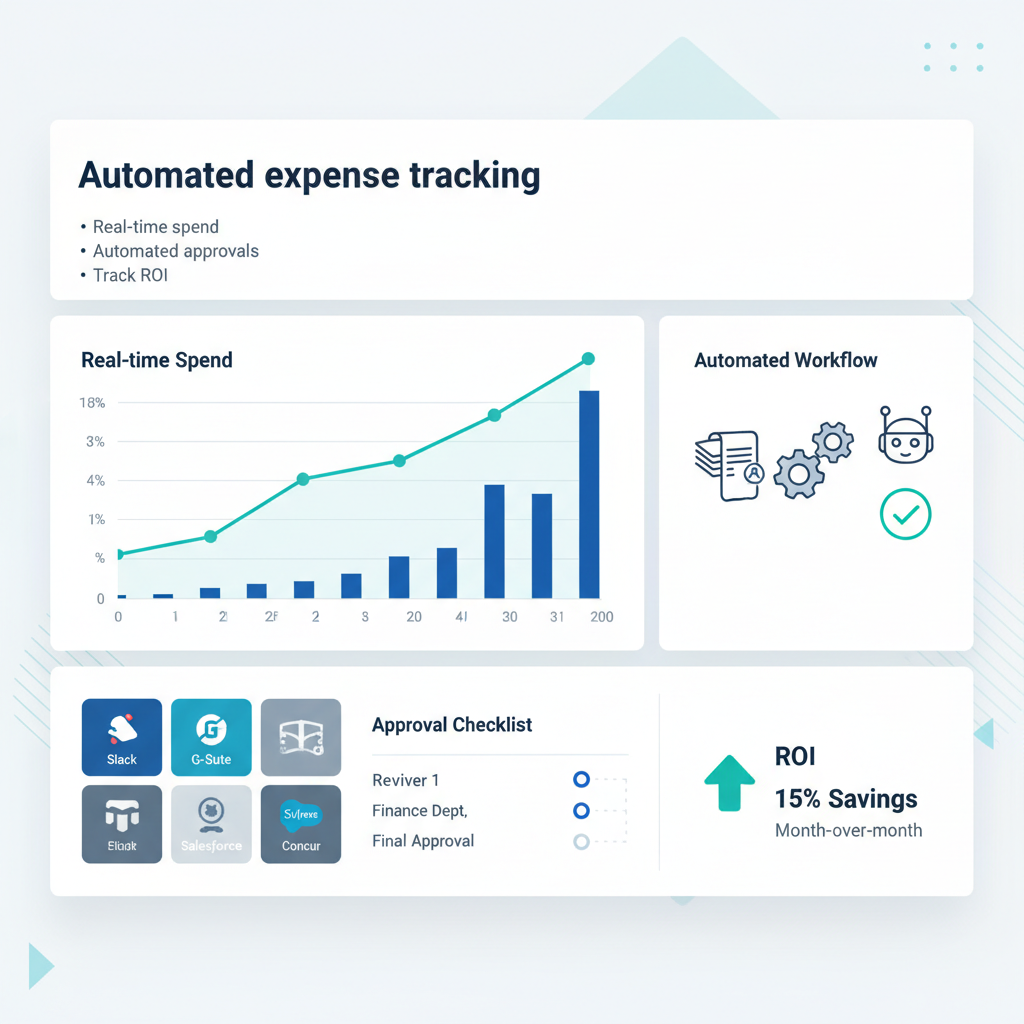
Automated Expense Tracking: The Complete Guide to Smarter Expense Management
Estimated reading time: 10 minutes
Key Takeaways
- Automated expense tracking saves time by capturing, categorizing, approving, and reporting expenses with minimal manual input.
- Real-time spend visibility and analytics help you spot trends and control costs.
- Automation improves accuracy, policy compliance, and audit trails, reducing errors and fraud.
Table of contents
- Understanding How Automated Expense Tracking Actually Works
- Why Expense Management Automation Matters Beyond Just Tracking
- The Real Benefits of Automated Expense Tracking
- Best Tools for Automated Expenses
- Choosing the Right Tool for Your Specific Needs
- Real-Life Applications and Case Studies
- Challenges and Considerations
- Moving Forward with Automated Expense Tracking
- Frequently Asked Questions
Understanding How Automated Expense Tracking Actually Works
Ever snapped a photo of a receipt on your phone and wondered how that information magically appears in your expense report? The technology behind it is actually pretty fascinating, even if you’re not a tech person.
Digital receipt capture is where the magic starts. When you take that photo or forward an email receipt, the software uses something called optical character recognition (OCR) combined with artificial intelligence to extract the important details—date, amount, vendor name, what you bought. You’re not typing anything in manually. The system reads it for you.
https://planergy.com/blog/expense-report-automation/
https://www.abbyy.com/blog/expense-management-automation/
Now here’s where it gets interesting. Automatic categorization means the software doesn’t just capture the data—it understands what it means. See a charge from Shell? That’s automatically tagged as fuel or travel. Starbucks purchase at 8 AM? Probably meals and entertainment. The AI learns from your company’s patterns and applies rules you’ve set up, so expenses land in the right buckets without anyone having to think about it.
This eliminates one of the biggest sources of errors in traditional expense reporting: human miscategorization. When someone’s rushing to submit their expenses on a Friday afternoon, they’re going to make mistakes. The software doesn’t have that problem.
https://navan.com/resources/glossary/what-is-automated-expense-reporting
https://payhawk.com/en-us/blog/automated-expense-reporting-for-modern-businesses
Policy checks and approval routing happen automatically too. Let’s say your company policy caps dinner expenses at $75 per person. If someone submits a $120 dinner receipt, the system flags it immediately. It doesn’t wait for an approver to catch it—it surfaces the issue right away and routes it to the appropriate manager based on rules you’ve configured.
No more endless email chains asking “Did you approve this?” or “Who’s supposed to sign off on marketing expenses?” The workflow is built into the system.
https://planergy.com/blog/expense-report-automation/
https://www.concur.com/blog/article/why-automated-expense-management-is-key-for-business-growth
And finally, reimbursement and accounting integration closes the loop. Once an expense is approved, it flows directly into your payroll system for reimbursement or syncs with your accounting software like QuickBooks or NetSuite. Your finance team isn’t manually entering approved expenses into multiple systems. It happens automatically, reducing both workload and the chance of errors.
https://planergy.com/blog/expense-report-automation/
https://business.amazon.com/en/blog/expense-management-automation
[Read more about automating payroll processes](https://anilbohra.me/?p=1815)
Most modern automated expense tracking systems come packed with features that make life easier for everyone involved:
- Mobile apps that let employees submit expenses from anywhere
- Corporate card integration that automatically imports transactions
- Mileage tracking using GPS
- Automated approval workflows with customizable rules
- Real-time dashboards showing spend as it happens
- Audit trails that document every action for compliance
Think of traditional expense reporting like assembling a jigsaw puzzle manually—piece by piece, checking each one, hoping you didn’t lose any under the couch. Automated expense tracking is like having a robot that assembles the puzzle perfectly every single time, in a fraction of the time it would take you.
https://www.concur.com/blog/article/why-automated-expense-management-is-key-for-business-growth
https://business.amazon.com/en/blog/expense-management-automation
https://www.procurify.com/blog/expense-management/
The benefits are pretty clear when you see it in action. Employees spend minutes instead of hours on expense reports. Finance teams stop chasing down missing receipts. And everyone gets paid faster, which makes for happier employees and more accurate financial reporting.
But to really appreciate why this matters, we need to zoom out and look at the bigger picture of expense management.
Why Expense Management Automation Matters Beyond Just Tracking
Here’s something that might surprise you: expense tracking is actually just one checkpoint in a much longer journey of managing company spending. And that’s where expense management automation really shows its value.
Think about the full lifecycle of a business expense. It starts before anyone even spends money—with budget planning and spending requests. Then there’s the actual purchase, whether that’s swiping a corporate card or paying out of pocket. After that comes submission, approval, reimbursement, and finally reporting and analysis. Oh, and don’t forget policy adjustments based on what you learned.
That’s a lot of steps. And expense management automation can improve every single one of them, not just the receipt-capturing part.
https://www.procurify.com/blog/expense-management/
Real-time spend visibility changes the game completely. Instead of finding out at month-end that your marketing team blew through their quarterly budget in six weeks, you see it happening in real-time. Your dashboard shows spending by department, by project, by category—whatever matters to your business. You can course-correct before small problems become big ones.
I’ve seen finance teams catch runaway spending mid-month and have conversations with department heads while there’s still time to adjust. That’s impossible with manual processes where you’re always looking at old data.
https://business.amazon.com/en/blog/expense-management-automation
https://payhawk.com/en-us/blog/automated-expense-reporting-for-modern-businesses
Budget enforcement becomes proactive rather than reactive. You can set up controls that prevent spending beyond approved limits or require additional approval for unusual purchases. Some systems even let you adjust policies on the fly—no need to send out another email that nobody reads.
And here’s the thing about clean, structured data: it’s worth its weight in gold for planning and forecasting. When all your expense data is automatically categorized and tagged, you can spot trends, identify cost-saving opportunities, and make smarter budgeting decisions. You’re not guessing based on incomplete information.
https://www.abbyy.com/blog/expense-management-automation/
https://wise.com/us/blog/expense-automation
Compliance and error reduction are huge benefits that often get overlooked. Manual expense review catches some problems, sure. But people get tired, they miss things, and they’re not consistent. Automated policy checks enforce rules the same way every single time.
Out-of-policy expenses get flagged before approval. Duplicate submissions are caught automatically. Missing receipts trigger immediate notifications. The system creates an audit trail showing exactly who approved what and when, which makes both internal and external audits significantly less painful.
https://www.concur.com/blog/article/why-automated-expense-management-is-key-for-business-growth
https://www.abbyy.com/blog/expense-management-automation/
https://business.amazon.com/en/blog/expense-management-automation
I’ll be honest—some people think manual review is “good enough” for catching errors. But the data tells a different story. Manual processes miss things, period. And the cost of those errors—whether it’s fraud, duplicate payments, or non-compliant spending—adds up fast.
Automation doesn’t get distracted or have a bad day. It applies the same rules consistently, which means fewer errors slip through the cracks.
The Real Benefits of Automated Expense Tracking
What if your employees could submit expenses in seconds, and your finance team could analyze company-wide spending instantly? That’s not a hypothetical—it’s what happens when you implement automated expense tracking properly.
Let me break down the concrete benefits you can expect.
Increased efficiency and productivity is usually the first thing people notice. Employees who used to spend 20-30 minutes filling out expense reports now do it in under five minutes using a mobile app. They snap photos of receipts right when they get them, and the system handles the rest.
Your finance team sees even bigger gains. They’re not spending hours on data entry, chasing missing receipts, or manually checking whether expenses comply with policy. Instead, they can focus on analysis, planning, and strategic work that actually moves the business forward.
https://payhawk.com/en-us/blog/automated-expense-reporting-for-modern-businesses
https://wise.com/us/blog/expense-automation
https://planergy.com/blog/expense-report-automation/
https://www.propelapps.com/blog/expense-management-automation
https://www.propelapps.com/blog/expense-management-automation
Real-time financial insights and reporting transform how you make decisions. Traditional expense reporting gives you a rearview mirror—you’re always looking at what happened weeks ago. Automated systems give you a windshield view of what’s happening right now.
Your dashboards show total spend, top categories, out-of-policy activity, spending by department or project—whatever metrics matter to your business. And you can drill down into the details whenever you need to understand what’s driving the numbers.
https://business.amazon.com/en/blog/expense-management-automation
https://www.procurify.com/blog/expense-management/
https://www.abbyy.com/blog/expense-management-automation/
Custom reports support all kinds of strategic decisions. Negotiating with vendors? Pull up your actual spending with them. Planning next year’s budget? See exactly how departments spent this year. Trying to optimize travel costs? Analyze patterns in travel expenses across your organization.
It’s like switching from a paper map to GPS. You’re not just getting there faster—you’re getting better information about the route, real-time updates about conditions, and suggestions for improvements.
https://www.abbyy.com/blog/expense-management-automation/
https://wise.com/us/blog/expense-automation
Cost savings and reduced manual labor deliver ROI that’s easy to measure. Processing expenses manually costs money—in staff time, in errors that require correction, in fraud that goes undetected. Automation dramatically cuts those costs.
Some studies show that automated expense management can reduce processing costs per expense report by 50-70% compared to manual processes. That’s a direct hit to your bottom line.
https://business.amazon.com/en/blog/expense-management-automation
https://wise.com/us/blog/expense-automation
But the indirect savings matter too. Fewer errors mean fewer write-offs and corrections. Better fraud detection prevents losses. Faster processing means better cash flow management. And as your organization grows, you don’t need to proportionally increase your finance headcount.
https://www.concur.com/blog/article/why-automated-expense-management-is-key-for-business-growth
https://www.abbyy.com/blog/expense-management-automation/
https://www.propelapps.com/blog/expense-management-automation
https://business.amazon.com/en/blog/expense-management-automation
The ROI usually pays for the software investment within the first year, sometimes within months, depending on your organization’s size and expense volume.
Best Tools for Automated Expenses
So you’re convinced that automated expense tracking makes sense. Great. Now comes the tricky part: choosing from the dozens of tools available. Let me walk you through some of the leading options and what makes each one worth considering.
SAP Concur is the 800-pound gorilla in this space, and for good reason. It’s built for mid-size to large enterprises that need robust features, strong compliance capabilities, and integration with complex tech stacks.
Concur offers automated expense reporting, travel management, policy enforcement, mobile receipt capture, and extensive integrations with ERP and accounting systems. If you’re a large organization with complex needs, Concur probably has a feature for it.
The upside? It’s powerful and comprehensive. The downside? It can be complex to implement and configure. The pricing and feature set might be overkill if you’re a smaller business with simpler needs. Pricing is typically quote-based with a per-user subscription model, so you’ll need to talk to their sales team.
Navan (formerly TripActions) has made a name for itself by combining travel booking with expense management. If your company has significant travel spending and uses corporate cards, Navan deserves a serious look.
The platform offers integrated travel booking, corporate cards, automated expense reporting, and real-time policy controls. The user experience is modern and intuitive, which helps with employee adoption.
https://navan.com/resources/glossary/what-is-automated-expense-reporting
The travel-plus-expense combination is Navan’s sweet spot. If you’re not a travel-heavy organization, you might be paying for features you don’t need. Pricing is tiered and typically quote-based depending on company size.
Payhawk targets growing businesses looking for all-in-one spend management. They combine corporate cards with automated expense reporting, approvals, and accounting integrations in a package designed for companies that want to standardize how they manage spending.
Payhawk’s strength is the tight integration between cards and expenses—transactions automatically become expense reports, which eliminates manual entry entirely. They also offer good multi-entity support for companies operating in multiple countries.
The catch is that you get the most value if you’re willing to standardize your spending on their platform. If you want to keep using your existing corporate card program, Payhawk might not be the best fit. Pricing is subscription-based with different plans depending on features and regions.
Wise Business approaches the problem from a different angle. While it’s not a full-featured expense management suite, it excels at handling international and multi-currency spending with expense automation features built in.
If your business operates globally, deals with multiple currencies, or makes frequent international payments, Wise’s multi-currency accounts and cards combined with their expense automation features can save you significant money on foreign exchange fees.
https://wise.com/us/blog/expense-automation
The limitation is that Wise doesn’t offer the complex policy workflows and approval hierarchies that dedicated expense management platforms provide. It’s best for companies that need strong multi-currency capabilities and simple expense automation rather than enterprise-grade expense management.
Pricing is transparent and competitive, with low account fees and pay-as-you-go for transfers and some features.
https://www.abbyy.com/blog/expense-management-automation/
Other categories to consider:
There are SMB-focused expense tools that prioritize simplicity and quick setup over enterprise features. These work well for smaller businesses that want basic automation without complexity.
AI-driven capture tools specialize in OCR and document processing, feeding expense data into your existing finance systems rather than replacing them entirely.
https://www.abbyy.com/blog/expense-management-automation/
https://planergy.com/blog/expense-report-automation/
And there are broader procure-to-pay and spend management platforms that include expense automation as part of a comprehensive spend management solution covering AP, procurement, and expense management.
https://business.amazon.com/en/blog/expense-management-automation
https://www.procurify.com/blog/expense-management/
Integration capabilities matter more than most people realize. The best tool in the world won’t help you if it can’t talk to your existing systems. When evaluating options, look for:
- Native connectors with your accounting or ERP system (QuickBooks, Xero, NetSuite, etc.)
- Integrations with HR and payroll systems for automated reimbursements
- Single sign-on (SSO) support for enterprise identity providers
- APIs or middleware compatibility for custom workflows
https://business.amazon.com/en/blog/expense-management-automation
https://www.procurify.com/blog/expense-management/
Read more about no-code and low-code automation tools
The integration question often determines whether a tool works smoothly in your environment or becomes a constant headache. Don’t skip this part of your evaluation.
Choosing the Right Tool for Your Specific Needs
With so many tools available, how do you make sure the one you choose actually fits your unique business needs? Let me walk you through the key considerations.
Company size and complexity should be your starting point. Small businesses need ease of use, quick setup, and essential automation without complexity. You don’t want to spend three months implementing a system that requires a dedicated admin.
Mid-size and enterprise organizations have different priorities: scalability, compliance capabilities, multi-entity support, and advanced workflows. You need a system that can grow with you and handle complexity without breaking.
https://business.amazon.com/en/blog/expense-management-automation
https://www.procurify.com/blog/expense-management/
A tool that’s perfect for a 50-person startup might collapse under the weight of a 5,000-person global enterprise. And conversely, an enterprise platform might be total overkill for a small business.
Industry requirements matter more than you might think. Regulated industries like finance, healthcare, and government contracting need stricter audit trails, approval documentation, and data residency controls. Your expense management system needs to support those requirements, not fight against them.
https://www.concur.com/blog/article/why-automated-expense-management-is-key-for-business-growth
https://www.abbyy.com/blog/expense-management-automation/
Project-based industries—consulting, construction, creative agencies—need strong project and cost center allocation. If you bill clients for expenses or need to track spending by project, make sure your chosen tool handles that elegantly.
https://www.propelapps.com/blog/expense-management-automation
Budget considerations go beyond just the subscription cost. Yes, you need to compare what different tools cost. But also think about the return on investment: time saved, errors prevented, fraud detected, faster closing of books.
Sometimes a more expensive tool delivers better ROI because it saves more time or integrates better with your existing systems. Sometimes a simpler, cheaper tool is perfect for your needs.
https://business.amazon.com/en/blog/expense-management-automation
https://wise.com/us/blog/expense-automation
Specific functional requirements vary widely between organizations:
- Do you have high travel volume? You’ll want strong travel booking integration.
- Do you primarily use corporate cards or reimbursements? That affects which features matter most.
- Do you operate globally with multiple currencies and entities? Multi-currency and multi-entity support becomes critical.
- How sophisticated are your reporting needs? Some tools offer basic reports while others provide deep analytics.
Make a list of your must-have features versus nice-to-have features. This helps you evaluate tools objectively rather than getting distracted by flashy features you’ll never use.
Take advantage of trial versions and pilots. Most vendors offer free trials, pilot programs, or limited-feature free tiers. Use them. Seriously.
Test the user experience for both employees and approvers. Have real users submit actual expenses and see how it feels. Does the mobile app work well? Is the approval process intuitive?
Validate integrations with your existing systems. Don’t just trust the vendor’s claims—actually test the data flow between the expense tool and your accounting system.
Confirm that policy rules and workflows match your real-life processes. Can you configure the tool to enforce your actual policies? Or will you have to change your policies to fit the tool’s limitations?
A couple weeks of testing can save you from months of frustration with a tool that looked good in a demo but doesn’t work well in practice.
Read more about planning your first automation project
Real-Life Applications and Case Studies
Let me share some concrete examples of how organizations are using automated expense tracking in the real world. These aren’t theoretical—they’re the kinds of results companies actually see.
A growing SaaS company replaced their manual reimbursement process with corporate cards and automated expense tracking. Before automation, employees would pay out of pocket, submit paper receipts (or lose them), and wait weeks for reimbursement. Finance spent hours each month processing expense reports and manually entering data into QuickBooks.
After implementing automation, employees use corporate cards for business expenses. Transactions automatically appear in the expense system, already categorized. Employees just need to add notes or attach receipts for certain expense types. Finance reviews and approves everything in a fraction of the time.
The result? They cut their month-end close time by three days and eliminated most reimbursement-related complaints from employees. Finance could finally focus on strategic planning instead of administrative work.
https://planergy.com/blog/expense-report-automation/
https://payhawk.com/en-us/blog/automated-expense-reporting-for-modern-businesses
A consulting firm had field consultants who spent significant time on client sites, racking up mileage and travel expenses. Manual mileage logs were a nightmare—consultants would forget to track trips, estimate mileage from memory, or make calculation errors.
They implemented automated expense tracking with GPS-based mileage tracking. Now consultants just start the app when they begin a client trip, and it automatically logs the mileage. Travel expenses are submitted via mobile app immediately, not weeks later from fading memory.
The firm saw a dramatic reduction in mileage log errors and faster expense submission and approval. Consultants spent less time on administrative work, and the finance team had confidence in the accuracy of mileage claims.
https://www.propelapps.com/blog/expense-management-automation
A manufacturing company with multiple plants struggled to allocate travel and other expenses to specific cost centers. Their manual process relied on employees correctly coding expenses, which didn’t always happen. Financial reporting by plant was often inaccurate.
They integrated expense management automation with their ERP system and set up automated rules for expense allocation based on employee home location, project codes, and other factors. Now expenses automatically flow to the right cost centers with minimal manual intervention.
Management finally has accurate cost reporting by plant and project. They can make better decisions about resource allocation and profitability because they trust their expense data.
https://www.propelapps.com/blog/expense-management-automation
https://business.amazon.com/en/blog/expense-management-automation
https://www.procurify.com/blog/expense-management/
Common themes across these examples:
- Faster processing and approval of expenses
- Significant reduction in errors and misclassifications
- Better compliance with company policies
- Real-time visibility into spending patterns
- Finance teams freed up for strategic work
- Improved employee satisfaction with faster reimbursements
And here’s something important: these benefits aren’t limited to large companies. Small businesses see proportionally similar improvements, sometimes even more dramatic because they’re starting from more manual processes.
Read more about common processes to automate in small businesses
The key is choosing a tool that fits your specific situation and implementing it thoughtfully. Which brings us to the challenges you’ll need to navigate.
Challenges and Considerations
Let’s be real: while automated expense tracking offers huge benefits, it’s not without challenges. Knowing what to expect helps you plan for success rather than being blindsided by problems.
Change management and employee adoption is often the biggest hurdle. People resist new systems, especially if they’ve been doing things the same way for years. You’ll hear complaints like “The old system worked fine” or “This is too complicated” even when the new system is objectively simpler.
The solution? Involve employees early in the selection process. Get feedback from actual users, not just finance leadership. When people feel heard and see that the new system addresses their pain points, they’re more likely to embrace it.
Start with a pilot group of enthusiastic early adopters. Let them test the system, work out the kinks, and become champions who can help train and encourage others.
Configuration issues can undermine even the best tools. If your expense categories don’t match how people actually spend money, they’ll constantly struggle to categorize expenses correctly. If your policy rules are too rigid or don’t account for legitimate exceptions, you’ll create frustration and workarounds.
Spend time upfront getting the configuration right. Involve people who actually submit and approve expenses, not just IT or finance leadership. Test with real-world scenarios before rolling out company-wide.
And be prepared to adjust. Your first configuration won’t be perfect. Build in feedback loops so you can refine rules and categories based on actual usage.
https://www.propelapps.com/blog/expense-management-automation
https://business.amazon.com/en/blog/expense-management-automation
https://www.procurify.com/blog/expense-management/
Integration complexity can range from trivial to nightmarish depending on your existing tech stack. Modern cloud-based accounting systems usually integrate smoothly with expense tools. Legacy ERP systems might require custom development or middleware.
Before committing to a tool, validate the integration thoroughly. Don’t just trust the vendor’s claims—test it with your actual systems and data. Involve your IT team early to identify potential issues.
Sometimes the integration challenge isn’t technical—it’s about data mapping and business processes. Make sure you understand how expense data will flow into your accounting system and whether the mapping makes sense for your chart of accounts.
https://business.amazon.com/en/blog/expense-management-automation
https://www.abbyy.com/blog/expense-management-automation/
Security and compliance concerns are legitimate when you’re dealing with financial data and personal information. Your expense system will contain sensitive data: employee banking information for reimbursements, corporate card numbers, spending patterns that might reveal confidential business information.
Make sure your chosen tool has appropriate security measures: encryption in transit and at rest, role-based access controls, audit logging, compliance certifications relevant to your industry (SOC 2, GDPR compliance, etc.).
Understand where your data is stored and whether that meets your regulatory requirements. Some industries or countries have specific data residency rules you need to follow.
https://www.propelapps.com/blog/expense-management-automation
https://business.amazon.com/en/blog/expense-management-automation
Practical solutions to common obstacles:
- Engage stakeholders early across finance, IT, HR, and key departments. Get their input on requirements and configuration.
- Run a focused pilot with a small group before company-wide rollout. Use their feedback to refine the system.
- Provide clear, accessible training. Don’t just send a link to documentation—offer live training sessions, short video tutorials, and easy-to-find help resources.
- Partner with experienced vendors or implementation consultants who’ve solved these problems before. Their expertise can save you months of trial and error.
https://www.propelapps.com/blog/expense-management-automation
https://business.amazon.com/en/blog/expense-management-automation
https://www.procurify.com/blog/expense-management/
Measure success with concrete metrics. Before you implement, establish baseline measurements: how long does expense processing take now? What’s your error rate? How long does reimbursement take?
After implementation, track the same metrics. Are you seeing improvement? If not, why not? Use the data to make adjustments and demonstrate ROI to leadership.
Common metrics to track:
- Average time to submit an expense report
- Average time to approve expenses
- Processing cost per expense report
- Error rate and out-of-policy expense rate
- Employee satisfaction with the expense process
- Days to close month-end
The challenges are real, but they’re manageable with proper planning and execution. And the benefits far outweigh the temporary discomfort of change.
Moving Forward with Automated Expense Tracking
We’ve covered a lot of ground here, so let me bring it all together.
Automated expense tracking isn’t just a nice-to-have anymore—it’s become essential for organizations that want to control costs, improve compliance, and gain real-time visibility into spending. The technology has matured to the point where it’s accessible to businesses of all sizes, not just large enterprises.
The benefits are substantial and measurable: dramatic time savings for both employees and finance teams, higher accuracy and compliance, real-time insights that enable better decisions, and cost savings that typically pay for the investment within the first year.
But success requires more than just buying software. You need to choose a tool that fits your specific situation—your company size, industry requirements, budget, and functional needs. You need to configure it thoughtfully, involve stakeholders early, and manage the change process carefully.
Here’s what I recommend you do next:
Start by evaluating your current expense process honestly. Where are the biggest pain points? Where do errors happen? What takes the most time? Understanding your problems helps you evaluate solutions effectively.
Then shortlist a few automated expense tracking tools that fit your profile. Don’t just go with the biggest name or the cheapest option—look for the best fit for your specific needs.
Take advantage of trials and pilots. Test the tools with real users and real expenses. Validate integrations with your existing systems. See how the tools actually work in practice, not just in demos.
Start small if you need to. You don’t have to automate everything at once. Maybe you begin with just receipt capture and categorization, then add approval workflows later. Or you pilot with one department before rolling out company-wide.
Read more about affordable automation tools and budget-friendly approaches
The important thing is to start. The gap between organizations using modern expense management automation and those still relying on manual processes is widening. The companies that embrace automation are operating more efficiently, making better decisions, and freeing their finance teams to focus on strategic work.
I’d love to hear from you:
What’s your experience with automated expense tracking? Are you still using manual processes, or have you implemented automation? What tools have you tried, and what worked well (or didn’t)?
Want to stay updated on financial automation and modern finance tools?
Subscribe to get future articles and deep dives delivered straight to your inbox. We cover everything from expense management to accounts payable automation, procurement technology, and strategic finance topics.
The future of finance is automated, data-driven, and strategic. Expense management automation is just one piece of that transformation, but it’s an important one. Companies that get it right gain a significant operational advantage—better data, faster processes, and finance teams focused on driving business value rather than processing paperwork.
The question isn’t whether to automate your expense tracking. It’s when and how. And hopefully, this guide has given you the knowledge and confidence to move forward.
Read more about how to plan your first automation project
Frequently Asked Questions
What is automated expense tracking?
Answer: It is software that captures, categorizes, approves, and reports expenses with minimal manual input.
What are the main benefits?
Answer: Increased efficiency, real-time insights, better compliance, and reduced errors and fraud.
How should I choose a tool?
Answer: Consider company size, industry requirements, budget, trial versions, and integration with existing systems.
}