Finance Automation for Small Business: How to Streamline Bookkeeping and Invoicing Without Losing Your Mind
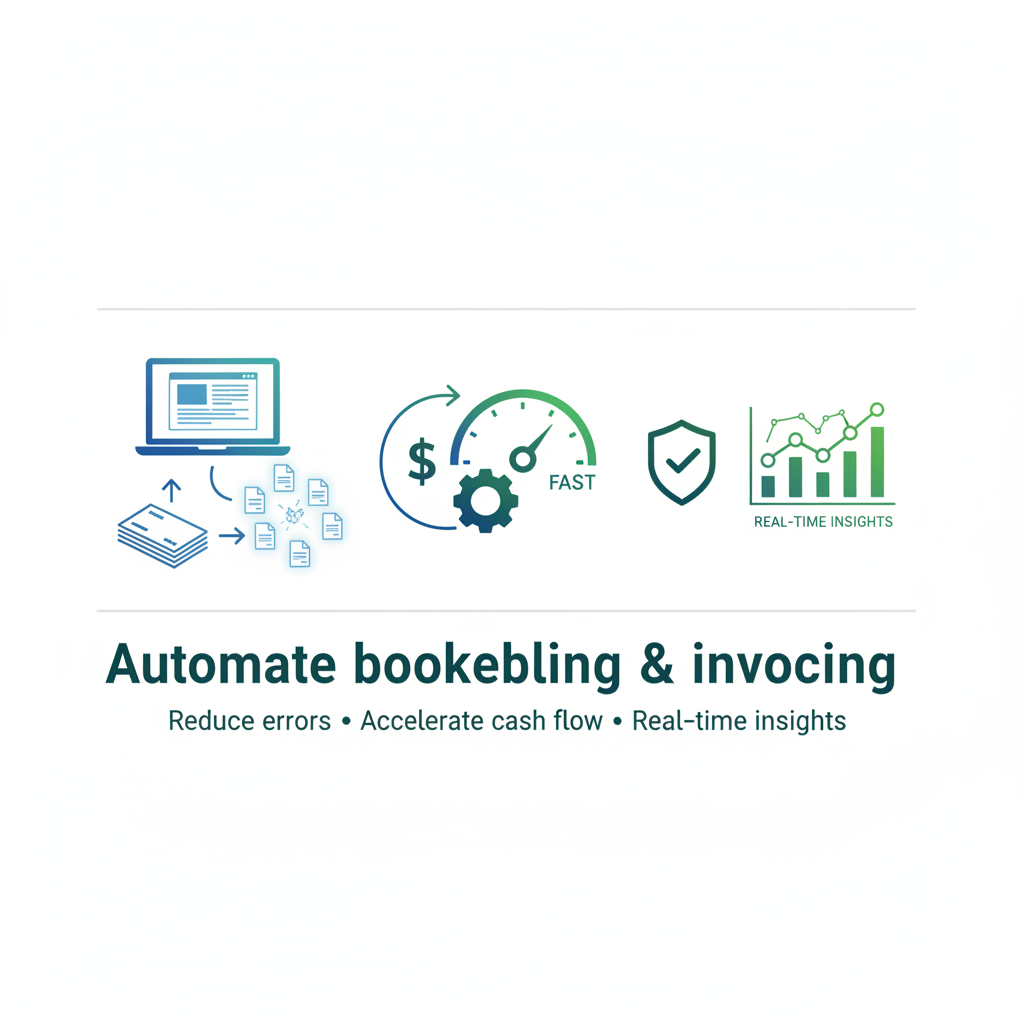
Finance Automation for Small Business: How to Streamline Bookkeeping and Invoicing Without Losing Your Mind
Estimated reading time: 12 minutes
Key Takeaways
- Finance automation saves hours each week, reduces errors, and provides real-time data to improve decisions
- Start with core priorities like bookkeeping and invoicing to create a seamless data flow across systems
- Implement in phases with pilots and clear milestones to minimize disruption
- Choose tools with strong integration to ensure bank feeds, invoicing, and payments connect smoothly
- Use templates, reminders, and online payments to accelerate cash flow and consistency
Table of contents
- Understanding Finance Automation: More Than Just Software
- The Real Benefits of Automating Financial Processes
- Key Areas to Automate in Small Business Finance
- Automate Bookkeeping: Your Financial Backbone
- Automate Invoicing: Get Paid Faster
- Steps to Implement Finance Automation in Your Small Business
- Potential Challenges and Solutions
- Making Finance Automation Work for Your Small Business
- Additional Resources
As a small business owner juggling multiple hats—from sales calls to customer service to operations—managing your finances manually can quickly become overwhelming and error-prone. You know the feeling: it’s 11 PM, you’re squinting at spreadsheets, trying to match receipts to transactions, and wondering if there’s a better way.
There is. Finance automation for small business owners is transforming how companies manage money, freeing up precious time and dramatically improving accuracy. Instead of relying on manual spreadsheets or paper processes, you can use software tools to automatically handle routine finance tasks like bookkeeping, invoicing, expense tracking, and payroll.
The benefits? You’ll save hours each week, reduce costly mistakes, improve your cash flow visibility, and get real-time data that actually helps you make smarter business decisions. And honestly, in today’s fast-paced business environment, automation isn’t just a nice-to-have anymore—it’s becoming essential for staying competitive.
Let me walk you through exactly what finance automation means for small businesses, which processes you should automate first, and how to implement these tools without disrupting your entire operation. Read more about Business Process Automation
Understanding Finance Automation: More Than Just Software
So what does finance automation really involve, and why is it becoming a must-have for small businesses?
Think of finance automation as using software platforms and integrated workflows to replace manual financial tasks with automated data capture, categorization, and transaction syncing. It’s like having a virtual financial assistant who never sleeps, never makes typos, and never forgets to send that follow-up invoice.
The technology behind this includes some pretty clever features. OCR (optical character recognition) can read bills and receipts just like you would—except faster and more accurately. Real-time bank feeds import transactions automatically into your accounting system. Automated workflows can trigger approvals, payments, and reminders without you lifting a finger.
Here’s what you can actually automate in your small business:
- Core bookkeeping and transaction recording
- Accounts payable (paying vendors) and receivable (collecting from customers)
- Payroll processing and employee reimbursements
- Expense management and approval workflows
- Financial reporting and analysis
For smaller teams, this is absolutely critical. You don’t have the luxury of a five-person finance department. Every hour your office manager spends manually entering invoices is an hour they’re not spending on activities that actually grow your business.
The beauty of modern finance automation is how these tools “talk” to each other. Your expense management tool syncs with your accounting platform, which connects to your bank feeds, which integrates with your invoicing system. It’s a seamless ecosystem that keeps your financial data flowing without constant manual intervention. Read more about common processes to automate in small businesses
The Real Benefits of Automating Financial Processes
How can automating your financial processes actually supercharge your small business operations? Let me break down the tangible benefits you’ll see.
Increased Efficiency and Time-Saving
This is the big one. Tasks that used to consume hours of your week—entering invoice data, reconciling bank accounts, chasing down receipts—can be cut down to minutes.
- Bank feeds automatically import and categorize transactions based on rules you set up once.
- Recurring invoices go out on schedule without you remembering to create them each month.
- Financial reports generate themselves at the click of a button instead of requiring hours of spreadsheet gymnastics.
Imagine your accountant no longer having to re-key receipt information manually every month. That’s not just time saved—it’s mental energy freed up for strategic thinking and problem-solving.
Reduced Human Error
Let’s be honest: manual data entry is boring, and when humans get bored, mistakes happen. Typos, duplicate entries, missed invoices—these errors might seem small, but they add up. They can throw off your financial statements, cause tax headaches, and even trigger failed audits.
Tools like BILL and Expensify use intelligent scanning technology to extract data from documents accurately. They catch duplicates before they enter your system. They enforce consistent categorization rules so your expense reports don’t have ten different ways of recording “office supplies.”
The result? Your financial data becomes more reliable, which means better decision-making and fewer panicked calls to your accountant during tax season.
Improved Cash Flow Management
Cash flow is oxygen for small businesses. You can be profitable on paper but still go under if you can’t pay your bills because customers haven’t paid you yet.
Automated invoicing ensures your invoices go out promptly and consistently. No more “I forgot to invoice that project from three weeks ago.” Automated reminders gently nudge customers before and after due dates, improving your collection rates without you having to make awkward phone calls.
When you integrate online payment options directly into your invoices—credit cards, ACH transfers, digital wallets—you remove friction from the payment process. Customers can pay immediately instead of having to write checks or initiate bank transfers manually. This speeds up your cash conversion cycle significantly.
On the expense side, automation helps you track spending in real time, so you always know what’s going out and when. You can spot cash crunches before they become crises.
Enhanced Accuracy and Reporting
Here’s where automation really shines for strategic decision-making. Modern tools generate real-time dashboards showing your profit and loss, cash flow, and balance sheet position at any moment.
You can drill down into spending by category, project, or department. You can see which customers are most profitable or which expense categories are growing faster than expected. Month-end close processes that used to take a week can happen in a day or two.
This isn’t just about having prettier reports—it’s about having the information you need to make smart decisions quickly. Should you hire that new person? Can you afford that equipment purchase? Is that marketing campaign paying off? With automated reporting, you have answers based on current data, not last quarter’s numbers.
Key Areas to Automate in Small Business Finance
Now let’s get specific about where to focus your automation efforts for maximum impact.
Automate Bookkeeping: Your Financial Backbone
Bookkeeping is the financial backbone of your business—but it’s often a huge time sink that nobody particularly enjoys.
Bookkeeping involves recording all business transactions: income, expenses, assets, liabilities, and balances with customers and suppliers. It creates the accurate financial records that underpin everything from tax compliance to loan applications to strategic planning.
But traditional bookkeeping is tedious. You’re manually entering transaction after transaction, trying to remember what that cryptic charge on your credit card statement was for, reconciling bank statements line by line.
Here’s how automation transforms bookkeeping:
- Bank and credit card feeds pull transaction data directly into accounting systems like QuickBooks Online or Xero. You set up rules once—”charges from Amazon Web Services should be categorized as Software Subscriptions”—and the system applies them automatically going forward.
- OCR tools like Hubdoc or Dext scan your invoices and receipts, extracting the vendor name, date, amount, and other details, then pushing that data directly into your accounting ledger. You just snap a photo or forward an email—the software does the data entry.
- Automatic reconciliation features match your banking transactions with recorded entries, flagging discrepancies for review. What used to require careful line-by-line comparison now happens mostly in the background, with you only reviewing exceptions.
Read more about planning your first automation project
Popular tools for automating bookkeeping:
- Core accounting platforms: QuickBooks Online, Xero, and FreshBooks
- Receipt and invoice capture: Hubdoc, Dext (formerly Receipt Bank)
- Integrated platforms: Ramp and BILL
A small café owner I know used to spend three hours every week reconciling transactions manually. After switching to QuickBooks Online with bank feeds and Hubdoc for receipt capture, that dropped to about 20 minutes of reviewing and approving automated matches. That’s time she now spends developing new menu items and building customer relationships.
Automate Invoicing: Get Paid Faster
Getting paid on time is a major challenge for many small businesses, and automated invoicing is one of the most powerful ways to fix that problem.
The pain points of manual invoicing are real. Creating invoices from scratch leads to delays—you’re busy, so invoicing gets pushed to the end of the week or month. Manual creation also introduces errors in pricing, customer details, or payment terms. Tracking who’s paid and who hasn’t requires spreadsheets or sticky notes. Follow-ups are inconsistent because you forget or feel awkward about being pushy.
All of this directly hurts your cash flow.
How automation solves invoicing headaches:
- Invoices can be generated automatically from templates or directly from approved quotes, completed projects, or timesheets. If you have recurring services—monthly retainers, subscription services, ongoing support contracts—you can schedule invoices to go out automatically on the same day each period.
- Multiple payment options get embedded right in the invoice: credit cards, ACH transfers, PayPal, even Apple Pay. Customers can click and pay immediately instead of having to manually initiate payments through their bank.
- Automated reminders go out before invoices are due (“Hey, just a friendly reminder your invoice is due in 3 days”) and after they’re overdue (“This invoice is now 7 days past due”). These reminders are polite, consistent, and don’t require you to remember or feel uncomfortable.
- Payment status syncs with your accounting system in real time. When a customer pays, the invoice is automatically marked paid, and the transaction is recorded in your books. No more manual matching of payments to invoices.
Tools and best practices for automated invoicing: QuickBooks Online, Xero, and FreshBooks all have robust built-in invoicing automation. For businesses with more complex AR workflows, specialized tools like BILL focus specifically on streamlining accounts receivable processes. Payment gateways like Stripe and PayPal integrate seamlessly with these accounting platforms.
Here are some best practices to maximize your invoicing automation:
- Standardize your invoice templates with clear payment terms and multiple payment options
- Set up automatic reminder sequences (I recommend reminders at 3 days before due date, on due date, and 7 days after)
- Always include online payment links to reduce friction
- Integrate your invoicing with project management or time tracking tools so invoices generate automatically when work is completed
A freelance designer I spoke with recently cut her late payments by more than 50% after switching to automated invoicing with FreshBooks. Her secret? Automated reminders and embedded payment links. Clients could pay with one click, and they got gentle nudges if they forgot. Her average collection time dropped from 45 days to 22 days—that’s a massive improvement in cash flow.
Steps to Implement Finance Automation in Your Small Business
Implementing finance automation doesn’t have to be overwhelming. Follow these practical steps to get started smoothly without disrupting your entire operation.
Step 1: Assess Your Current Financial Processes
Start by mapping out exactly what you’re doing now. List all your recurring financial tasks: bookkeeping entries, invoicing, bill payments, payroll processing, expense approvals, financial reporting.
For each process, identify the pain points. Which tasks are most repetitive? Where do bottlenecks occur? Where do errors happen most frequently? Which processes consume the most time relative to their value?
Prioritize based on potential ROI. Generally, you’ll want to automate first the tasks that are:
- High-volume and repetitive
- Prone to errors
- Time-consuming
- Following clear, consistent rules (these are easiest to automate)
For most small businesses, bookkeeping and invoicing rise to the top of this list, which is why we’ve focused on them in this article.
Step 2: Choose the Right Tools and Software
This step can feel overwhelming because there are so many options. Here’s how to narrow things down.
Key criteria for evaluating tools:
- Coverage: Do they handle your priority processes? If invoicing is your main pain point, make sure the tool excels at AR automation.
- Integration: Can they sync with your existing systems—your current accounting software, CRM, bank, payroll provider? Integration is where automation really delivers value.
- Scalability: Will they grow with you? What works for 5 employees might not work for 50.
- Ease of use: User-friendly interfaces reduce training time and resistance from your team.
- Security: Look for strong security practices, especially for tools handling financial data (SOC 2 compliance is a good sign).
Don’t try to boil the ocean. Start with a shortlist for each function you want to automate:
- Accounting: QuickBooks Online, Xero, FreshBooks
- AP/AR: BILL, Ramp, Tipalti
- Expense management: Expensify, Ramp, Divvy
- Payroll: Gusto, Rippling, ADP
Take advantage of free trials. Most of these tools offer 14-30 day trials, which gives you time to test the user experience and see if they actually solve your problems. Read more about affordable automation tools and budget strategies
Step 3: Develop an Implementation Plan and Timeline
Don’t try to automate everything at once. Define your scope in phases.
Phase 1 might be core bookkeeping and invoicing. Phase 2 might add expense management. Phase 3 might tackle payroll integration or advanced reporting.
Set a realistic timeline with clear milestones: tool selection by week 2, setup and configuration by week 4, pilot testing by week 6, full rollout by week 8.
Assign clear ownership. Someone needs to be the project lead—usually a finance manager, operations manager, or even the owner in very small businesses. If integrations are complex, you might need IT support or help from the software vendors.
Establish KPIs to measure success. How will you know if automation is working? Common metrics include:
- Hours saved per month on financial tasks
- Reduction in bookkeeping errors or reconciliation discrepancies
- Days to collect payment (invoice-to-cash cycle)
- Percentage of bills paid on time
- Time to close monthly books
Step 4: Run a Pilot and Refine
Before rolling out automation across your entire business, test it with a limited scope. Automate one workflow first—maybe expense submissions or invoice reminders for a subset of customers.
Monitor closely for issues. Are transactions being categorized incorrectly? Are there edge cases the automation doesn’t handle well? Is your team confused about new workflows?
Adjust your rules, approval flows, and templates based on what you learn. This pilot phase helps you iron out kinks before they affect your entire operation.
Step 5: Train Your Staff and Embed New Workflows
Even the best automation fails if your team doesn’t understand or adopt it.
Provide focused training sessions—short and practical, not hours of PowerPoint. Show people exactly what they need to do differently and why it benefits them personally (less manual data entry, fewer interruptions, clearer processes).
Create simple standard operating procedures (SOPs) they can reference later. A one-page “How to Submit Expenses” guide is more useful than a 20-page manual.
Encourage feedback. Your team will discover issues and improvement opportunities you didn’t anticipate. Create channels for them to report problems or suggest refinements.
The goal is to make automation feel like a helpful assistant, not a confusing new burden.
Potential Challenges and Solutions
Challenge 1: Upfront Costs and ROI Concerns
The fear is real: subscription fees, implementation time, and potential consulting costs can feel daunting when you’re watching every dollar.
Solutions:
- Start small with essential tools that address your biggest pain points. You don’t need a complete enterprise finance suite—a solid accounting platform plus one or two specialized tools might be all you need initially.
- Leverage free trials to test before committing. Most vendors offer generous trial periods, and some have free tiers for very small businesses.
- Measure ROI by quantifying time saved and errors prevented. If your bookkeeper spends 15 hours a month on manual data entry at $30/hour, that’s $450/month. If automation costs $100/month and cuts that time to 3 hours, you’re saving $360/month—a clear win. Don’t forget to factor in fewer late payment fees, better cash flow from faster collections, and reduced accounting fees from cleaner books.
Challenge 2: Resistance to Change
Your team might be attached to their familiar spreadsheets and manual processes. Change is uncomfortable, especially when people are already busy.
Solutions:
- Involve key team members early in the tool selection and testing process. When people have input, they develop ownership. Ask them what frustrates them about current processes and show how automation addresses those specific pain points.
- Highlight personal benefits, not just business benefits. “This will save the company money” is less motivating than “You’ll spend less time on tedious data entry and more time on work you actually enjoy.”
- Roll out changes gradually. Don’t flip all the switches at once. Automate one process, let people get comfortable, then move to the next.
Challenge 3: Integration and Data Migration Issues
Moving from manual systems or legacy software can be messy. Data might be inconsistent, incomplete, or formatted differently than your new tools expect.
Solutions:
- Clean your data before migration. Deduplicate customer and vendor records, standardize naming conventions, and archive old transactions you don’t need to migrate.
- Select tools with proven integration capabilities. Check that they integrate natively with your existing accounting system, bank, and other critical tools. Pre-built integrations are much smoother than custom connections.
- Run parallel systems temporarily. For a transition period, maintain both your old process and new automation to ensure data accuracy and catch any issues before fully cutting over.
Challenge 4: Over-Automation Without Oversight
There’s a risk in “set it and forget it” automation. If you’re not paying attention, errors can compound, or edge cases can slip through unnoticed.
Solutions:
- Keep humans in the loop for exceptions and high-risk transactions. Set approval thresholds—for example, any payment over $5,000 requires manual review even if it’s automated.
- Schedule regular reviews of your automated rules and reports. Monthly or quarterly, audit your automation to ensure it’s still working as intended and adjust rules as your business evolves.
- Think of automation like setting your car’s cruise control—it handles the steady-state driving, but you still need to keep your hands near the wheel and pay attention to the road.
Making Finance Automation Work for Your Small Business
In today’s fast-paced business environment, finance automation for small business owners is no longer optional—it’s essential for staying competitive and maintaining your sanity.
By automating bookkeeping and invoicing first, you’ll see immediate benefits: hours saved each week, fewer costly errors, faster cash collections, and real-time visibility into your financial position. These improvements compound over time, freeing you and your team to focus on growth, innovation, and customer relationships instead of drowning in paperwork.
The key is to start small and be thoughtful about implementation. Assess your current processes, identify your biggest pain points, choose tools that integrate well with your existing systems, and bring your team along for the journey. Don’t try to automate everything overnight—phase your rollout, test thoroughly, and refine as you go.
Remember, automation is a tool to amplify your team’s capabilities, not replace human judgment. The best implementations combine automated efficiency with human oversight for exceptions and strategic decisions.
So take that first step. Explore automation options for your highest-priority processes, sign up for a free trial, and start experiencing the benefits. Your future self—the one not working until midnight on month-end close—will thank you.
With the right tools and mindset, your small business’s financial processes become a competitive advantage rather than a daily drain on your time and energy. And that’s exactly where they should be.
Additional Resources
To dive deeper into finance automation and explore specific tools, check out these helpful resources:
Comprehensive guides:
- Rippling’s 2025/2026 Finance Automation Guide
- Fyle’s Finance Automation 101 for Business Owners
- Codence’s Complete Guide to Finance Automation
- Ramp’s Finance Automation Overview
Recommended tools by category:
- Accounting and bookkeeping: QuickBooks Online, Xero, FreshBooks
- Accounts payable and receivable: BILL, Ramp
- Expense management: Expensify, Ramp
- Receipt and invoice capture: Hubdoc, Dext
- Payroll and HR: Gusto, Rippling
Bookmark these resources for reference as you implement automation in your business. And don’t hesitate to reach out to these vendors’ support teams or your business advisor with questions—most are genuinely helpful and want you to succeed.
}