Navigating No-Code Automation Pitfalls: A Guide to Sustainable Implementation
Estimated reading time: 5 minutes
Key Takeaways
- No-code automation offers faster deployment, significant cost savings on development resources, and empowers non-technical teams to automate their own processes.
- As needs grow, scalability limits, over-reliance risks, and quality-control challenges can arise.
- Maintain documented manual processes as contingency plans and address security & compliance concerns proactively.
- Adopt a hybrid approach that balances no-code with traditional development to scale effectively.
Table of contents
Introduction paragraph with emphasis and bold text.
Understanding No-Code Automation
At its core, no-code automation is like having a digital assistant that handles repetitive tasks without requiring you to write complex code. Think of it as building with LEGO blocks – you can create impressive structures by connecting pre-made pieces, rather than manufacturing each brick from scratch.
The appeal is obvious. According to recent data, businesses using no-code automation report:
– Up to 60% faster deployment times compared to traditional development
– Significant cost savings on development resources
– Increased ability to adapt workflows quickly
– Empowerment of non-technical teams to automate their own processes
But here’s where it gets interesting – and where many teams start running into trouble.
For a broader look at popular no-code tools and platforms, see No-Code/Low-Code Automation Tools.
The Hidden Pitfalls of No-Code Automation
1. Scalability Limitations
Remember that marketing agency I mentioned? Their story illustrates one of the most common pitfalls: scalability challenges. No-code platforms often work beautifully for simple, straightforward processes. But as your needs grow more complex, you might find yourself hitting a ceiling.
Think of it like using a compact car for a moving business. It works fine for small deliveries, but eventually, you’ll need something more robust.
2. The Over-Reliance Trap
I’ve seen teams fall into what I call the “over-reliance trap.” They become so dependent on their no-code solutions that they forget to maintain contingency plans. What happens when the platform has an outage? Or when a critical integration stops working?
Pro tip: Always maintain documented manual processes for your most critical workflows.
For practical strategies on balancing no-code with traditional development and scaling considerations, see Scaling with Automation.
3. Quality Control Challenges
Here’s something that often surprises teams: debugging no-code automations can be trickier than traditional code. When something goes wrong, you’re often limited to the platform’s built-in troubleshooting tools, which might not give you the full picture.
4. Security and Compliance Concerns
This is the elephant in the room that many organizations overlook. No-code platforms handle your data, but do you know exactly how? I’ve worked with healthcare companies that had to completely restructure their automation strategy after realizing their no-code solution wasn’t HIPAA compliant.
Understanding the Limits
Let’s be real about what no-code automation can and can’t do. It’s fantastic for:
- Basic data movement between systems
- Simple approval workflows
- Standard document processing
- Routine communication automation
But it might struggle with:
- Complex, multi-conditional workflows
- Heavy data processing requirements
- Highly customized business logic
- Legacy system integrations
For a practical overview of workflow basics and how to implement them, see Workflow Automation Basics.
Strategies for Scaling Successfully
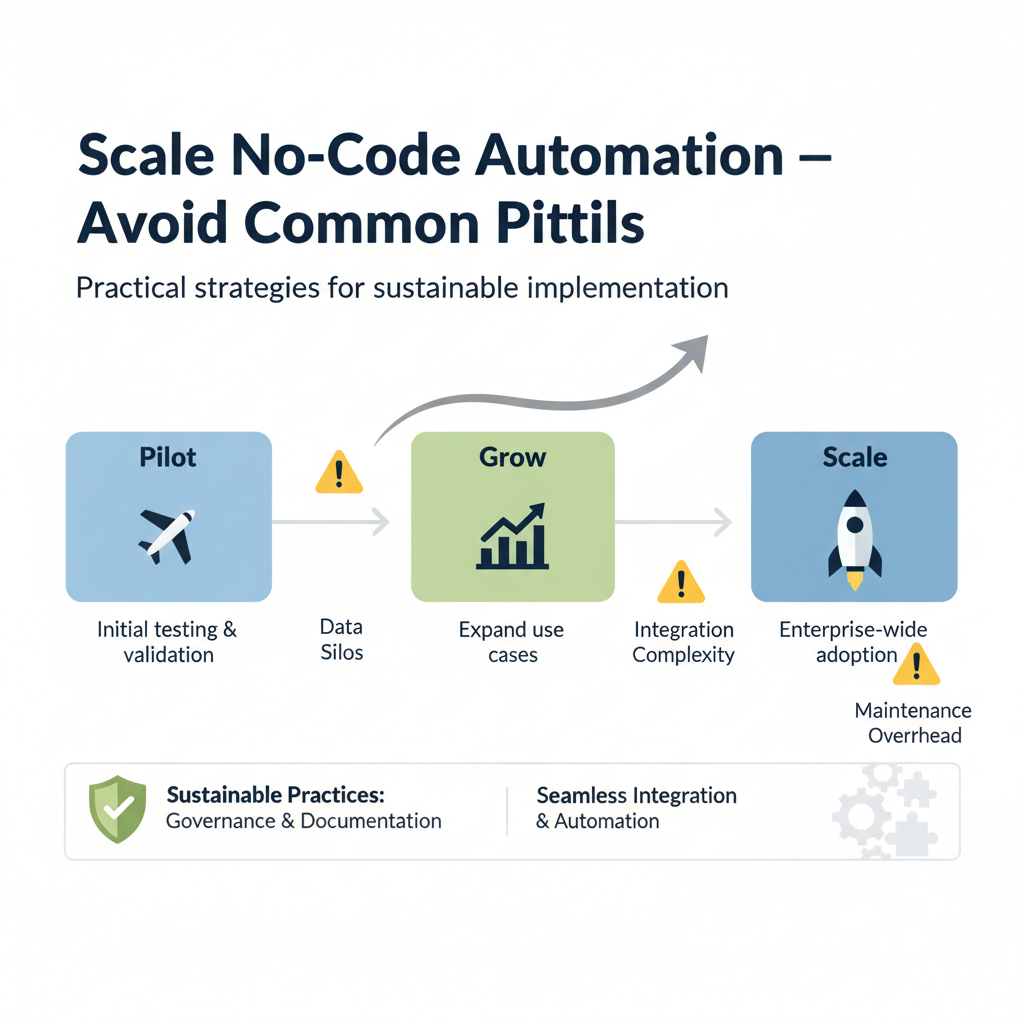
Based on my experience, here’s how to scale no-code automation effectively:
1. Start Small, Think Big
Begin with pilot projects that deliver quick wins but plan for growth from day one. Document everything – especially your assumptions and limitations.
2. Regular Health Checks
Set up monthly reviews of your automation performance. Look for signs of strain:
- Increased error rates
- Slower processing times
- Growing manual interventions
3. Hybrid Approach
Consider adopting a hybrid strategy where some processes use no-code tools while others leverage traditional development. It’s not admitting defeat – it’s being strategic.
For insights into scalable approaches and real-world examples, see Scaling with Automation.
Real-World Examples
Real-World Examples
Let’s look at how two organizations handled these challenges:
A financial services firm started with a no-code platform for client onboarding. As they grew, they kept the no-code solution for simple cases but developed a custom solution for complex scenarios. This hybrid approach gave them the best of both worlds.
In contrast, an e-commerce company tried to force all their processes through a no-code platform, resulting in frequent crashes during peak seasons. They eventually right-sized their approach, using no-code for email marketing automation while building custom inventory management tools.
Moving Forward Sustainably
The key to successful no-code automation isn’t avoiding the pitfalls entirely – it’s being prepared for them. Start with clear eyes about what these tools can and can’t do. Build in redundancies where they matter most. And most importantly, stay flexible in your approach.
Remember, no-code automation isn’t a silver bullet – it’s one tool in your digital transformation toolkit. Used wisely, it can transform your operations. Used blindly, it can create more problems than it solves.
What’s your experience with no-code automation? Have you encountered any unexpected challenges? Share your stories in the comments below – I’d love to hear how you’ve navigated these waters.
For broader process automation strategies and practical use cases across industries, see Automation Use Cases by Industry.
Sourses referenced throughout article: https://itcart.io/blogs/no-code-ai-automation/, https://www.highgear.com/blog/what-is-no-code-automation/, https://www.creatio.com/glossary/no-code-automation
Frequently Asked Questions
Is no-code automation a silver bullet?
Remember, no-code automation isn’t a silver bullet – it’s one tool in your digital transformation toolkit. Used wisely, it can transform your operations. Used blindly, it can create more problems than it solves.