Law Firm Automation: Transforming Legal Practices with Workflow and Document Automation
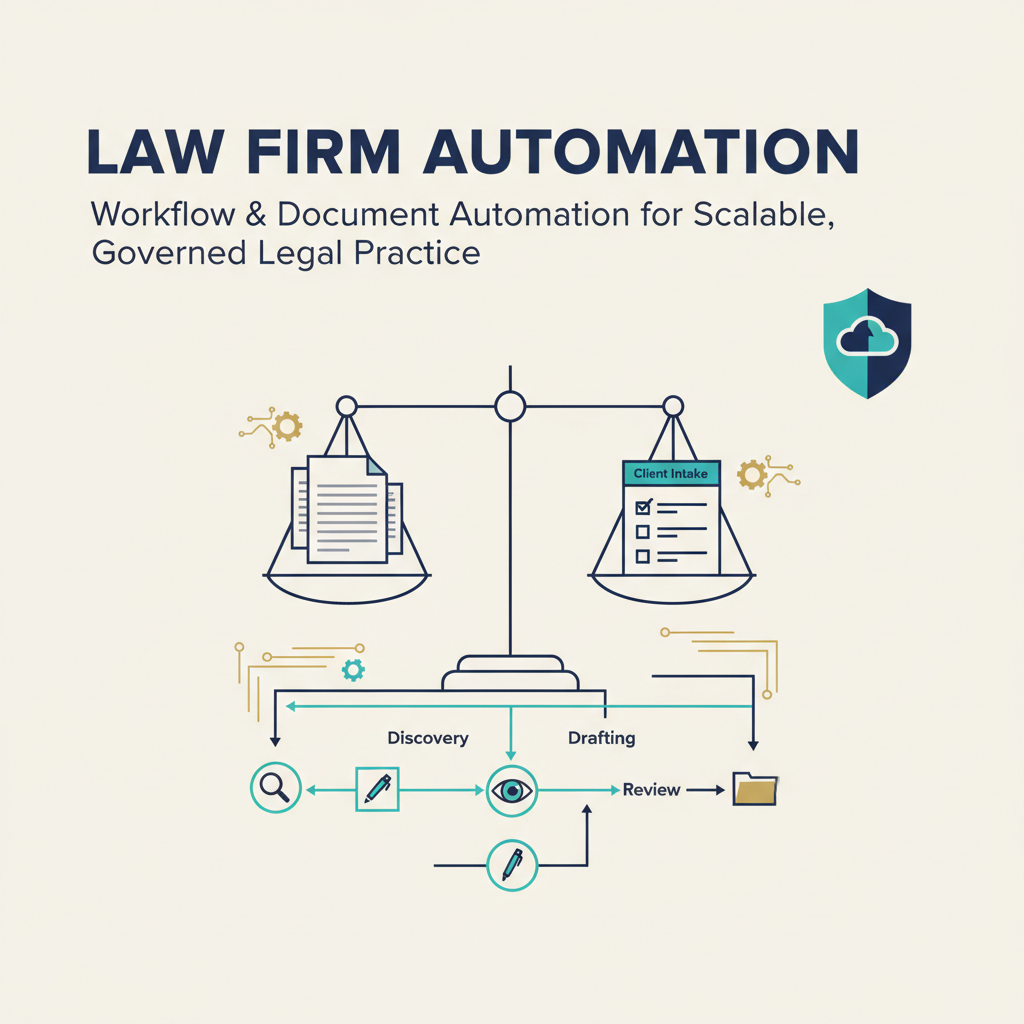
Law Firm Automation: Transforming Legal Practices with Workflow and Document Automation
Estimated reading time: 12 minutes
Imagine a law firm where repetitive tasks like client intake, billing, and document drafting happen seamlessly in the background, freeing lawyers to focus on strategic legal advice. It’s not science fiction—it’s the reality that law firm automation is creating for practices willing to embrace it.
Here’s the thing: law firm automation isn’t just about artificial intelligence, though that’s certainly part of the story. It’s really about using software, rules-based systems, integrations, and yes, increasingly AI tools, to handle the repetitive legal and administrative tasks that eat up so much of a lawyer’s day. We’re talking about workflow rules, templates, client portals, billing systems, practice-management platforms—the whole ecosystem that makes a modern law firm run.
[Read more about business process automation] https://anilbohra.me/business-process-automation-guide-2/
And the impact? It’s significant. Legal professionals expect AI alone to free up nearly 240 hours per year under current adoption rates. That’s essentially six full work weeks that could be redirected toward higher-value activities—complex legal analysis, client relationships, business development, or even just achieving better work-life balance.
Throughout this article, we’ll explore what law firm automation really entails, how to automate legal workflows effectively, the particular power of legal document automation, and what it takes to actually implement these systems successfully. We’ll also look ahead to where this technology is heading and what that means for your practice.
Understanding the full scope of law firm automation reveals why it’s more than just new technology—it’s a business strategy.
Understanding Law Firm Automation
What exactly does law firm automation cover beyond just “legal tech” buzzwords?
The scope is broader than most people realize. Law firm automation can touch virtually every aspect of a legal practice, from the moment a potential client first reaches out to the final matter closing and beyond. It includes automated client intake and conflict-screening workflows, electronic engagement letters, matter opening procedures, calendar and deadline management, time capture and invoicing, document templates and assembly, contract review and data extraction, legal research assistance, email classification, e-discovery workflows, client portals, and comprehensive reporting systems.
But here’s an important distinction: not all automation is created equal. Traditional automation follows predefined rules—think of a system that automatically sends a reminder seven days before a filing deadline. It’s reliable, predictable, and does exactly what you tell it to do. AI-assisted automation, on the other hand, can classify documents, summarize information, identify patterns, or generate drafts. It’s more flexible and powerful, but it also requires stronger validation because AI outputs can sometimes be inaccurate or even completely fabricated.
[Learn more about AI agent principles and risks] https://anilbohra.me/principles-building-ai-agents-pdf
The benefits of getting automation right are substantial and measurable. Efficiency improves dramatically when you reduce manual data entry and repetitive administrative work. Accuracy increases as you standardize processes and eliminate preventable omissions. You get consistency by applying the same procedures across matters and offices, which is especially valuable for multi-location firms.
Faster service becomes possible as you shorten intake, drafting, review, and billing cycles. Your lawyers and managers gain better visibility into matter status and workload distribution. Scalability improves—you can support more clients without a proportional increase in administrative staff. Client experience gets better with faster responses, clearer updates, and easier document exchange. And you gain business insight through improved reporting on workloads, profitability, realization rates, and deadline management.
Think of automation like an efficient assembly line where predictable tasks are handled automatically so the experts can focus on craftsmanship. The assembly line doesn’t replace the craftsperson—it amplifies their impact by removing the repetitive work that doesn’t require their unique expertise.
One question I hear constantly: doesn’t automation replace legal judgment? The answer is no—at least not when it’s done correctly. The strongest use cases automate predictable steps and leave substantive decisions to qualified professionals. Automation is augmentation, not replacement. It handles the “what” and “when” so lawyers can focus on the “why” and “how.”
With a clear understanding of what law firm automation entails and its benefits, let’s explore the specific areas where automation delivers the most value.
[Learn more about AI agent principles and risks] https://anilbohra.me/principles-building-ai-agents-pdf
https://legal.thomsonreuters.com/en/insights
Common Areas of Automation in Legal Practices
From the first client call to closing a case, many law firm workflows can be streamlined.
Let’s walk through the typical areas where automation makes the biggest difference, starting with that crucial first impression.
Client Intake and Management
An automated intake process can collect information through a web form, screen for missing fields, route leads by practice area, initiate a conflict check, and create a preliminary matter record—all without anyone touching a keyboard. The system can then trigger follow-up emails, engagement documentation, appointment scheduling, and internal assignments.
But here’s where you need to be careful. Important safeguards include limiting access to sensitive information, clearly explaining how submitted data will be used, and preventing automated communications from implying an attorney-client relationship before engagement actually happens. You still need a human review step for conflicts and eligibility. Technology can speed up the process, but it shouldn’t circumvent your professional responsibilities.
[Read more about workflow automation basics] https://anilbohra.me/https-anilbohra-me-workflow-automation-small-business/
Time Tracking and Billing
This is where many firms see immediate return on investment. Automation can connect calendars, email, phone systems, and matter-management platforms to help lawyers capture time contemporaneously. Billing systems can apply rates, generate invoices, identify missing narratives, route bills for approval, and send payment reminders.
The result? Fewer missed entries and shorter billing cycles. One of the biggest problems in law firms is leakage—time that gets worked but never billed because someone forgot to record it or waited too long to reconstruct what they did. Auto timers and calendar integration dramatically reduce that leakage.
That said, automation improves billing discipline, but firms should still review entries for accuracy, client-specific billing requirements, privilege concerns, and compliance with engagement agreements. You don’t want to automatically bill a client for time you shouldn’t charge.
Case Management Systems
A comprehensive case-management system centralizes contacts, tasks, documents, deadlines, notes, communications, and billing data. Automation rules can create standard task lists when a matter opens, assign responsibilities, escalate overdue tasks, and notify lawyers about upcoming deadlines.
The greatest value comes from designing the workflow before configuring the software. I can’t stress this enough: automating a poorly designed process just makes inefficiency faster rather than eliminating it. Take the time to map out your ideal workflow first, then configure the technology to support it.
Beyond these core areas, automation extends to document management with version control and automated filing, communication templates and client portals, litigation support including e-discovery and document classification, and compliance workflows with checklists and audit logs.
It’s like CRM and ERP systems in other businesses that unify sales, production, and invoicing—except in law firms, we’re unifying client relationships, legal work product, and professional accountability.
So which workflows offer the quickest wins? Generally, high-volume, low-variation processes where the current inefficiency is measurable and obvious. Client intake, standard document generation, billing reminders, and deadline tracking typically deliver fast results. The key is balancing automation with necessary human judgment—automate the predictable, preserve professional discretion for the substantive.
Now that we’ve seen where automation applies, let’s dive deeper into how to successfully automate legal workflows.
[Read more about workflow automation basics] https://anilbohra.me/https-anilbohra-me-workflow-automation-small-business/
https://legal.thomsonreuters.com/en/insights
Automate Legal Workflows
Automating legal workflows isn’t about flipping a switch—it’s a deliberate process that transforms procedures.
Here’s a step-by-step approach that actually works in practice:
- 1. Select a high-volume, repetitive process with measurable inefficiencies. Don’t try to automate everything at once. Pick one workflow that’s driving everyone crazy—maybe it’s conflict checks that take three days, or client intake forms that sit in someone’s inbox for a week. Choose something where the pain is real and quantifiable.
- 2. Map the existing workflow in detail. Document every step, decision point, responsible person, input, output, and exception. This sounds tedious, but it’s essential. You’ll often discover that what people think happens and what actually happens are two different things. You might find that the “standard” process has seventeen variations depending on who’s handling it.
- 3. Identify predictable, routine steps suitable for automation; preserve legal judgment tasks for humans. This is the critical distinction. Data entry? Automate it. Routing a document to the right person? Automate it. Deciding whether a conflict is material? That needs a lawyer.
- 4. Standardize data inputs and document templates to facilitate automation. Automation loves consistency. Establish naming conventions, required fields, approved templates, and matter classifications. If everyone’s doing things differently, automation becomes exponentially harder.
- 5. Choose compatible tools that integrate with existing systems. Your new workflow automation needs to talk to your practice management software, email, calendar, and billing system. Confirm integrations before you commit. Nothing kills an automation project faster than discovering that your shiny new tool is an island that doesn’t connect to anything else.
- 6. Build in approval points and exception routing to human reviewers. Automation should identify exceptions and route them to an appropriate person. If something doesn’t fit the standard pattern, a human needs to look at it. This isn’t a failure of automation—it’s good design.
- 7. Pilot with a limited user group and track key metrics. Don’t roll out firm-wide on day one. Test with a practice group or office, track turnaround time, error rates, staff hours saved, and user satisfaction. Be prepared to discover problems you didn’t anticipate.
- 8. Iterate improvements based on real-world feedback. The first version won’t be perfect. Listen to the people actually using the system and make adjustments. Sometimes a small tweak—adding one more field or changing when a notification goes out—makes a huge difference in adoption.
The tools you choose depend on your firm’s size and practice area. Categories to evaluate include practice-management platforms, legal document-management systems, document-assembly software, contract-lifecycle-management tools, e-discovery platforms, billing and timekeeping systems, client-intake and CRM solutions, secure client portals, workflow-integration platforms, and AI research and drafting tools.
Current legal technology reporting identifies document review, legal research, document summarization, drafting, and contract analysis as prominent AI applications. More than three-quarters of surveyed legal professionals expect AI to become essential for legal research within two years.
When comparing products, evaluate security architecture, confidentiality protections, data-retention practices, audit logs, access controls, encryption, integration capabilities, export options, vendor support, and pricing. Also find out whether the provider uses customer data to train models—this is a critical confidentiality issue.
Let me give you a concrete example. A mid-sized firm automated their conflict-check and intake process. Previously, when a potential client called, the intake coordinator manually entered information into a form, emailed it to the conflicts team, who checked it against their database, then emailed back their findings, and someone else created the matter record if cleared. The whole process took two to four days.
After automation, the potential client fills out a secure web form. The system automatically runs the conflict check against the database, flags potential issues for human review, and if cleared, creates the matter record and triggers the engagement letter workflow. Turnaround dropped from days to hours for straightforward matters. The conflicts team now spends their time on the complex reviews that actually need human judgment rather than routine data entry.
But here’s the caution: stress the importance of security, data privacy, and human oversight. Organizations with visible AI strategies are more likely to experience revenue growth associated with AI adoption than organizations using informal approaches. Strategy and governance matter as much as the technology itself.
Common pitfalls to avoid? Starting too big, underestimating data-quality issues, skipping the pilot phase, inadequate training, and failing to measure results. Also, beware of automation for automation’s sake—every workflow you automate should solve a real problem and deliver measurable value.
Among automated workflows, one particularly impactful area is legal document automation.
[Read more about planning your first automation project] https://anilbohra.me/https-anilbohra-me-automation-planning-steps-beginners-guide/
https://legal.thomsonreuters.com/en/insights
Legal Document Automation
Document creation is a cornerstone of legal work—automating it transforms both speed and accuracy.
Legal document automation is the use of structured templates with conditional logic, reusable clauses, and data fields to assemble documents efficiently and with fewer errors. It’s more focused than general law firm automation—we’re specifically talking about generating or modifying legal documents, not entire workflows or billing processes.
The documents most commonly automated include engagement letters, NDAs, employment contracts, incorporation documents, lease agreements, court forms, discovery requests, closing documents, board resolutions, and standard correspondence. Basically, any document you create repeatedly with variations is a candidate for automation.
The advantages are clear and measurable. Faster production means documents that used to take hours now take minutes. Fewer formatting and transcription errors because you’re not retyping the same clauses over and over. Consistent clause use ensures that your firm’s approved language actually gets used rather than someone’s memory of what the clause should say. Easy version control means when you update a clause, it updates everywhere. Delegated drafting becomes possible—a paralegal or junior associate can generate a solid first draft that a senior lawyer reviews. Improved client self-service lets clients generate their own standard documents through a portal.
But—and this is important—AI-generated documents introduce additional risks. A system may produce plausible but unsupported language, omit an important provision, use outdated law, or misinterpret a fact. This isn’t theoretical. We’ve seen cases where lawyers submitted AI-generated briefs with fabricated citations. Human review, authoritative source checking, and version control remain essential.
So what are the best practices for legal document automation?
- Start with high-volume, low-variation documents. Your first automation project shouldn’t be complex merger agreements—it should be NDAs or engagement letters that you create dozens of times with minor variations.
- Use approved templates reviewed by responsible lawyers. Every template should have an owner—a specific lawyer who’s accountable for its accuracy and currency.
- Separate data fields from legal language. The system should collect facts (client name, dates, amounts) and insert them into approved legal text, not generate new legal language from scratch.
- Define conditional logic in plain language before configuring it. If the purchase price exceeds $1 million, include these additional representations. If the employee is in California, use this termination clause. Map out the logic clearly before you start building.
- Include required-field validation so the system won’t let someone generate a contract without essential information. Maintain a clause library with ownership and review dates. Record who approved each template and when. Use role-based access controls so not everyone can modify templates. Test unusual fact patterns and incomplete inputs to see how the system handles edge cases. Preserve an audit trail of who generated what document when.
- Require lawyer review where the document involves material legal judgment. A standard NDA between two businesses? Maybe a paralegal review is sufficient. A complex commercial lease with unusual provisions? That needs a lawyer’s eyes.
- Review templates periodically as law, regulations, and firm policy change. A template that was perfect two years ago might be dangerously outdated today.
Here’s a real-world example: a firm automated NDA generation. They created a template with conditional logic for mutual versus one-way confidentiality, different term lengths, and various permitted disclosures. A business-development coordinator can now generate a standard NDA in five minutes instead of waiting for a lawyer to draft it from scratch, cutting drafting time by about seventy percent. But the system routes NDAs with unusual terms to a lawyer for approval before they go out. The result? Faster service for routine matters, appropriate oversight for non-standard situations.
With these document processes automated effectively, it’s critical to understand how to smoothly integrate automation tools into your firm’s ecosystem.
Integration of Automation within Law Firms
Technology alone doesn’t guarantee success—effective integration is a people and process project.
Let me walk you through the recommended integration steps that separate successful implementations from expensive failures.
- Start with executive sponsorship and form a cross-functional implementation team. If the managing partner isn’t visibly supporting the project, it’s going to struggle. Your team should include lawyers, staff, IT, billing, and someone from each practice group that’ll use the system.
- Define clear business objectives. Don’t just say “we want to be more efficient.” Say “we want to reduce client intake time from four days to one day” or “we want to improve billing realization by ten percent.” Specific, measurable objectives give you a way to know whether the project succeeded.
- Audit current systems, data quality, and duplicate records. This is where you discover that client information lives in six different places with inconsistent formatting, or that half your matters are missing practice-area codes. Fix these problems before automation, not after.
- Prioritize a few key workflows to automate first. Resist the temptation to automate everything simultaneously. Pick two or three workflows that’ll deliver clear value and manageable complexity.
- Set security, confidentiality, and compliance requirements upfront. What data can the system access? Who can see what? How long is data retained? What happens if there’s a breach? Answer these questions before you start configuring.
- Choose compatible tools with solid integration APIs. Require vendors to demonstrate—not just promise—that their system integrates with yours. Watch them do it. Ask for references from firms with similar technology environments.
- Data clean-up before migration is essential. Garbage in, garbage out. If you migrate messy, inconsistent data into a new system, you’ll just have messy, inconsistent data in a fancier package.
- Pilot with representative users and feedback loops. Choose users who represent different experience levels and work styles. Meet with them weekly during the pilot to hear what’s working and what’s not.
- Provide role-specific, hands-on training and publish procedures. Generic training doesn’t work. Show litigators how the system helps them with litigation workflows. Show transactional lawyers how it helps with deals. Make it relevant to their actual work.
- Establish ongoing monitoring of adoption and performance metrics. Are people actually using the system? Are the metrics improving? If adoption is low, find out why—maybe the system is harder to use than the old process, or maybe people weren’t trained adequately.
- Expand automation based on pilot success. If the pilot works, roll it out more broadly. If it doesn’t, figure out why before you expand.
Now let’s talk about common challenges and how to overcome them.
- Resistance to change is probably the biggest obstacle. Lawyers tend to be conservative about changing their workflows—they have good reasons for the way they do things, even if those reasons aren’t always articulated. The solution? Involve users early in workflow design, demonstrate practical benefits with concrete examples, and appoint internal champions who can advocate peer-to-peer. When lawyers see a colleague they respect using and endorsing the system, adoption accelerates.
- Data quality issues will derail automation faster than almost anything else. Clean duplicate, incomplete, and inconsistently formatted records before automation. Yes, it’s tedious. Yes, it’s essential. Consider it the foundation that everything else builds on.
- Integration gaps appear when systems don’t talk to each other as promised. Require vendors to document supported integrations, APIs, migration processes, and data-export capabilities. Test integrations during the pilot, not after you’ve signed a three-year contract.
- Security concerns are legitimate and should be taken seriously. Conduct vendor due diligence, configure least-privilege access (people can only see what they need to see), use encryption, and establish rules for handling confidential and privileged information. One breach can destroy client trust and expose the firm to liability.
- AI accuracy problems require source verification, human review, testing, logging, and clear limits on autonomous use. Don’t let an AI system send documents directly to clients without human review. Don’t rely on AI-generated citations without verification. Don’t assume the output is correct just because it looks plausible.
- Unclear accountability leads to systems that nobody owns and eventually nobody uses. Assign an owner to every automated workflow and define who approves, monitors, and updates it. When something goes wrong—and eventually something will—everyone should know who’s responsible for fixing it.
- Low adoption often means the automated workflow isn’t actually easier than the old process. Make automation the path of least resistance. If the manual process is faster or simpler, people will keep using it no matter what management says. Monitor actual usage rather than merely announcing availability.
- Uncertain return on investment is a problem when you don’t measure before and after. Establish baseline measurements before implementation—how long does this process take now? What does it cost? What’s the error rate?—and compare results against defined targets.
Think of automation integration like a recipe that requires good ingredients (data), a skilled cook (team), and proper kitchen tools (software) for success. Miss any of those elements and the result disappoints.
Recent reporting identified compatibility with existing systems and insufficient product training as major obstacles to adoption. Concerns about accuracy and AI hallucinations remain important reasons for hesitation. These aren’t irrational fears—they’re legitimate issues that require thoughtful responses.
Looking ahead, what new developments will shape the future of law firm automation?
[Read more about planning your first automation project] https://anilbohra.me/https-anilbohra-me-automation-planning-steps-beginners-guide/
https://legal.thomsonreuters.com/en/insights
https://www.americanbar.org/groups/law_practice/
Future Trends in Law Firm Automation
What does the next frontier of law firm automation look like, fueled by AI and connected workflows?
The shift is moving from isolated applications toward connected systems that coordinate multiple functions. Instead of separate tools for intake, conflicts, matter management, and billing, we’re heading toward integrated platforms where information flows automatically between functions.
AI agents are emerging that can coordinate intake, triage, scheduling, and task management. Imagine a system that receives a client inquiry, extracts key information, checks conflicts, schedules a consultation, creates a matter record, and assigns initial tasks—all with minimal human intervention except for substantive decision points.
Automated contract review and obligation tracking is becoming more sophisticated. Systems can extract key terms, identify unusual provisions, flag risks, and create calendars of obligations automatically. They’re not replacing lawyers’ judgment about whether terms are acceptable, but they’re making the review process faster and more thorough.
Enhanced document and knowledge retrieval means lawyers can find relevant precedents, memos, and work product more easily. Instead of remembering that Sarah handled a similar issue three years ago and hoping you can find her memo, you describe what you’re looking for and the system surfaces relevant materials.
AI-assisted drafting is moving beyond simple templates toward systems that can generate first drafts based on parameters and prior examples. But—and this is critical—these drafts require careful review. The technology is impressive but not infallible.
Predictive workload and deadline monitoring can help manage resources more effectively. Systems can analyze historical data to predict how long matters will take, identify bottlenecks before they become crises, and flag matters at risk of missing deadlines.
Voice-enabled time capture and meeting summarization are reducing administrative burden. Lawyers can capture time by speaking naturally, and systems can generate summaries of meetings and calls. This doesn’t eliminate the need for human review, but it reduces the friction of documentation.
Sophisticated client portals with self-service capabilities are improving client experience. Clients can check matter status, upload documents, review invoices, make payments, and access their documents without emailing or calling. For routine questions, this is faster and more convenient for everyone.
The statistics support these trends. Eighty percent of law-firm professionals surveyed expect AI to transform their industry. At the same time, approximately thirty percent believe their firms are moving too slowly on adoption. There’s a recognition that change is coming coupled with uncertainty about how fast to move.
But let’s be realistic: automation will remain uneven. Routine, document-heavy tasks may change quickly. Matters requiring nuanced judgment, advocacy, negotiation, relationship management, and ethical analysis will continue to require substantial human involvement. The lawyer’s role is evolving, not disappearing.
And that evolution brings governance challenges that firms need to address proactively. Model validation and monitoring—how do you know your AI systems are working correctly? Confidentiality and privilege—how do you protect sensitive information when using cloud-based AI tools? Bias and fairness—are your automated systems treating all clients and matters equitably? Explainability and auditability—can you explain how the system reached a particular conclusion?
There are also questions about unauthorized practice of law. If an AI system is providing legal analysis, who’s responsible? What are the limits? Professional competence requires lawyers to understand the tools they’re using, including their limitations. Client disclosure may be necessary—should you tell clients when AI was used in their matter? Liability for automated errors is an unsettled area—if an AI system makes a mistake, who’s liable?
Records retention and discoverability present new challenges. If an AI system generated multiple drafts, are all of them potentially discoverable? Vendor and data sovereignty risks require due diligence—where is your data stored? Who has access? What happens if the vendor is acquired or goes out of business?
These aren’t reasons to avoid automation—they’re reasons to implement it thoughtfully with appropriate governance structures. The firms that succeed will be those that balance innovation with risk management.
So how do you balance innovation with ethical and practical concerns? Start with clear policies that define acceptable use, required review, confidentiality protections, and accountability. Provide training so everyone understands both capabilities and limitations. Monitor outcomes and adjust as needed. And maintain human oversight for substantive legal work.
What governance structures are needed? At minimum, you need someone responsible for legal technology strategy, a process for evaluating and approving new tools, security and confidentiality standards, training requirements, and incident response procedures. Larger firms might establish a legal technology committee with representatives from practice groups, IT, risk management, and firm leadership.
With these exciting yet complex possibilities, law firms must take thoughtful steps now—so let’s wrap up with summary and clear next actions.
[Read more about planning your first automation project] https://anilbohra.me/https-anilbohra-me-automation-planning-steps-beginners-guide/
https://www.americanbar.org/groups/law_practice/
Conclusion and Call to Action
Law firm automation isn’t a quick fix—it’s a strategic journey transforming repetitive workflows into competitive advantage.
Let’s recap what we’ve covered. Law firm automation includes a wide array of technologies and workflows, from simple rule-based systems to sophisticated AI tools. It’s not just about artificial intelligence—it’s about using technology strategically to handle predictable, repetitive work so lawyers can focus on judgment, strategy, and relationships.
The benefits are substantial: efficiency improvements, better accuracy, enhanced consistency, faster service, improved scalability, better client experience, and deeper business insight. But these benefits require careful implementation. You need to select the right workflows, ensure security and confidentiality, maintain human oversight, integrate with existing systems, train users effectively, and establish governance structures.
Workflow automation succeeds when you start small, measure results, involve users, and iterate based on feedback. Legal document automation delivers particular value for high-volume, standardized documents, but requires approved templates, validation rules, and lawyer review for substantive matters.
Integration challenges are real—resistance to change, data quality issues, integration gaps, security concerns, AI accuracy problems, unclear accountability, low adoption, and uncertain ROI. But each of these challenges has proven solutions. The key is treating automation as an organizational change project, not just a software purchase.
Looking ahead, connected workflows and AI agents promise even greater capabilities. But they also bring governance challenges around validation, confidentiality, bias, explainability, competence, disclosure, liability, and vendor risk. The firms that thrive will be those that embrace innovation while maintaining appropriate oversight and professional responsibility.
So what should you do next?
Start by identifying one repetitive workflow that’s causing pain in your firm. Maybe it’s client intake, conflict checks, engagement letters, time entry, or standard document generation. Pick something concrete and manageable.
Measure current metrics—how long does this process take? What does it cost in staff time? What’s the error rate? What do clients say about it? You need baseline data to know whether automation delivers value.
Talk with the people who actually perform the work. They know where the problems are, what the exceptions look like, and what would make their jobs easier. Their insights are invaluable.
Research available legal tech options. Talk to vendors, ask for demos, get references from similar firms, and understand integration requirements, security measures, and support offerings.
Run a controlled pilot before firm-wide rollout. Test with representative users, track results, gather feedback, and adjust as needed.
Establish governance and train users before you scale up. Define who’s responsible, what the policies are, how to handle exceptions, and what to do when something goes wrong.
The firms that embrace automation thoughtfully—balancing efficiency with judgment, innovation with risk management, technology with human expertise—will be better positioned to serve clients, attract talent, and build sustainable practices.
Automation isn’t about replacing lawyers. It’s about amplifying their impact by removing the repetitive work that doesn’t require their unique expertise. It’s about creating space for the strategic thinking, creative problem-solving, and relationship building that technology can’t replicate.
It’s not a question of whether to automate—it’s how to automate in a way that preserves your professional values while delivering better service and building a more sustainable practice.
Ready to explore deeper? Here are trusted resources to guide your automation journey.
Additional Resources
Ready to explore deeper? Here are trusted resources to guide your automation journey.
The legal profession has developed substantial guidance and research on law firm automation, and tapping into these resources can accelerate your learning and help you avoid common pitfalls.
- Professional Association Resources
The American Bar Association’s Law Practice Division offers comprehensive legal technology surveys, practice management guidance, and technology-focused programming. Their annual Legal Technology Survey Report provides benchmarking data on what technologies firms are adopting, how they’re using them, and what results they’re seeing. The ABA also publishes practice-specific technology guides and maintains active technology committees where you can connect with peers facing similar challenges. - Industry Research and Insights
Thomson Reuters publishes regular reports on professional-services AI adoption, legal technology trends, and practice transformation. Their research provides data-driven insights into what’s working, what’s not, and where the industry is heading. These reports are particularly valuable for understanding broader adoption patterns and return-on-investment metrics. Read more about insights - Local Bar Resources
State and local bar association technology committees offer networking opportunities, continuing education, and practical guidance tailored to your jurisdiction. These groups often provide vendor-neutral advice and can connect you with colleagues who’ve implemented similar systems. - Continuing Education
Legal-technology continuing education programs help you stay current as capabilities evolve. Look for programs that offer hands-on training rather than just conceptual overviews. The best education shows you how to actually use the tools, not just why they matter. - Professional Communities
Practice-management and legal-operations communities like the International Legal Technology Association (ILTA) and Legal Geek bring together professionals focused on law firm operations and technology. These communities offer conferences, webinars, online forums, and networking opportunities. You’ll find people who’ve solved the problems you’re facing and are willing to share what they learned. - Vendor Documentation
When evaluating specific products, vendor documentation on integrations, security, and data policies is essential. Don’t just accept marketing claims—dig into technical specifications, security whitepapers, integration guides, and data-handling policies. Ask about SOC 2 compliance, encryption standards, data residency, backup procedures, and incident response. - Internal Policies
Develop internal firm policies covering AI governance, confidentiality, review requirements, acceptable use, training, and incident response. These policies should be living documents that evolve as technology and your experience grow. They should clearly define who can use which tools for what purposes, what review is required, how to handle confidential information, and what to do when something goes wrong.
How should you use these resources?
- For benchmarking, use industry surveys and peer networks to understand what’s typical for firms of your size and practice areas. This helps you set realistic expectations and identify opportunities where you’re behind or ahead of the curve.
- For software evaluation, combine vendor information with independent reviews, user communities, and peer references. Talk to firms that have used the product for at least a year—they’ll tell you things vendors won’t.
- For security due diligence, use vendor documentation, third-party security assessments, and your own IT team’s evaluation. Security should be a threshold requirement, not an afterthought.
- For staff training, use a combination of vendor training, internal documentation tailored to your workflows, and peer mentoring. The best training is role-specific and shows people exactly how the system helps them do their actual work.
The landscape of law firm automation and legal document automation tools continues to evolve rapidly. What’s cutting-edge today may be standard practice in two years. Continuous learning and adaptation remain essential.
[Read more about planning your first automation project] https://anilbohra.me/https-anilbohra-me-automation-planning-steps-beginners-guide/
That’s why building relationships with these resource communities matters. You’re not just learning about current tools—you’re developing networks and skills that’ll help you evaluate whatever comes next.
Technology changes, but the fundamentals remain constant: understand your workflows, measure your results, protect confidential information, maintain human judgment, train your people, and continuously improve. These principles will serve you well regardless of which specific tools you choose to automate legal workflows.
The firms that succeed with law firm automation aren’t necessarily those with the biggest technology budgets. They’re the ones that approach it strategically, implement it thoughtfully, and adapt it continuously based on real-world results.
https://legal.thomsonreuters.com/en/insights
https://www.americanbar.org/groups/law_practice/
Frequently Asked Questions
What is law firm automation?
Automation uses software, rules-based systems, integrations, and increasingly AI tools to handle repetitive legal and administrative tasks so lawyers can focus on judgment, strategy, and relationships.
What are the main areas where automation is applied in legal practices?
Key areas include client intake and management, time tracking and billing, case management systems, document management and assembly, e-discovery, client portals, and comprehensive reporting systems.
What are best practices for implementing automation?
Best practices include selecting a high-volume, repetitive process to start, mapping the workflow in detail, identifying steps for automation while preserving human judgment, standardizing data, ensuring tool integrations, building in approval points, piloting with a limited group, and iterating based on feedback.
What are common pitfalls to avoid?
Common pitfalls include starting too big, underestimating data-quality issues, skipping pilots, inadequate training, measuring results poorly, and automating for automation’s sake without delivering real value.
What about the risks of AI-generated documents?
AI-generated documents can produce plausible but unsupported language, omit provisions, use outdated law, or misinterpret facts. Human review, authoritative source checking, and version control remain essential.