Automation Stack Issues: How to Overcome Tool Sprawl and Prevent Automation Failures
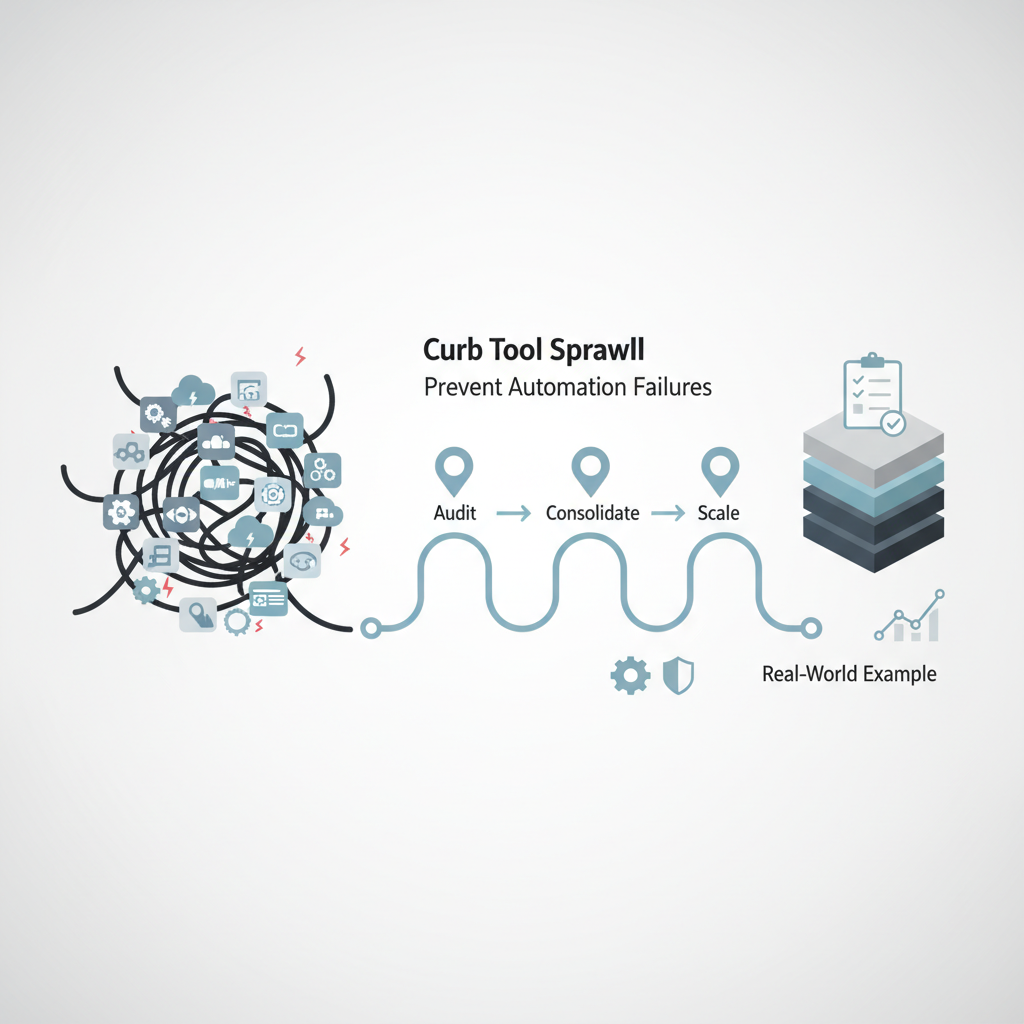
Automation Stack Issues: How to Overcome Tool Sprawl and Prevent Automation Failures
Estimated reading time: 6 minutes
Key Takeaways
- Consolidate and standardize to reduce tool sprawl and restore visibility across your automation landscape.
- Prioritize integration and monitoring to prevent breakdowns and missed opportunities.
- Start small with high-impact, repeatable processes and scale thoughtfully.
Table of contents
Introduction paragraph with emphasis and bold text.
Understanding Automation Stack Issues
So what exactly is an automation stack, and why does its complexity trip up so many organizations? Think of it as your complete ecosystem of automation tools—everything from your RPA bots and workflow platforms to your business process automation solutions. When working in harmony, these tools create a seamless flow of automated processes. But that’s often not the reality.
The problems typically stem from a few key areas:
- Poor tool integration: Your marketing automation platform doesn’t talk to your CRM, your RPA tools can’t access legacy systems, and suddenly you’re playing digital matchmaker trying to get everything to connect.
- Lack of visibility: Without comprehensive monitoring across your automation landscape, you’re essentially flying blind. You can’t fix what you can’t see.
- Growing complexity: As your business evolves, you add more systems—backup solutions, vendor interfaces, cloud services. Each new addition makes your automation stack more challenging to manage.
It’s like building a house room by room, but without an overall blueprint. Eventually, you end up with doors that lead nowhere and windows that don’t open. For a primer on workflow automation basics, see Workflow Automation Basics.
The Hidden Cost of Tool Sprawl
Have you ever felt overwhelmed by the number of tools in your company’s automation toolkit? You’re not alone. Tool sprawl happens when organizations accumulate automation solutions without a clear integration strategy, and it’s more common than you might think.
The consequences can be severe:
- Skyrocketing costs from maintaining multiple tools and cloud subscriptions
- Frustrated employees juggling different interfaces and workflows
- Duplicate processes running across different platforms
- Limited scalability when point solutions can’t grow with your business
I recently spoke with a CIO who discovered his company was using three different automation tools to manage various aspects of their customer onboarding process. Each tool was purchased by a different department to solve an immediate need, but together they created more problems than they solved. This kind of challenge often benefits from consolidating and standardizing tools—see No-Code/Low-Code Automation Tools for guidance on choosing and consolidating tools.
When Automation Fails
Picture this: automations breaking down unexpectedly, workflows stalling, or manual steps creeping back into supposedly automated processes. These are classic signs of automation failure, and they often stem from underlying stack issues.
The root causes typically include:
- Inadequate planning before automation rollout
- Poor integration between tools and systems
- Lack of monitoring to catch issues early
The impact? Beyond the obvious disruptions to business operations, there’s often a ripple effect: missed deadlines, decreased employee morale, and lost savings that automation was supposed to deliver. For a deeper look at failure modes and prevention, see AI Automation Failures: Causes and Lessons.
Practical Strategies for Success
The good news? These challenges are solvable. Here’s what works:
- Audit Your Tools Regularly
- Document all automation tools currently in use
- Identify overlapping functionalities
- Map dependencies between systems
For a structured approach, see Automation Planning Steps.
- Standardize Your Approach
- Choose scalable platforms that can handle multiple workflows
- Prioritize solutions with robust integration capabilities
- Implement comprehensive monitoring tools
If you’re evaluating options, check No-Code/Low-Code Automation Tools or compare Workflow Automation Platforms.
- Start Small and Scale Smart
- Begin with event-triggered automations
- Build a solid foundation before adding complexity
- Focus on high-impact, repeatable processes first
One strategy I’ve seen work particularly well is starting with what I call the “integration first” approach. Before adding any new automation tool, ask: “How will this connect with our existing systems?” If the answer isn’t clear, it’s probably not the right solution. For a deeper dive into integration-focused strategies, see Effective Context Engineering for AI Agents.
- You can also explore industry-specific automation use cases to guide scalable adoption
Industry-specific automation use cases to guide scalable adoption.
Real-World Success Stories
Let’s look at how some organizations have tackled these challenges. United Foods transformed their operations by consolidating their automation tools onto a single platform, streamlining everything from HR processes to financial reporting. The key to their success? They prioritized integration and visibility from the start.
Another example is VLI, a logistics company that automated their access management processes. By choosing a comprehensive platform rather than multiple point solutions, they achieved 99% faster processing times and eliminated the tool sprawl that had been slowing them down. For additional context and related automation stories, see Robotic Process Automation and Signs Your Business Needs Automation.
Moving Forward
A healthy, well-managed automation stack isn’t just a technical asset—it’s a strategic advantage. By understanding these challenges and implementing thoughtful solutions, you can avoid the pitfalls that trap so many organizations.
Take a moment to assess your own automation landscape. How many tools are you really using? How well do they work together? The answers might surprise you—and they’ll definitely point you toward your next steps.
Have you encountered similar challenges with your automation stack? Share your experiences in the comments below. I’d love to hear about what’s working (and what isn’t) in your organization.
Frequently Asked Questions
What is an automation stack?
An automation stack is your complete ecosystem of automation tools—everything from your RPA bots and workflow platforms to your business process automation solutions.
What causes automation tool sprawl?
Tool sprawl happens when organizations accumulate automation solutions without a clear integration strategy.
How can I prevent automation failures?
Prevention comes from adequate planning before automation rollout, better integration between tools and systems, and ongoing monitoring to catch issues early.