Mastering n8n Workflow Design: Building Scalable Workflows and Robust Automation Architecture
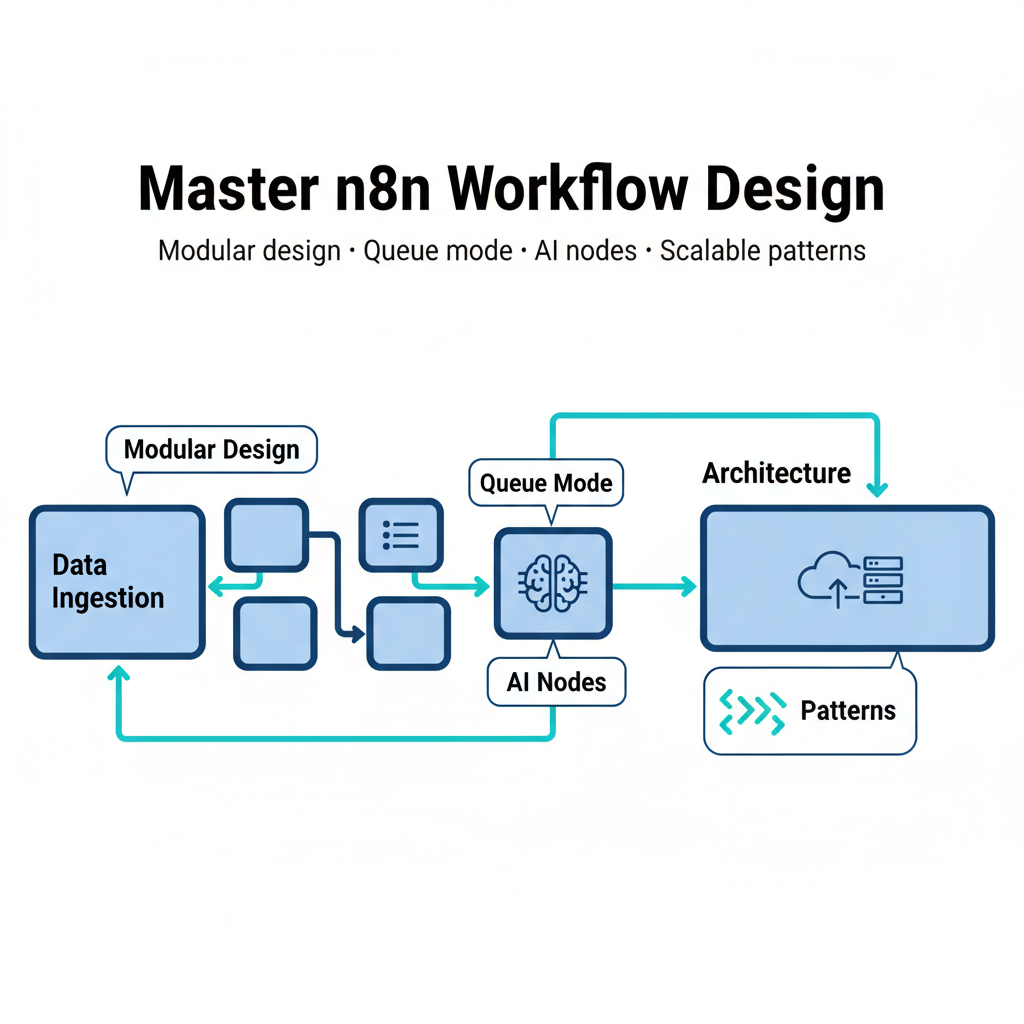
Mastering n8n Workflow Design: Building Scalable Workflows and Robust Automation Architecture
Estimated reading time: 12 minutes
Key Takeaways
- n8n design emphasizes modular, scalable workflows with triggers, actions, logic, and code nodes.
- Use asynchronous queue mode and horizontal scaling to handle growing workloads.
- Leverage robust automation architecture with fast feedback loops, collaboration, auditing, and AI integrations.
- Follow best practices: modularity, incremental testing, efficiency, documentation, and versioning.
- Advanced features like custom nodes, AI agents, MCP, and code nodes enable flexible automation.
Table of contents
Imagine automating your daily repetitive tasks without writing complex code or juggling multiple apps. You wake up, and your customer support tickets have already been categorized, your sales data synced across platforms, and your team’s been notified about priority issues—all while you were sleeping.
That’s the promise of n8n, a powerful open-source workflow automation tool that connects apps and APIs through visual, node-based sequences. It’s like having a digital assistant that never sleeps, never complains, and executes your instructions with machine precision.
Read more about n8n workflow automation platform
But here’s the thing: just because you can build a workflow doesn’t mean you should build it any old way. That’s where n8n workflow design comes in—the art and science of architecting these automated flows efficiently. It’s the difference between a rickety Rube Goldberg machine and a well-oiled production system.
Throughout this guide, we’ll explore how to create scalable workflows that grow with your business and develop a solid automation architecture that won’t crumble under pressure. Whether you’re automating simple notifications or orchestrating complex AI-driven processes, understanding these fundamentals will transform how you approach automation.
So why should you care about workflow design? Because poorly designed automations break at the worst possible moments, create maintenance nightmares, and ultimately waste more time than they save. And how can n8n improve your automation strategy? By giving you the tools to build systems that actually work—reliably, efficiently, and at scale.
Let’s dive into what makes n8n workflow design such a game-changer for modern businesses.
Understanding n8n Workflow Design
What exactly does designing a workflow in n8n entail? At its core, n8n workflow design is about linking nodes—triggers, actions, logic, and code—to create automated sequences tailored to your specific needs.
Think of nodes as building blocks, each with a specific job. Triggers are your starting points—they might be app events (like a new Slack message), schedules (every Monday at 9 AM), or webhooks (external services pinging your workflow). Actions are the concrete tasks your workflow performs: sending emails, making API calls, updating databases, or posting to social media.
But workflows get interesting when you add logic nodes. These enable decisions—IF conditions that route data differently based on criteria, switches that handle multiple scenarios, and merges that combine data streams. And when the pre-built nodes don’t quite cut it, code nodes let you embed custom JavaScript or Python for those complex operations that need a programmer’s touch.
The benefits of this approach are substantial. You get the flexibility to self-host on your own infrastructure, keeping sensitive data under your control. You get access to hundreds of pre-built integrations—Slack, Google Sheets, AWS, and countless others—so you’re not reinventing the wheel. The real-time feedback loop means you can test and iterate quickly, seeing exactly what your workflow does at each step.
Read more about no-code and n8n examples
And here’s something that’ll make your ears perk up: n8n can handle up to 220 workflows per second on a single instance. That’s enterprise-grade throughput without enterprise-grade complexity.
Let me paint you a picture of what this looks like in practice. Say you run a small business and collect leads through a web form. With n8n, you can automatically validate that data, add it to your CRM, send a personalized welcome email, notify your sales team in Slack, and create a follow-up task—all triggered by a single form submission. Or maybe you need to sync data between services nightly, transforming it along the way. Or perhaps you’re building AI-driven document summarization workflows that process uploads automatically.
What kinds of automations can you build with n8n? Honestly, the question is more about what you can’t build. From simple notifications to complex backend orchestration, if it involves connecting services and processing data, n8n can handle it.
And how flexible is the platform to your unique needs? Extremely. The combination of visual design, pre-built nodes, and custom code options means you can start simple and grow sophisticated without switching tools.
Understanding these core concepts of workflow design paves the way to building workflows that can grow with your demands. Because automation that works today but breaks tomorrow isn’t automation—it’s just delayed manual work.
Creating Scalable Workflows in n8n
How do you ensure your automation doesn’t break as your workload grows? That’s the million-dollar question, isn’t it?
Scalable workflows are those that handle increasing workloads reliably without you having to rebuild everything from scratch. In n8n, this means leveraging techniques like queue-based execution and horizontal scaling—essentially running multiple n8n instances that work together like a well-coordinated team.
Let’s talk about the technical features that make this possible. First up is asynchronous queue mode. Instead of processing everything immediately in a single thread, queue mode decouples workflow execution. Think of it like a restaurant kitchen—instead of one cook handling every order from start to finish, you have a system where orders queue up and available cooks grab them as they’re ready. This handles traffic spikes gracefully without choking.
Read more about scaling n8n for small businesses
Horizontal scaling takes this further. You can run multiple n8n workers that distribute the load across machines. One instance getting hammered? No problem—your other instances pick up the slack. It’s the same principle that keeps Google and Amazon running smoothly despite billions of requests.
And here’s a newer feature that’s worth getting excited about: built-in Data Tables, introduced in September 2025. These let you store persistent state and data right inside n8n without needing external databases. For many use cases, this simplifies your architecture significantly—one less system to manage, one less potential point of failure.
But scalability isn’t just about infrastructure—it’s about how you design your workflows. Here are some tips that’ll save you headaches down the road:
Modularize everything. Break large workflows into reusable sub-workflows. Instead of one massive 50-node monstrosity, create smaller, focused workflows that do one thing well. Then chain them together. It’s like building with LEGO blocks—small, reusable parts combine to form complex creations, and you can swap out individual pieces without dismantling the whole structure.
Use clear trigger → action → logic chains. Keep your workflows readable. When you (or a teammate) open a workflow six months from now, you should immediately understand what it does. Linear flows are easier to debug and maintain than spaghetti code.
Implement branching logic for conditional operations. Don’t process unnecessary tasks. If an email doesn’t need to be sent, use an IF node to skip that branch entirely. This reduces load and speeds up execution.
Employ version control. Treat your workflows like code. Save versions before making significant changes. Document what each version does. This ensures stability and gives you a rollback path when experiments go sideways.
Include AI nodes for adaptive decision-making. Modern workflows can be intelligent. AI nodes can analyze sentiment, categorize content, or make routing decisions based on complex criteria. This adds dynamic scaling—your workflow adapts its behavior based on the data it processes.
Can your automation keep up during busy times? With these techniques, absolutely. And how do you maintain control over complex workflows? By building them right from the start—modular, documented, and designed to scale.
With scalable workflows in place, it’s critical to understand how n8n fits into the bigger picture of automation architecture.
Automation Architecture in n8n
What makes a workflow architecture robust enough for enterprise and complex applications? It’s not just about individual workflows—it’s about the overall system design.
Automation architecture is the overall design pattern that connects nodes into pipelines adaptable to many environments. Whether you’re running microservices, serverless functions, or traditional backend systems, n8n’s architecture flexes to fit your needs.
The node-based canvas provides remarkable flexibility. Want to integrate with microservices? Use API action nodes to orchestrate service calls, implement retry logic, and handle errors gracefully. Building serverless? Webhook triggers make n8n the perfect orchestration layer, responding to events and coordinating downstream processes.
Let me break down the core components that make n8n’s automation architecture enterprise-ready:
Fast feedback loops are built right in. You can test workflows step-by-step, seeing exactly what data flows through each node. This iterative development approach means you catch problems early, when they’re cheap to fix, rather than in production when they’re expensive.
Collaboration tools bring team versioning to workflows. It’s comparable to Git for code—you can track who changed what, when, and why. Multiple team members can work on different workflows simultaneously without stepping on each other’s toes. For organizations where automation is a team sport, this is invaluable.
Auditing features track every operation. Who triggered what workflow? When did it run? What data did it process? This accountability is crucial for compliance, debugging, and understanding system behavior. When something goes wrong (and eventually, something always does), you have the forensic trail to figure out what happened.
AI integrations through Agent and MCP (Multi-Channel Processing) nodes inject intelligent decision-making capabilities. These aren’t just dumb if-then rules—they’re reasoning engines that can adapt to context, learn from patterns, and make nuanced decisions. It’s the difference between a workflow that follows a script and one that actually thinks.
Read more about effective context engineering for AI agents
Here’s a real-world example of how this comes together. Imagine a company running a microservices architecture for their e-commerce platform. They use n8n to orchestrate communication between services—when an order comes in, n8n coordinates the inventory service, payment service, shipping service, and notification service. Each service exposes APIs, and n8n handles the choreography.
If the payment service fails, n8n’s error handling catches it, retries with exponential backoff, and if it still fails, routes to a dead-letter queue for manual review while notifying the ops team. Meanwhile, it updates the order status and sends a customer notification about the delay. All of this happens automatically, reliably, and at scale.
How does n8n integrate with your existing infrastructure? Through its extensive API support, webhook capabilities, and custom code options, it fits into virtually any technology stack. And can you collaborate with your team on workflows? Absolutely—the versioning and sharing features make it a team-friendly platform.
Well-architected workflows demand best practices to retain efficiency and maintainability. Let’s explore those next.
Best Practices for n8n Workflow Design
How can you design workflows that remain efficient and easy to manage as complexity grows? It’s all about establishing good habits early.
Prioritize modularity from day one. Use templates as starting points—n8n has a rich library of community-contributed workflows that solve common problems. Don’t reinvent the wheel when someone’s already built a perfectly good one. Connect nodes logically with clear trigger → action → logic flow. When someone opens your workflow, they should understand the main path within seconds.
Reusable sub-workflows are your secret weapon. Let’s say you have a common pattern where you need to format dates, validate email addresses, and log results. Instead of rebuilding these steps in every workflow, create a sub-workflow that handles it. Then call that sub-workflow from anywhere. Update it once, and all your workflows benefit.
Test incrementally, not all at once. Here’s where n8n’s execution replay feature shines. You can run your workflow step-by-step, examining the data at each node. Caught a problem in node 7? Fix it and re-run just from that point forward using the same input data. This debugging approach is so much faster than the old “change something, run everything, hope it works” cycle.
Before full deployment, validate each workflow part independently. Does your trigger fire correctly? Do your API calls return expected data? Does your logic route properly? Iron out these issues in development, not production.
Optimize for efficiency everywhere. Incorporate filters early in your workflow to reduce unnecessary processing. If only 10% of your data needs special handling, filter it out immediately rather than running all your data through complex logic.
Use loops intelligently. When processing arrays, n8n’s loop nodes let you handle each item systematically. But be mindful—processing 10,000 items in a synchronous loop might take a while. For large datasets, consider batch processing or queue mode.
Code nodes are powerful for data transformation. Sometimes a few lines of JavaScript can replace a dozen nodes. But don’t overuse them—visual nodes are easier for others to understand and maintain.
Enable queue mode when you’re ready to scale. Even if you don’t need it today, having it configured means you can handle unexpected traffic spikes without emergency architecture changes.
Avoid common pitfalls that’ll bite you later. Don’t create excessively long workflows that scroll forever. If your workflow has more than 20-30 nodes, it’s probably trying to do too much. Split it into logical sub-workflows.
Always debug with the executions list. This shows you every workflow run, successful or failed, with complete data. Ignoring this treasure trove of information is like flying blind.
Don’t create tight dependencies on unstable external services without fallback logic. If your workflow calls an API that’s down 5% of the time, implement retries and error handling. Otherwise, you’re just propagating that 5% failure rate through your entire system.
Document and version religiously. Keep track of all changes. Add notes to complex nodes explaining what they do and why. Save versions before major changes. Encourage team collaboration akin to source code management—pull requests, code reviews, the whole nine yards.
Think of documentation and versioning like maintaining a well-commented codebase. Future you (or your teammates) will thank present you for the clarity. And when something breaks at 2 AM, you’ll be grateful for that clean history that lets you quickly identify what changed and roll back if needed.
These practices keep workflows from becoming unmanageable spaghetti. But sometimes you need to go beyond the basics and leverage advanced features that elevate your automation game.
Advanced Features and Customization in n8n
What if your workflows could think, adapt, and integrate deeply with your unique business logic? That’s where n8n’s advanced features come into play.
Custom nodes let you build integrations tailored exactly to your needs. Got a proprietary internal API? Build a custom node for it. Using a niche service that doesn’t have pre-built support? Create your own connector. These nodes become first-class citizens in your workflow canvas, indistinguishable from built-in nodes.
This level of customization means you’re never locked into what’s available out of the box. Your automation can grow with your business, incorporating new tools and services as they emerge.
AI Agent nodes are game-changers for intelligent automation. These enable reasoning-based actions—your workflow doesn’t just follow rules, it thinks. An AI agent can analyze unstructured data, make contextual decisions, and even chain together multiple tools to accomplish complex goals.
Imagine a customer service workflow where an AI agent reads incoming support tickets, determines the issue category, searches your knowledge base for relevant solutions, drafts a response, and decides whether to send it automatically or route to a human for review. That’s not science fiction—that’s what AI Agent nodes enable today.
MCP (Multi-Channel Processing) nodes standardize interaction between AI tools. Different AI models have different interfaces, quirks, and output formats. MCP nodes create a consistent layer, so you can swap out AI providers without rewriting your entire workflow. It’s like having a universal translator for AI services.
Read more about the principles of building AI agents
Code nodes deserve special mention because they’re the escape hatch for complex logic. Need to transform data in ways that visual nodes can’t easily express? Drop in a JavaScript or Python code node. Parse complex JSON structures, perform mathematical operations, implement custom algorithms—all without leaving n8n or calling external services.
The beauty is that code nodes exist alongside visual nodes. You can use code where it makes sense and visual design everywhere else. It’s the best of both worlds.
These features enable intelligent, scalable automations that go way beyond simple if-this-then-that rules. You can build AI-driven pipelines that process documents, analyze sentiment, generate content, and make decisions. You can handle persistent data without external databases. You can avoid vendor lock-in by building exactly the integrations you need.
Let me give you a concrete example. Say you’re automating customer sentiment analysis. Incoming customer feedback arrives via webhook. An AI Agent node analyzes the sentiment and categorizes the feedback. Based on sentiment score, an IF node routes negative feedback to an urgent queue and positive feedback to a trends database. For urgent items, another AI node generates a personalized response draft, which gets sent to your support team in Slack with a one-click approval button. When approved, a final node sends the response to the customer and logs the interaction.
This workflow combines webhooks, AI reasoning, conditional logic, external integrations, and human-in-the-loop approval. It’s sophisticated, but in n8n, it’s surprisingly straightforward to build.
Can you customize workflows beyond what’s in the UI? Absolutely—code nodes and custom nodes give you unlimited flexibility. And how do AI capabilities integrate into your automations? Seamlessly, as first-class nodes that work like any other component.
Case Studies and Examples
How are real companies harnessing n8n workflow design to supercharge their automation? Let’s explore some proven implementations.
DigitalOcean’s enterprise-grade scaling demonstrates what’s possible at the high end. Their implementation handles up to 220 workflows per second on a single instance, managing backend tasks that would otherwise require significant custom development. They use n8n for ETL processes, API orchestration, and service coordination across their infrastructure.
The business challenge was clear: as a cloud infrastructure provider, they needed reliable automation that could handle massive scale without becoming a bottleneck. Traditional solutions were either too rigid or required too much custom code to maintain.
Their solution leveraged n8n’s queue mode and horizontal scaling. Multiple n8n instances work together, distributing workload across workers. They built modular workflows that could be updated independently, reducing deployment risk. The result? A robust automation layer that processes millions of operations daily with high reliability.
The measurable impact includes reduced manual intervention, faster time-to-market for new integrations, and operational cost savings from not building custom automation infrastructure from scratch.
FabriXAI’s AI-orchestrated agentic systems show how n8n excels in knowledge work automation. They built workflows that manage complex AI-driven processes—document analysis, knowledge extraction, and intelligent routing.
Their challenge was coordinating multiple AI tools and services in coherent pipelines. Each AI service had different APIs, rate limits, and output formats. Building custom glue code for each integration would’ve been time-consuming and brittle.
Using n8n’s AI Agent nodes and MCP capabilities, they created standardized workflows that abstract away provider differences. When they need to swap one AI model for another (maybe for cost reasons or capability improvements), they update a single node rather than rewriting entire pipelines.
The collaboration features proved crucial for their team. Multiple developers work on different workflow components, merge changes, and deploy updates without conflicts. It’s brought software development best practices to automation design.
The efficiency gains have been substantial—tasks that previously required manual coordination now run automatically, freeing knowledge workers to focus on high-value activities rather than data wrangling.
Augmented Startups’ conditional logic workflows illustrate practical applications for smaller teams. They built notification systems with priority routing—high-priority items trigger immediate Slack alerts, medium-priority items batch into daily summaries, and low-priority items go into weekly reports.
The business challenge was notification fatigue. When everything is urgent, nothing is urgent. Their team was drowning in alerts and missing actually important issues.
Their n8n solution uses IF nodes and switch logic to categorize incoming data based on multiple criteria—source, content, timing, and historical patterns. The built-in Data Tables feature stores state, tracking what’s been notified and preventing duplicates.
This seemingly simple workflow dramatically reduced manual overhead. The team gets the right information at the right time through the right channel. False alarms dropped, response times for genuine issues improved, and team satisfaction increased.
These examples answer the implicit questions: Is n8n proven in demanding environments? Yes—from enterprise scale to AI orchestration to practical team workflows. What kind of results can you expect? Reduced manual work, improved reliability, faster development cycles, and systems that scale with your needs.
The common thread across these cases is thoughtful n8n workflow design—understanding the problem, leveraging the right features, building scalable workflows, and implementing solid automation architecture.
Conclusion
Mastering n8n workflow design unlocks a world where scalable, robust automation empowers your business. We’ve covered a lot of ground, so let’s recap the key takeaways.
First, we defined and structured workflows for efficiency and flexibility. Understanding triggers, actions, logic, and code nodes gives you the building blocks to automate virtually anything. The visual canvas makes complex automations approachable, while the underlying power handles enterprise-grade demands.
Second, we explored designing workflows to scale. Asynchronous queues, horizontal scaling, modular design, and built-in data persistence mean your automations grow with your business. You’re not building throwaway scripts—you’re building infrastructure.
Third, we examined automation architecture that fits diverse infrastructures. Whether you’re running microservices, serverless functions, or traditional backends, n8n’s flexible node-based design adapts to your environment. Fast feedback loops, collaboration tools, auditing, and AI integration make it enterprise-ready.
Fourth, we covered best practices and advanced customization. Modular design, incremental testing, efficiency optimization, and avoiding common pitfalls keep your workflows maintainable. Custom nodes, AI agents, MCP standardization, and code nodes provide the power to build exactly what you need.
And finally, we saw real-world examples proving these concepts work. From high-throughput backend processing to AI-driven knowledge work to practical team notifications, n8n delivers results across the spectrum.
The bottom line? n8n provides visual precision and production reliability to automate from simple tasks to complex AI-driven enterprises. It’s approachable enough for beginners but powerful enough for experts. It’s flexible enough for unique needs but structured enough for team collaboration.
So what’s next? Explore n8n firsthand. Install it (it’s open source, after all), try some templates, and build your first workflow. Start simple—maybe automate a personal task or small team process. As you get comfortable, tackle more complex challenges.
The rich resources available mean you’re never stuck. The community is active, the documentation is thorough, and the platform is constantly evolving with new features and integrations.
Mastering n8n workflow design isn’t about memorizing every node or feature. It’s about understanding the principles—modularity, scalability, robustness—and applying them thoughtfully to your unique challenges. Build scalable workflows that won’t break under pressure. Design automation architecture that integrates cleanly with your existing systems.
Read more about patterns for building AI agents
The future of work is automated, and the tools to build that future are available today. The question isn’t whether you should automate—it’s whether you’ll automate well.
Additional Resources
Ready to dive deeper into n8n workflow design and build your automation skills? Here are curated resources to accelerate your journey:
Official Documentation and Core Learning:
- n8n Workflows Documentation – The authoritative guide covering workflow fundamentals, node types, execution modes, and best practices straight from the source.
- n8n Features Overview – Explore scaling tools, queue modes, data tables, and enterprise capabilities that power robust automation architecture.
- n8n AI Capabilities – Discover AI Agent nodes, MCP integrations, and intelligent automation features that add reasoning to your workflows.
Comprehensive Guides and Tutorials:
- DigitalOcean’s n8n Workflow Automation Guide – Detailed conceptual overview of automation patterns, scaling strategies, and production deployment considerations.
- FabriXAI’s Beginner’s Guide to Workflow Automation – Accessible introduction covering use cases, integrations, and getting started with your first workflows.
- Augmented Startups’ Deep Dive into n8n Automation – Practical examples including conditional logic, data tables, and real-world workflow patterns.
- freeCodeCamp’s Beginner Guide – Step-by-step tutorial for newcomers to automation and n8n.
Community and Ongoing Support:
- n8n Community Forums – Connect with other users, share workflows, troubleshoot issues, and learn from real implementations.
- n8n Workflow Templates – Browse hundreds of pre-built workflows for common tasks—great for learning patterns and jumpstarting your own projects.
Complementary Tools and Integrations:
- Slack – Team notifications and approvals
- Google Sheets – Data storage and reporting
- AWS Services – Cloud infrastructure orchestration
- AI Models (OpenAI, Anthropic, etc.) – Intelligent processing and decision-making
- Databases (PostgreSQL, MongoDB, etc.) – Persistent data storage
- APIs – Virtually any service with an API endpoint
Start with the official documentation to understand core concepts, then explore the community guides for practical patterns. Use templates as learning tools and starting points for your own workflows. And don’t hesitate to experiment—n8n’s execution replay and testing features make it safe to try new approaches.
Read more about workflow automation tools and n8n comparisons
The journey to mastering n8n workflow design is iterative. Build, test, learn, and refine. With these resources and the principles we’ve covered, you’re equipped to create scalable workflows and robust automation architecture that transforms how you work.
Now go build something amazing.
Frequently Asked Questions
What is n8n workflow design?
n8n workflow design is about linking nodes—triggers, actions, logic, and code—to create automated sequences tailored to your specific needs.
How do you scale n8n workflows?
Scalable workflows use asynchronous queue mode and horizontal scaling to handle growing workloads. Modular design, clear trigger → action → logic chains, and version control also help maintain scalability.
What are some best practices for n8n workflow design?
Modularity from day one, reusable sub-workflows, incremental testing, efficiency optimization, documentation, and versioning are key practices to keep workflows maintainable as complexity grows.
What advanced features exist in n8n?
Advanced features include custom nodes, AI Agent nodes, MCP (Multi-Channel Processing) nodes, and code nodes for complex logic and integrations.
Where can I find more resources on n8n workflow design?
See the Official Documentation, the Features Overview, Additional Resources, and the various guides listed under “Additional Resources” in this post.
}