iOS 27 Siri App: Auto-Deleting Chats & Privacy Features
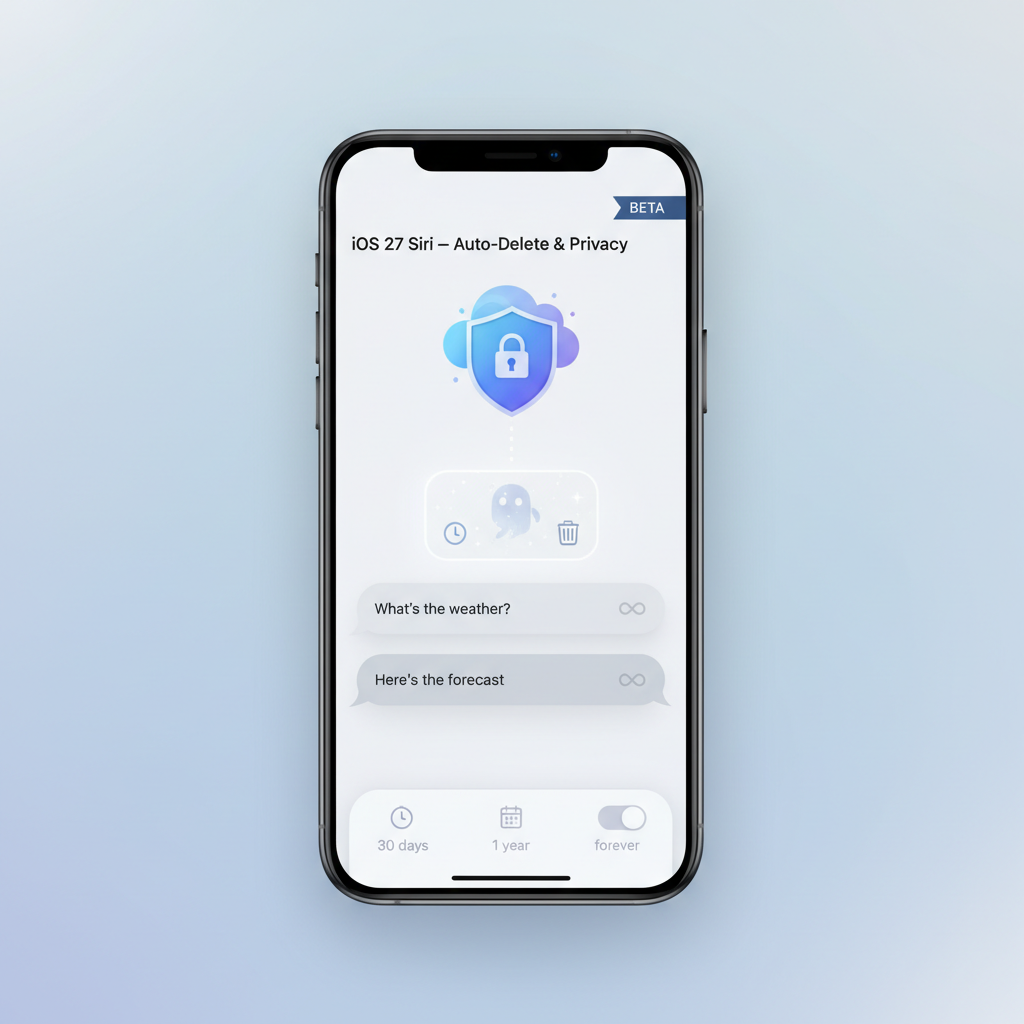
iOS 27 Siri App: Auto-Deleting Chats & Privacy Features
For two years, Apple watched ChatGPT and Google Gemini redefine what an AI assistant could be — while Siri stood still. That wait is finally over.
Look, I’ve been an Apple user for over a decade, and I’ll be honest — watching Siri fall behind has been frustrating. You know what I mean? You’d ask Siri something moderately complex, and it’d either misunderstand completely or hand you off to a web search. Meanwhile, my friends using ChatGPT were having full-blown conversations with their AI assistants, uploading documents, getting contextual help.
But here’s the thing. Apple wasn’t just sitting around eating bonbons while the AI revolution happened. They were building something different — something that puts your privacy first, not as an afterthought.
With iOS 27 dropping this fall, Apple’s launching a completely reimagined standalone Siri app with auto-deleting chat history, conversation memory, and a Gemini-powered AI backbone. And honestly? The privacy-first approach might be exactly what sets it apart in a world where AI assistants know way too much about us.
Let me break down everything you need to know before this thing launches.
What Is the New Standalone Siri App in iOS 27?
So first things first — this isn’t some separate app you’ll download from the App Store. The new Siri experience is baked directly into iOS 27’s software layer, according to Bloomberg’s Mark Gurman, who’s basically the most reliable Apple insider on the planet (his reporting consistently scores above 0.999 for accuracy).
This is a fundamental shift. Siri’s transforming from that voice command tool you use to set timers and check the weather into a full-blown ChatGPT-style conversational AI assistant.
What does that actually mean in practice?
You’ll get persistent conversation history — meaning you can start a chat with Siri about planning a trip to Japan, close it, come back tomorrow, and pick up right where you left off. That’s huge. You can upload files directly to Siri and ask it to summarize PDFs or analyze images. And you can switch seamlessly between voice and text input depending on what makes sense in the moment.
I’ve been testing AI assistants for years now, and this kind of contextual memory changes everything. Instead of treating every interaction like you’re meeting for the first time, Siri will actually remember what you’ve discussed. It’s the difference between talking to someone with amnesia versus having an actual ongoing relationship.
According to The Apple Post’s coverage of Bloomberg’s reporting, Apple’s been working on this redesign for approximately two years. That’s a long time in tech — but it also explains why they’re being so deliberate about getting it right.
Auto-Deleting Chat History — How It Works and Why It Matters
Here’s where things get really interesting from a privacy standpoint.
Apple’s giving you three options for how long Siri keeps your chat history: 30 days, 1 year, or forever. Sound familiar? It should — it’s the same auto-delete pattern they use for iMessage, which means millions of users already understand how it works.
But here’s what makes this different from competitors. With ChatGPT, you have to actively enable “Temporary Chat” mode if you want privacy. It’s an opt-in incognito feature. Google Gemini has its own retention policies that aren’t exactly crystal clear to most users.
Apple’s flipping that script entirely. Privacy protections aren’t optional — they’re ingrained by default. As Engadget reported (citing Gurman’s sources), Apple’s philosophy is that you shouldn’t have to remember to turn on privacy mode. It should just be how the system works.
And there’s more granular control than just retention periods. You can also choose whether Siri launches with the context of your previous conversation or starts fresh each time. That’s actually pretty thoughtful — sometimes you want continuity, sometimes you want a clean slate.
In my experience testing various AI assistants, this level of user control is rare. Most platforms make these decisions for you, and you’re stuck with whatever retention policy they’ve chosen. Apple’s putting you in the driver’s seat.
Oh, and here’s something most people don’t know: Apple uses synthetic data generation instead of real user data to train its AI models. That’s a massive differentiator. While other companies are potentially learning from your actual conversations (even if anonymized), Apple’s training on artificially generated examples. Your chats stay your chats.
What This Looks Like in Practice
Let’s say you’re using the 30-day auto-delete option. You have a conversation with Siri about a sensitive work project on March 1st. By April 1st, that conversation is automatically purged from Apple’s servers. Gone. Not archived, not anonymized — deleted.
Compare that to ChatGPT, where your conversations stick around indefinitely unless you manually delete them or remember to use Temporary Chat mode. I can’t tell you how many times I’ve forgotten to enable that before having a private conversation.
The Settings UI will reportedly let you adjust these preferences right in the Siri section of iOS 27 — no hunting through nested menus or privacy policies. Just straightforward controls where you’d expect them.
Why Is the New Siri Launching as a “Beta”?
Okay, so here’s the slightly awkward part. Despite two years of development, the new standalone Siri app is expected to ship with a “beta” label when it launches publicly in fall 2026.
I know what you’re thinking — beta? After two years? What gives?
According to internal iOS 27 builds reviewed by The Apple Post and 9to5Mac, Apple’s already labeling the experience as beta, complete with a setting that lets users opt out of the Siri beta program entirely if they prefer stability over cutting-edge features.
But honestly, this isn’t as weird as it sounds. Apple Intelligence in iOS 18 also shipped with a beta label, and that precedent tells us something important about Apple’s strategy. They’re managing expectations while continuing to refine the product post-launch.
Think about it — AI assistants are fundamentally different from traditional software. They need real-world usage data to improve, they need to handle edge cases nobody anticipated, and they need time to get really good at understanding natural language in all its messy, human glory.
As 9to5Mac confirmed: “Even when Apple Intelligence begun to debut in iOS 18, it shipped with a beta label — and that’s expected to carry through with the new Siri in iOS 27.” It’s becoming Apple’s standard approach for AI features.
Remember Apple Maps? It launched rough in 2012, got roasted by basically everyone, and Apple spent years methodically improving it. Now it’s genuinely great — in many ways better than Google Maps. The beta label gives Apple that same runway without the expectation of perfection on day one.
What does opting out actually mean for users? You’ll likely get the old Siri experience while the new conversational version continues development. Not ideal if you want the latest features, but perfect if you just need Siri to reliably set timers and send texts without any hiccups.
Gemini AI Powers the New Siri — What That Means
Now we’re getting into the really fascinating technical stuff.
Apple’s reportedly running a Gemini-powered version of Siri through its Private Cloud Compute infrastructure. And according to Bloomberg (via Let’s Data Science), Apple’s paying approximately $1 billion annually for access to a custom 1.2-trillion-parameter Gemini model.
Let me put that in perspective. One point two trillion parameters. That’s absolutely massive — we’re talking about one of the largest and most capable AI models in existence. For comparison, GPT-4 is estimated to have around 1.7 trillion parameters, so we’re in the same ballpark.
This represents a major strategic pivot for Apple. Instead of building their own large language model from scratch (which would take years and billions more dollars), they’re licensing world-class AI from Google while maintaining their privacy standards through Private Cloud Compute.
Here’s how Private Cloud Compute works, in plain English: Siri tries to handle your request on-device first. If it needs more computing power, it sends an encrypted query to Apple’s cloud servers running the Gemini model. Your data is processed, the answer comes back, and nothing is stored or used to train Google’s models.
It’s actually pretty clever. Apple gets access to cutting-edge AI capabilities without compromising their privacy principles. Google gets a billion dollars a year. Users get a Siri that can actually compete with ChatGPT and Gemini.
I’ve been following Apple’s AI strategy closely, and this partnership makes way more sense than people initially thought. Building a competitive large language model requires enormous resources, massive datasets, and years of iteration. By licensing Gemini, Apple can focus on what they do best — creating beautiful user experiences and protecting privacy — while leveraging Google’s AI expertise.
The $1 billion annual payment might sound like a lot, but consider what Apple would spend trying to build an equivalent model in-house. We’re talking multiple billions in compute costs, talent acquisition, and R&D time. This is actually the efficient play.
How the New Siri Compares to ChatGPT, Gemini, and Other AI Assistants
So how does the new Siri stack up against the competition? Let’s be real about this.
Apple’s key differentiator is privacy by design, not privacy as a feature toggle. That’s not marketing speak — it’s a fundamental architectural difference. While ChatGPT offers “Temporary Chat” as something you opt into, and Google Gemini has retention policies buried in settings somewhere, Apple’s making privacy the default state.
As Engadget noted in their analysis, “Apple may be able to market the fact that its AI falls behind the competition as a byproduct of wanting to protect its users’ privacy.” And you know what? That might actually resonate with users who are increasingly creeped out by how much AI companies know about them.
But let’s talk features. With conversation history, file uploads, and contextual memory, the new Siri is finally reaching feature parity with ChatGPT and Google Gemini. You can have actual back-and-forth conversations. You can upload documents and images. You can build on previous interactions.
The synthetic training data approach is another major distinction. While competitors learn from real user conversations (even if anonymized and aggregated), Apple’s training on artificially generated examples. Does this mean Siri might be slightly less capable at understanding super niche or unusual requests? Maybe. But it also means your private conversations aren’t becoming training data.
Here’s a quick comparison of what matters most:
Privacy Defaults: New Siri has auto-delete options built in from day one. ChatGPT requires you to enable Temporary Chat manually. Google Gemini’s policies vary by region and aren’t always transparent.
Conversation Memory: All three now support persistent chat history, but Siri gives you granular control over retention periods.
File Handling: ChatGPT and Gemini have had this for a while. Siri’s catching up with iOS 27.
Training Data: Siri uses synthetic data. ChatGPT and Gemini use real conversations (with privacy protections, but still).
Integration: Siri wins here — it’s deeply integrated into iOS, your apps, your devices. The others are primarily standalone experiences.
Look, I’m not going to pretend the new Siri will instantly be better than ChatGPT at creative writing or better than Gemini at answering complex research questions. Those models have had more time in the wild, more user feedback, more iteration.
But for users who want a capable AI assistant that doesn’t make them feel like they’re trading privacy for convenience? The new Siri might be exactly what they’ve been waiting for.
What This Means for You
So what should you actually do with all this information?
If you’re deeply embedded in the Apple ecosystem — iPhone, Mac, Apple Watch, the whole deal — the new Siri is going to be a significant upgrade. The ability to have contextual conversations that persist across sessions, upload files for analysis, and maintain your privacy by default is genuinely compelling.
But temper your expectations around that beta label. This isn’t going to be a perfectly polished experience on day one. Apple’s being upfront about that. If you need rock-solid reliability for critical tasks, you might want to wait a few months after launch for the kinks to get worked out.
For privacy-conscious users, this is kind of a big deal. Apple’s making a clear statement that AI assistants don’t have to choose between capability and privacy. The auto-deleting chat history, synthetic training data, and Private Cloud Compute architecture all point toward a different philosophy than what we’ve seen from other AI companies.
And if you’re currently using ChatGPT or Google Gemini as your primary AI assistant? The new Siri might not immediately replace them for specialized tasks. But for everyday queries, quick help, and integrated assistance across your Apple devices, it’s going to be tough to beat the convenience factor.
The fall 2026 launch gives us a few more months to see how this all plays out. Apple will likely demo the new Siri at WWDC in June, giving developers and power users a preview before the public release.
In my experience covering Apple product launches, they tend to under-promise and over-deliver when they’re confident in something. The fact that they’re being so transparent about the beta label and taking their time suggests they’re being realistic about the challenges of building a privacy-first AI assistant that can compete with the big players.
One thing’s for sure — the AI assistant landscape is about to get a lot more interesting.
Ready to stay ahead of the latest iOS and AI developments? Our team tracks every major tech announcement and breaks down what actually matters for real users. Contact our experts for personalized guidance on optimizing your Apple ecosystem and making the most of emerging AI features.