How Healthcare Automation is Transforming Clinic Workflows and Patient Scheduling
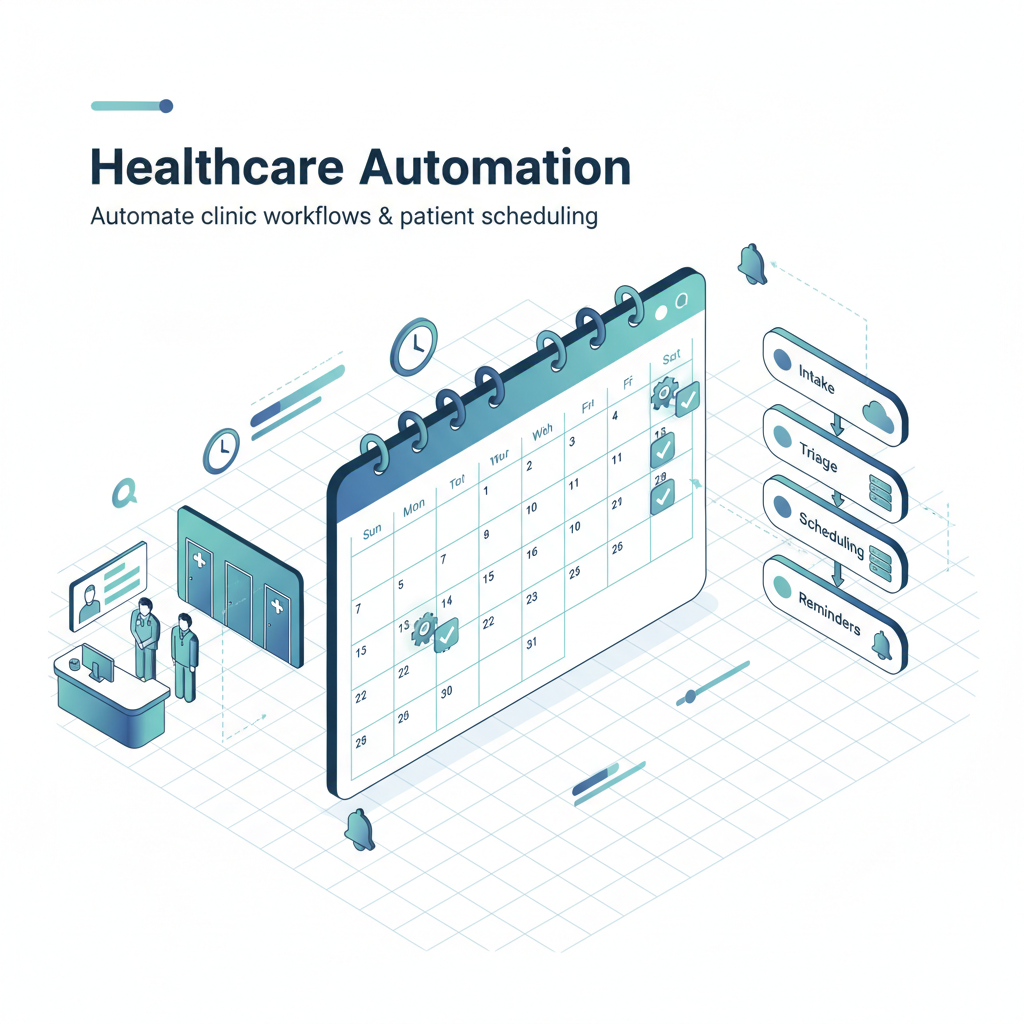
How Healthcare Automation is Transforming Clinic Workflows and Patient Scheduling
Estimated reading time: X minutes
Key Takeaways
- Automation supports healthcare workers and frees staff to focus on patient care and outcomes
- It improves operational efficiency, data accuracy, patient experience, and reduces administrative burden
- Successful automation requires strong privacy, security, governance, and thoughtful change management
Table of contents
Picture this: It’s Monday morning at a busy family practice. The phones are ringing nonstop with patients trying to book appointments. Meanwhile, the front desk staff are buried under a mountain of insurance verification forms, intake paperwork that needs manual entry into the EHR, and a growing pile of billing questions. Sound familiar?
This scenario plays out in healthcare facilities across the country every single day. And honestly, it’s exhausting for everyone involved—staff members stretched thin, patients frustrated by long hold times, and providers who wish their teams could spend less time on paperwork and more time on actual patient care.
So here’s the question that’s driving real change in healthcare today: How can providers manage this administrative complexity efficiently without sacrificing quality or burning out their teams?
The answer increasingly lies in healthcare automation—the strategic use of digital tools, software systems, AI capabilities, and connected platforms to handle repetitive administrative, operational, and certain clinical tasks. But let me be clear from the start: we’re talking about automation that supports healthcare workers, not replaces them. The goal isn’t to remove the human element from healthcare. It’s to free skilled professionals from tedious, repetitive work so they can focus on what they do best—caring for patients.
Read more about business process automation
Healthcare automation broadly falls into three categories. First, there’s administrative automation, which tackles scheduling, billing, insurance verification, and reporting. Then you’ve got clinical workflow support—things like documentation assistance, triage help, and care-gap identification. Finally, operational automation handles staffing coordination, inventory management, and department-to-department communication.
Each of these areas aims to make healthcare delivery smoother and more efficient. But there’s a critical caveat we can’t ignore: healthcare data is incredibly sensitive. Any automation system must be implemented with robust privacy protections, security measures, proper oversight, and clear accountability. We’re not just moving widgets here—we’re handling people’s most personal health information.
Now that we understand what healthcare automation is at a high level, let’s dig into how it actually works in real-world healthcare settings.
Understanding Healthcare Automation in Practice
Think about all the repetitive tasks that happen in a typical clinic day. Someone has to answer phones and schedule appointments. Forms need to be filled out, scanned, and entered into computer systems. Insurance eligibility has to be verified. Appointment reminders need to go out. Bills must be generated and sent. Medical records have to be updated, organized, and reconciled.
Each of these tasks is necessary. Each takes time. And each one pulls staff attention away from direct patient interaction.
Healthcare automation addresses this by handling the routine, predictable parts of these workflows automatically. We’re talking about automated appointment booking systems that let patients schedule online without calling. Digital intake forms that patients complete before they even arrive. Insurance verification that happens in the background. EHR data entry that pulls information from connected systems instead of requiring manual typing. Billing assistance that flags potential errors before claims go out. Appointment reminders sent via text or email without staff having to make phone calls.
The technology behind all this ranges quite a bit. Some automation tools use simple, rule-based logic—if a patient has an appointment in 48 hours, send a reminder text. These systems have been around for a while and they’re pretty reliable. Other tools use more advanced AI that can interpret natural language, identify patterns in data, or even generate clinical documentation drafts.
Read more about no-code/low-code automation tools
Here’s a helpful analogy: Think about how autopilot works on an airplane. It doesn’t fly the entire flight on its own. Instead, it handles the routine aspects of maintaining altitude, speed, and heading so pilots can focus on navigation, weather decisions, communication, and the complex judgment calls that require human expertise. Healthcare automation works the same way—it manages the routine admin work so clinicians and staff can focus on the parts of care that genuinely need human attention, empathy, and clinical judgment.
So what tasks can actually be automated? Pretty much any repetitive, rules-based process that doesn’t require complex clinical judgment. And is it safe? When implemented properly with appropriate oversight, validation, and human review processes—absolutely. The key phrase there is “implemented properly.” We’ll talk more about what that means later.
Understanding what automation can do sets the stage for exploring why healthcare organizations are investing in these tools in the first place.
Benefits of Healthcare Automation
Let’s get practical. What real-world improvements can clinics actually expect when they adopt automation?
Increased Operational Efficiency
Automation fundamentally changes how work gets done. Instead of staff manually entering the same patient information into three different systems, automation can capture it once and distribute it where it needs to go. Instead of spending 20 minutes scheduling a single appointment over the phone, an online booking system can handle it in two minutes—and the patient can do it at 11 PM if that’s convenient for them.
The time savings add up quickly. Automated scheduling reduces the average time spent handling each appointment. Digital forms eliminate the need to manually transcribe handwritten paperwork. Insurance verification happens in seconds instead of requiring phone calls to payers. Claims scrubbing catches billing errors before submission, reducing the back-and-forth that delays reimbursement.
And here’s the thing about efficiency gains—they don’t just mean getting through tasks faster. They also mean fewer errors. When humans manually enter data repeatedly, mistakes happen. It’s just reality. Automation reduces those human errors significantly.
Improved Data Accuracy
Speaking of errors, data accuracy is a huge deal in healthcare. Wrong information in a patient record can lead to medication errors, duplicate tests, billing problems, and coordination failures. It’s not just inconvenient—it can be dangerous.
Automated forms help here because they can validate information as it’s entered. Required fields can’t be skipped. Phone numbers have to be in the right format. Insurance member IDs are checked against expected patterns. When information flows automatically between connected systems, there’s no opportunity for transcription errors to creep in.
The standardization matters too. Everyone enters addresses the same way. Dates follow a consistent format. Clinical codes are suggested based on documentation rather than remembered from memory. This consistency makes data more reliable for reporting, billing, care coordination, and clinical decision-making.
But I should mention—automation doesn’t magically fix bad data. If your source information is incomplete, inconsistent, or just plain wrong, automation will happily process that bad data very efficiently. Garbage in, garbage out, as they say. The quality of automated systems still depends heavily on the quality of the data feeding into them.
Better Patient Experience
Let’s flip the perspective for a moment and think about what healthcare looks like from the patient’s side.
Traditional appointment scheduling means calling during business hours, potentially waiting on hold, playing phone tag if you miss the call back, and coordinating schedules verbally. It’s friction that makes accessing care harder than it needs to be.
Online scheduling removes most of that friction. Patients can see available appointment times, pick what works for their schedule, and book instantly—all without a phone call. Automated reminders mean fewer missed appointments because people simply forgot. Digital forms can be completed from home rather than showing up early to fill out clipboards in the waiting room.
The result? Patients get easier access to care, clearer communication about what they need to do, and less time spent on administrative hassle. That’s a meaningful improvement in experience.
Now, I do want to acknowledge that not everyone has equal access to digital tools. Some patients lack reliable internet. Others aren’t comfortable with technology. Language barriers, disabilities, and digital literacy all matter here. Good automation implementation always includes alternatives—phone scheduling should still be available, paper forms should still be an option, and staff should be ready to help patients who need it.
But for the many patients who do have digital access and prefer digital communication, automation makes healthcare more convenient and accessible.
Reduced Administrative Burden
Here’s where everything comes together. When automation handles appointment confirmations, form processing, insurance verification, routine documentation, claims follow-up, and other repetitive tasks, it frees up staff capacity.
That freed-up time can be redirected to activities that genuinely benefit from human attention—answering complex patient questions, coordinating care for complicated cases, handling exceptions and unusual situations, providing compassionate support, and focusing on direct patient interaction.
Research from health IT initiatives shows that automation allows clinical and administrative staff to spend more time on patient-facing work rather than paperwork. The staff members I’ve talked to in practices that have implemented automation consistently say the same thing: they feel less overwhelmed by busywork and more able to focus on why they got into healthcare in the first place—helping people.
https://www.healthit.gov/topic/scientific-initiatives/automated-healthcare
Automating Clinic Workflows
Here’s a simple definition to ground us: Clinic workflows are the step-by-step processes that clinics follow for everything from patient check-in to billing and follow-up care. They’re the “how we do things around here” that keeps a practice running.
Workflow automation means identifying which steps in those processes are repetitive and rules-based, then using technology to handle those steps automatically or semi-automatically.
The key to successful workflow automation is mapping first, automating second. You can’t effectively automate a workflow you don’t understand. So the process typically starts with clinicians and staff documenting how work currently flows, identifying bottlenecks and pain points, and determining which steps are good candidates for automation.
Let’s look at some specific workflow areas where automation makes a real difference.
Patient Intake and Onboarding
Patient intake is one of the highest-value areas for automation because it happens for every single patient visit and involves a lot of repetitive data collection.
Traditional intake means patients arrive early to fill out forms by hand. Staff then scan or manually enter that information into the EHR. Insurance cards get photocopied. Consent forms are signed on paper and filed. It works, but it’s time-consuming for everyone.
Automated intake flips this around. Forms are sent digitally before the appointment—via email, text, or patient portal. Patients complete them on their own time, from home. The forms can use conditional logic, showing questions only when they’re relevant based on previous answers. When the patient submits the form, information flows directly into the appropriate EHR fields.
Read more about automating data entry
Insurance information can be captured by having patients photograph their cards with a smartphone. Automated systems can extract the policy details using optical character recognition. Consent forms can be reviewed and signed electronically with proper audit trails.
The system can also flag incomplete or inconsistent information for staff follow-up. If a patient enters a birth date that doesn’t match what’s on file, or skips a required field, staff get an alert to resolve it before the appointment.
This all sounds great, but there’s an important caveat: validation and human oversight remain critical, especially when information affects clinical safety, eligibility, or legal consent. Automation should route information efficiently, but humans should verify that it’s correct and complete.
### EHR Management
EHR Management
Electronic health records are central to modern healthcare, but managing them involves a ton of repetitive tasks that automation can help with.
Lab results come in from external systems and need to be imported and routed to the right provider. Documents arrive via fax, mail, or electronic exchange and need to be filed in the correct patient chart. Duplicate records occasionally get created and need to be identified and merged. Clinical documentation needs to be completed, reviewed, and signed. Missing information needs to be tracked and followed up on.
Automation can handle much of this workflow. Results from connected labs and imaging centers can flow directly into the EHR without manual entry. Document-routing rules can automatically send incoming information to the appropriate provider’s worklist. Duplicate-detection algorithms can flag potential matches for staff review. AI-assisted documentation tools can generate draft visit notes based on the encounter, leaving clinicians to review and edit rather than starting from scratch. Automated task assignment can send follow-up reminders to the right people.
But here’s the challenge: healthcare IT systems are often fragmented. A practice might use one EHR, a different billing system, a separate patient portal, specialty-specific software for certain departments, and external systems for labs, pharmacies, and hospitals. Getting all these systems to talk to each other—interoperability—remains a major headache in healthcare automation.
Before choosing automation tools for EHR management, you need to understand what systems you’re working with, what integration capabilities they have, and whether the automation platform can actually connect to them. APIs, data-export options, and compatibility matter enormously here.
This is improving gradually as healthcare moves toward better interoperability standards, but it remains a real challenge today.
Billing and Insurance Claims
Revenue cycle management—the process of getting paid for services—involves dozens of repetitive steps that are perfect candidates for automation.
Read more about robotic process automation (RPA)
Before a visit, staff need to verify that the patient’s insurance is active and covers the planned services. After the visit, the encounter needs to be coded, a claim needs to be generated and submitted, the claim status needs to be monitored, denials need to be identified and appealed, and payments need to be posted and reconciled.
Each of these steps can be partially or fully automated. Eligibility verification can happen automatically when an appointment is scheduled. Benefits checks can identify co-pays, deductibles, and coverage limits. Coding assistance tools can suggest appropriate diagnosis and procedure codes based on documentation. Claims-scrubbing software can check for common errors before submission. Automated status monitoring can track claims through the payer review process. Denial-categorization systems can identify patterns and route appeals appropriately. Payment reminders can be sent automatically to patients with outstanding balances.
The efficiency gains here are substantial. Claims get submitted faster, with fewer errors, and get paid more quickly. Staff spend less time on manual follow-up and more time on complex cases that genuinely need human attention.
But continuous monitoring is essential. Coding requirements change. Payer rules change. If an automated system is using outdated logic, it can generate incorrect codes or inappropriate claims, leading to denials or even compliance problems. Automation in billing needs to be maintained and updated, not just set and forgotten.
Think of workflow automation like organizing a complex supply chain. Each step needs to happen in the right order, with the right information, at the right time. Automation synchronizes those steps and keeps things moving smoothly.
Since patient appointments are the entry point for almost everything else that happens in a clinic, let’s zoom in on how automation specifically transforms patient scheduling.
Patient Scheduling Automation
Imagine the chaos of managing patient appointments manually. Phones ringing constantly. Staff juggling multiple calendars. Patients frustrated because they can’t get through. Appointments double-booked by mistake. No-shows because someone forgot and there was no reminder. Provider time wasted because the schedule wasn’t optimized.
This is the reality for many practices still relying primarily on phone-based scheduling. And honestly, it’s not sustainable as patient volumes grow and staff resources stay tight.
The Traditional Scheduling Challenge
Manual scheduling creates several problems. First, it’s incredibly time-consuming. Every appointment requires a phone conversation, calendar check, manual entry, and often multiple attempts to reach the patient if you need to reschedule.
Second, it’s prone to errors. Double bookings happen. Appointments get scheduled for the wrong duration or with the wrong provider. Important details like whether the patient needs an interpreter or specific equipment don’t get noted.
Third, it’s inefficient from a capacity perspective. Appointment slots go unfilled because patients can’t call during business hours to book them. Cancellations don’t get backfilled quickly. Provider schedules end up with gaps that could have been used.
And fourth, it creates a poor patient experience. Patients have to call during business hours, potentially wait on hold, and coordinate verbally rather than seeing options visually.
Automation changes all of this.
Online Booking Systems
Modern online booking systems let patients self-schedule based on real-time provider availability, appointment type, location, and duration. The patient logs into a portal or scheduling website, sees available time slots, selects what works for them, and books instantly.
Behind the scenes, the system is applying scheduling rules. Maybe certain slots are reserved for urgent same-day visits. Maybe new patients need longer appointment times than established patients. Maybe specific appointment types can only be booked with certain providers. Maybe there are limits on how far in advance non-urgent appointments can be scheduled.
The system enforces all these rules automatically while still giving patients flexibility and choice within the available options.
For practices, this means less phone volume, fewer scheduling errors, and better utilization of available appointment capacity. For patients, it means convenience—they can book appointments when it’s convenient for them, see their options clearly, and get instant confirmation.
Automated Reminders and Follow-Ups
No-shows are expensive. When a patient doesn’t show up for an appointment and doesn’t cancel in advance, that’s wasted provider time that could have been used for another patient. No-show rates can run 10-30% in some practices, representing significant lost revenue and reduced access for other patients.
Automated reminders dramatically reduce no-shows. The system sends text messages, emails, or voice calls before appointments—typically 48 hours and again 24 hours before the scheduled time. The message confirms the appointment details and provides options to confirm, cancel, or reschedule.
If a patient cancels, the system can automatically notify waitlisted patients that a slot has opened up. Post-visit, the system can send follow-up messages with care instructions, links to complete satisfaction surveys, or reminders about follow-up appointments that need to be scheduled.
One important consideration: reminder messages need to be designed carefully to avoid disclosing sensitive health information. A text message that says “Reminder: Your HIV clinic appointment is tomorrow at 2 PM” could be seen by someone other than the patient. Better practice is to send more generic reminders—”Reminder: Your appointment at Main Street Clinic is tomorrow at 2 PM”—without specifying the type of visit or department.
Integration with Medical Records
Scheduling becomes much more powerful when it’s connected to the EHR and other practice systems.
An integrated system can account for provider schedules, including when they’re out of the office, in surgery, or otherwise unavailable. It can consider the type of visit and ensure the appointment is long enough and scheduled with an appropriate provider. It can check whether required pre-visit tasks have been completed—forms filled out, labs done, referrals obtained. It can verify insurance coverage and flag authorization requirements.
This integration prevents problems before they happen. You don’t end up with appointments that can’t actually be completed because something wasn’t ready. You don’t double-book providers or schedule procedures in rooms that don’t have the right equipment.
From a workflow perspective, integrated scheduling means staff spend less time on coordination and problem-solving because the system is handling routine checks automatically.
Real-World Evidence
The strongest evidence for scheduling automation comes from documented case studies and independent research rather than vendor marketing claims.
Healthcare organizations that have implemented automated reminders consistently report substantial reductions in no-show rates—often in the range of 20-40% fewer missed appointments. Practices also report decreased phone volume, faster scheduling times, and improved patient satisfaction scores.
But these results vary based on the patient population, baseline performance, reminder design, and implementation quality. A practice that already had a 5% no-show rate won’t see the same dramatic improvement as one that was struggling with a 25% no-show rate.
The most credible case studies report the starting problem, the specific tool and workflow implemented, the implementation period, metrics before and after adoption, effects on staff workload and patient access, and any unintended consequences or limitations. Be skeptical of case studies that just report a single impressive percentage without context or methodology.
One thing is clear across the board: when implemented well, patient scheduling automation improves efficiency, reduces administrative burden, and makes access more convenient for patients.
But implementation isn’t always straightforward. Let’s talk about the challenges and considerations healthcare providers need to keep in mind.
Challenges and Implementation Considerations
Cost and Return on Investment
Let’s start with the practical reality: automation costs money. You’ve got software licensing fees, often charged per provider or per user. You’ve got integration costs to connect the automation platform to your existing systems. You’ve got data migration if you’re moving away from a legacy system. You’ve got cybersecurity measures to protect the data flowing through automated workflows. You’ve got staff training. And you’ve got the time and effort required to redesign workflows.
These costs add up, and for smaller practices especially, they can be daunting.
Building a business case for automation requires looking beyond simple labor cost savings. Yes, you might need fewer staff hours for scheduling or billing, but you probably won’t eliminate positions entirely—you’ll redirect that capacity to other work.
The more meaningful ROI metrics include appointment completion rates, no-show and cancellation rates, time from request to appointment, claim-denial rates, staff hours spent on administrative work, patient satisfaction scores, documentation completion rates, and access metrics for underserved populations.
A practice that reduces no-shows by 30% isn’t just saving staff time—it’s generating revenue from appointments that would have been wasted and improving access for patients who couldn’t get in before. That’s real value that goes beyond the direct cost of the automation tool.
Integration and Interoperability
This is the big one. Healthcare IT systems are notoriously fragmented, and getting them to work together is often the hardest part of automation implementation.
You might have an EHR from one vendor, a practice management system from another, a patient portal that’s separate from both, specialty software for certain departments, and external connections to labs, pharmacies, imaging centers, and hospitals. Each system has its own data format, its own user interface, and its own approach to integration.
Before selecting an automation platform, you need to assess EHR compatibility, available application programming interfaces (APIs), data-export and data-portability options, how the system handles identity matching across different records, audit trail capabilities, what happens during system downtime, the level of vendor support you can expect, and what your exit provisions are if you need to switch systems.
Integration barriers are frequently cited as one of the main obstacles to scaling healthcare automation and AI. It’s not that the automation technology doesn’t work—it’s that it can’t connect to the systems where the work actually happens.
This is improving gradually as healthcare moves toward better interoperability standards, but it remains a real challenge today.
Privacy, Security, and Governance
Healthcare automation platforms process protected health information—some of the most sensitive personal data that exists. The stakes for getting security wrong are enormous, both in terms of patient harm and regulatory consequences.
Organizations implementing automation need to evaluate data storage and transmission security, access controls and authentication mechanisms, audit logging, retention and deletion policies, vendor contracts and data-use terms, breach response procedures, and human review and escalation processes.
For AI-based automation specifically, there are additional governance requirements around bias, explainability, ongoing monitoring, and how the system’s performance might change after deployment. AI systems can behave unpredictably when they encounter data that differs from what they were trained on, and they can perpetuate or amplify biases present in training data.
Privacy and confidentiality concerns are especially significant in healthcare because the entire system depends on patients being willing to share sensitive information with their providers. If patients don’t trust that their information will be protected, they may withhold important details or avoid care altogether.
Any automation implementation needs robust privacy and security measures, not as an afterthought, but as a core design requirement.
Staff Training and Change Management
Here’s a truth that’s often overlooked: technology implementations fail more often due to people problems than technical problems.
If automation is imposed on staff without their input, without adequate training, without understanding how it affects their actual workflow, and without addressing their legitimate concerns—it won’t work well. You’ll get resistance, workarounds, and eventual abandonment.
Successful implementation requires staff participation in workflow design from the beginning. The people who do the work every day understand the nuances, the edge cases, the things that will break if you automate without thinking them through.
It requires role-specific training that goes beyond “here’s how to click the buttons” and addresses “here’s how this changes your work and why it matters.”
It requires a clear process for reporting errors, problems, and unexpected consequences. Staff need to know they can raise concerns without being dismissed or blamed.
It requires gradual deployment or pilot testing rather than organization-wide rollout on day one. Start with one workflow, one department, or one provider. Learn what works and what doesn’t. Adjust. Then expand.
And it requires maintaining human fallback options. What happens when the system is down? What happens when you encounter a case that doesn’t fit the automated workflow? There always needs to be a way for humans to step in and handle exceptions.
Resistance to automation often reflects legitimate concerns about workload, job responsibilities, clinical autonomy, or system reliability. Research on AI adoption in healthcare consistently identifies professional skepticism, institutional inertia, and inadequate workforce readiness as recurring barriers. These aren’t problems you can solve with better technology—they require attention to the human side of change.
Choosing the Right Automation Scope
Not all automation is created equal. Some processes are straightforward to automate with low risk and high benefit. Others are complex, require significant judgment, or carry higher risk if something goes wrong.
Small practices often benefit from starting with low-risk, high-volume processes: appointment reminders, digital intake forms, eligibility checks, and referral tracking. These are repetitive, rules-based, and don’t require complex integration or AI.
Larger organizations with more IT capacity might also consider enterprise-wide revenue-cycle automation, AI-assisted documentation, predictive analytics, and cross-department care coordination.
Here’s a practical framework for selecting what to automate:
- Identify a repetitive process with measurable inefficiency. What takes too much time? What has a high error rate? What frustrates staff or patients?
- Estimate its volume, cost, error rate, and patient impact. How often does this happen? What does it cost in staff time and resources? How much would improvement matter?
- Determine whether rules-based automation is sufficient. Can you write clear rules for how this process should work, or does it require judgment and interpretation?
- Select a tool that integrates with existing systems. Does it connect to your EHR? Can it exchange data with your other platforms?
- Pilot the workflow with human oversight. Implement for a small group first. Monitor closely. Have humans review the automated decisions.
- Measure outcomes and unintended effects. Did it improve the metrics you cared about? Did it create new problems? What did staff and patients experience?
- Expand only after demonstrating safety and value. Once you’ve proven it works in the pilot, scale gradually.
This methodical approach reduces risk and increases the likelihood that automation will actually deliver the benefits you’re hoping for.
The Future of Healthcare Automation
Emerging Technologies and Applications
Generative AI is already starting to transform clinical documentation. Instead of clinicians spending 20-30 minutes after each visit writing notes, AI tools can listen to the encounter, extract relevant information, and generate a draft note that the clinician reviews and edits. Early implementations are showing substantial time savings, though questions about accuracy, liability, and appropriate use remain active areas of discussion.
AI agents—systems that can coordinate multiple tasks autonomously—are on the horizon for administrative work. Imagine an AI agent that handles the entire process of scheduling, rescheduling, and confirming appointments, communicating with patients via text or voice, checking eligibility, ensuring pre-visit requirements are met, and coordinating with staff only when exceptions arise.
Predictive analytics could optimize staffing and scheduling by forecasting patient volume, no-show likelihood, visit duration, and resource needs based on historical patterns. Clinics could adjust schedules proactively rather than reactively.
Automated identification of care gaps—patients who are due for preventive screenings, overdue for follow-ups, or showing early signs of chronic disease—could improve population health management. Instead of relying on clinicians to remember every guideline for every patient, the system could identify who needs what and when.
Remote patient monitoring and virtual care integration could bring automation into the home, with devices tracking vital signs, symptoms, and medication adherence, alerting providers automatically when intervention is needed.
Intelligent referral and authorization management could streamline the often-frustrating process of coordinating specialty care, tracking referral status, obtaining prior authorizations, and ensuring patients complete recommended follow-up.
Personalized patient communications could tailor messages based on individual health literacy, language, preferences, and clinical needs rather than sending one-size-fits-all reminders.
Supply chain and inventory optimization could ensure that clinics have the right supplies, medications, and equipment available when needed without excess inventory or stockouts.
Augmentation, Not Replacement
Here’s what’s important to understand about the future of healthcare automation: the most realistic near-term model is augmented healthcare, not automated healthcare.
Automation will handle repetitive coordination, documentation, and administrative tasks. It will surface relevant information at the right time. It will flag potential problems for human attention. It will streamline workflows and reduce busywork.
But it won’t replace the judgment, empathy, communication, diagnostic reasoning, and treatment decisions that require human expertise and the therapeutic relationship between patients and providers.
This distinction matters because there’s often anxiety about automation eliminating healthcare jobs. The more accurate picture is that automation will change healthcare jobs—shifting the work from repetitive tasks toward complex cases, patient interaction, coordination, and the kinds of judgment calls that humans are uniquely suited for.
Governance, Regulation, and Ethics
As automation becomes more sophisticated and more widely adopted, governance and regulation will need to keep pace.
Questions about AI liability, explainability, bias, patient consent, data ownership, and algorithmic transparency are still being worked out. Regulatory frameworks are evolving. Professional standards are being developed. Best practices are emerging from early implementations.
Healthcare organizations adopting automation—especially AI-based automation—need to implement governance structures that ensure ongoing monitoring, performance evaluation, bias detection, human oversight, and mechanisms to respond when systems don’t perform as expected.
The organizations that do this well will be positioned to benefit from automation while managing risk responsibly. Those that don’t will face problems ranging from poor outcomes to regulatory action.
Conclusion and Resources for Next Steps
We’ve covered a lot of ground here, from the fundamentals of healthcare automation to the practical realities of implementation to the emerging technologies that will shape the future.
Let’s bring it all together: Healthcare automation uses digital tools to streamline repetitive administrative, operational, and clinical support tasks. When implemented thoughtfully, it improves efficiency, reduces errors, enhances patient experience, and frees healthcare professionals to focus on direct patient care.
Automating clinic workflows—from patient intake and EHR management to billing and claims processing—creates smoother operations and better information flow across the entire care delivery process.
And patient scheduling automation specifically transforms one of the highest-volume, highest-friction touchpoints in healthcare, making access more convenient for patients while helping practices manage capacity more effectively.
The benefits are real and substantial. But so are the challenges—cost, integration complexity, privacy and security requirements, staff training needs, and the careful change management required to make automation work in practice rather than just in theory.
Getting Started
If you’re a healthcare provider or administrator thinking about where to begin with automation, here’s my advice: start small and specific.
Pick one clearly defined workflow that’s causing pain—maybe it’s appointment no-shows, maybe it’s insurance verification delays, maybe it’s the time staff spend on manual form entry. Establish baseline metrics so you know what you’re trying to improve. Involve staff and patients in designing the solution—they’ll tell you what will actually work. Choose a tool that integrates with your existing systems. Conduct a pilot with close monitoring and human oversight. Measure the outcomes honestly, including unintended effects. And only expand the automation after you’ve demonstrated that it’s safe and valuable.
This methodical approach takes longer than a big-bang implementation, but it’s much more likely to succeed.
Resources for Further Learning
If you want to dive deeper into healthcare automation, here are some valuable resources:
Government and Regulatory Resources:
- The Office of the National Coordinator for Health Information Technology (ONC) provides guidance on health IT implementation, interoperability standards, and automation best practices
- HIPAA guidance from the Department of Health and Human Services covers privacy and security requirements for automated systems handling protected health information
Interoperability and Standards:
- HL7 and FHIR standards documentation for healthcare data exchange
- The Trusted Exchange Framework and Common Agreement (TEFCA) for nationwide interoperability
Professional Organizations:
- The Healthcare Information and Management Systems Society (HIMSS) offers resources on health IT implementation
- The Medical Group Management Association (MGMA) provides practice management guidance including automation strategies
- The American Medical Informatics Association (AMIA) publishes research and best practices on clinical informatics
Research and Evidence:
- PubMed and Google Scholar for peer-reviewed research on AI and automation in healthcare
- The National Library of Medicine’s clinical informatics resources
- Agency for Healthcare Research and Quality (AHRQ) publications on health IT safety and effectiveness
Cybersecurity and Governance:
- NIST Cybersecurity Framework adapted for healthcare
- The HITRUST Alliance for risk and compliance management
- FDA guidance on clinical decision support software and medical device software
Case Studies and Implementation Guidance:
- Look for case studies published in peer-reviewed journals or presented at professional conferences rather than relying solely on vendor marketing materials
- Seek out implementations with transparent methodology, baseline metrics, and honest discussion of challenges and limitations
The path forward with healthcare automation requires balancing enthusiasm for innovation with careful attention to safety, privacy, effectiveness, and the human elements that make healthcare work.
So here’s my final question for you: How can your clinic take the next step to embrace healthcare automation safely and effectively? What’s the one workflow that, if automated well, would make the biggest difference for your staff and patients?
The tools exist. The evidence is building. The need is clear. The question is how you’ll approach implementation in a way that genuinely improves care rather than just adding more technology to an already complex environment.
Start with that one workflow. Measure carefully. Involve your people. And build from there.
Frequently Asked Questions
What is healthcare automation?
Healthcare automation uses digital tools to streamline repetitive administrative, operational, and clinical support tasks. It is augmentation, not replacement, and aims to free healthcare professionals to focus on direct patient care.
What are the main areas of healthcare automation?
Administrative automation (scheduling, billing, insurance verification), clinical workflow support, and operational automation (staffing, inventory, cross-department communication). Learn more about business process automation.