HR Automation for Small Business: Your Complete Guide to Streamlining Operations
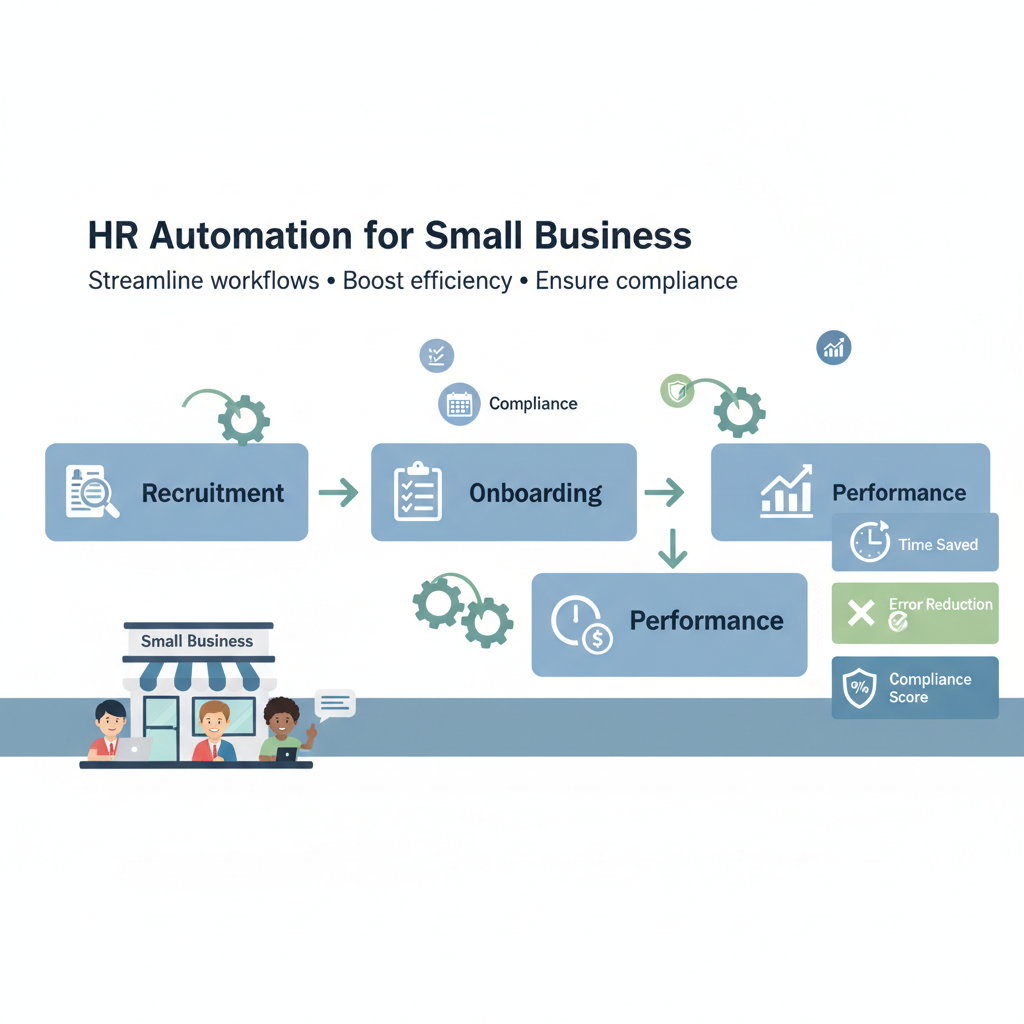
HR Automation for Small Business: Your Complete Guide to Streamlining Operations
Estimated reading time: 12 minutes
Key Takeaways
- HR automation saves time by handling repetitive tasks and reducing manual workload
- It improves accuracy and compliance in payroll, leave management, and records
- Automation enhances employee experience with self-service and faster responses
- Start small with high-impact tasks and choose cloud-based, integrative tools to maximize value
Table of contents
- Understanding HR Automation: What It Really Means
- The Importance of Automating HR Processes
- Key Benefits of HR Workflow Automation
- Implementing HR Automation in Small Businesses
- Real-World Success Stories: HR Automation in Action
- Choosing the Right HR Automation Tools for Your Business
- Conclusion: Embrace HR Automation to Transform Your Business
- Let’s Continue the Conversation
- Frequently Asked Questions
Imagine running a small business and spending countless hours each week on routine HR paperwork instead of focusing on growth—chasing down timesheets, manually calculating payroll, tracking vacation days in spreadsheets, and drowning in onboarding documents. It’s exhausting, right? And honestly, it’s exactly where HR automation can completely transform your operations.
Here’s the thing: HR automation is simply the use of software and technology to handle repetitive, manual HR tasks such as payroll, onboarding, and leave requests. Instead of you or your team manually processing these time-consuming activities, automated systems take care of them with minimal human intervention. For small businesses especially, this means reclaiming precious hours and dramatically reducing costly errors.
Read more about business process automation
When we talk about HR automation small business strategies, we’re really discussing a vital approach tailored specifically for smaller companies aiming to save time and reduce errors in HR management. And the opportunity here is massive—only 32% of businesses currently use HR software, which means there’s enormous untapped potential for small businesses to gain a competitive advantage by adopting automation now.
Why does automating HR processes matter so much? Because in a small business, every hour counts. Every mistake in payroll compliance can be costly. Every delayed response to an employee’s request impacts morale. Automation addresses all of these pain points while freeing you up to focus on what really matters: growing your business and supporting your people.
But what exactly does HR automation involve, and which processes can small businesses automate for maximum impact? Let’s dive in.
Understanding HR Automation: What It Really Means
At its core, HR automation digitizes and mechanizes routine HR tasks, freeing up valuable time while reducing errors. Think of it as creating a self-operating system for your HR department—one that handles the administrative grunt work while you focus on strategy and people development.
HR automation relies on software-driven workflows that replace time-consuming manual tasks with computerized processes. Instead of manually entering employee data into multiple spreadsheets, calculating overtime by hand, or physically filing documents in cabinets, automated systems handle these activities seamlessly. The software runs with minimal human intervention, working 24/7 without coffee breaks or sick days.
So what can you actually automate? Here are the most common HR processes that are perfect candidates:
- Payroll processing – Automated salary calculations, tax withholdings, and direct deposit management
- Employee onboarding – Digital document collection, training assignment, and new hire orientation workflows
- Leave and PTO requests – Self-service portals where employees submit requests and managers approve them automatically
- Performance reviews – Structured evaluation cycles with automated reminders and feedback collection
- Recruitment workflows – Resume parsing, candidate tracking, interview scheduling, and applicant communication
- Benefits administration – Enrollment management, eligibility tracking, and benefits communication
- Time and attendance tracking – Automated clock-in/out systems with overtime calculations
- Document management – Centralized, searchable employee files with automatic compliance tracking
Read more about common processes to automate in small businesses
The benefits for small businesses are genuinely transformative. First, there’s the efficiency gain—entrepreneurs save an average of 20 hours weekly by cutting manual work. That’s equivalent to 2.5 full workdays you could spend on business development, customer relationships, or simply catching your breath.
Cost savings matter too. Modern cloud-based HR software typically offers pay-as-you-go pricing, making it accessible even for businesses with tight budgets. You’re not investing in expensive servers or IT infrastructure—just a monthly subscription that scales with your team size.
Learn how to automate on a budget for small businesses
Improved accuracy is another huge win. Manual data entry inevitably leads to errors, and in HR, those mistakes can mean compliance violations, incorrect paychecks, or lost employee records. Automated systems dramatically reduce these risks by eliminating human error from repetitive calculations and data transfers.
Real-time data access changes how you make decisions. Instead of waiting for quarterly reports or digging through file cabinets, you can instantly see turnover rates, overtime trends, or benefits utilization. This visibility helps you spot problems early and make smarter workforce planning decisions.
And let’s not forget the employee experience. When your team can submit time-off requests through a mobile app and get instant approval, or when new hires receive their onboarding materials automatically on day one, it creates a more professional, responsive workplace culture.
According to SHRM research, only 32% of businesses currently use HR software, emphasizing the opportunity for small businesses to streamline with automation. The remaining 68% are still wrestling with paper-based files and manual processes—and likely spending far more time on administration than necessary.
So what specific HR tasks in small businesses are the biggest time sinks, and how can automation help address these?
The Importance of Automating HR Processes
Running payroll by hand, tracking employee time off, or managing recruitment can quickly consume precious hours for small business owners. And these aren’t just minor inconveniences—they’re significant drains on your most valuable resource: time.
Let’s break down the common time-consuming HR tasks that plague small businesses:
Payroll processing is probably the most dreaded task. Between calculating gross pay, withholding the correct taxes, accounting for benefits deductions, ensuring compliance with labor laws, and actually distributing paychecks, manual payroll can easily consume 4-8 hours per pay period. Multiply that by 26 pay periods per year, and you’re looking at over 100 hours annually just on payroll.
Employee onboarding is another massive time sink. You need to collect I-9 forms, W-4s, direct deposit information, emergency contacts, and signed policy acknowledgments. Then there’s coordinating training sessions, setting up equipment, creating email accounts, and introducing new hires to the team. For each new employee, this process can take 10-15 hours of administrative work.
Leave and PTO request management might seem simple, but tracking accruals, approving requests, ensuring adequate coverage, and maintaining accurate records adds up quickly. When employees email or verbally request time off, someone needs to check their available balance, get manager approval, update calendars, and adjust payroll—all manually.
Performance evaluations and feedback cycles require coordinating review periods, distributing evaluation forms, collecting feedback from multiple sources, scheduling review meetings, and documenting everything properly. Without automation, this becomes a logistical nightmare, especially as your team grows.
Recruitment tasks can completely overwhelm small business owners. Posting job ads, reviewing hundreds of resumes, screening candidates, scheduling interviews across multiple calendars, communicating with applicants, and tracking where each candidate stands in the process—it’s exhausting without the right tools.
So how does automation streamline these processes?
For payroll, automated systems handle all the calculations and compliance checks automatically. You input hours worked (or the system captures them automatically through time tracking), and the software calculates gross pay, applies the correct tax withholdings based on current rates, deducts benefits, and processes direct deposits. It even generates required tax forms and files them electronically.
Onboarding automation centralizes and speeds up documentation. New hires receive a welcome email with links to complete all their paperwork digitally before their first day. The system automatically routes forms for approval, creates task lists for IT and managers, and tracks completion status. What used to take days of back-and-forth now happens seamlessly.
Self-service portals revolutionize leave management. Employees log into the system, check their available PTO balance, submit a request with a few clicks, and managers receive automatic notifications to approve or deny. The system updates calendars, adjusts accrual balances, and notifies payroll—all without anyone touching a spreadsheet.
Performance review workflows get structured automatically. The system sends reminders when review periods approach, distributes evaluation forms to the right people, collects feedback, and compiles everything into a single document. Managers spend their time on meaningful conversations rather than administrative coordination.
Recruitment automation uses algorithms to parse resumes, identify qualified candidates based on your criteria, and automatically move them through your hiring pipeline. Interview scheduling tools let candidates pick from your available times without the endless email chains. Automated emails keep candidates informed about their status.
Just as a coffee machine automates the brewing process with consistent results, HR automation tools handle repetitive HR tasks with accuracy and speed. You get the same quality outcome every time, without the manual effort.
But here’s a question I hear often: “Will automation replace the human touch in HR?” Absolutely not. In fact, it does the opposite. By eliminating the administrative burden, automation frees your HR staff (or you, if you’re wearing the HR hat) to focus on what really matters—employee engagement, conflict resolution, culture building, and professional development. The human touch becomes stronger because you’re not buried in paperwork.
Another common concern: “Is it complicated to start using such tools?” We’ll address implementation in detail shortly, but the short answer is no—modern HR automation tools are designed specifically for small businesses without dedicated IT departments. They’re cloud-based, intuitive, and often require minimal setup.
Understanding these time-saving advantages, let’s explore the broader benefits HR workflow automation brings to your small business.
Key Benefits of HR Workflow Automation
Beyond saving time, HR workflow automation can fundamentally transform how small businesses operate and engage employees. The ripple effects extend far beyond just checking tasks off your to-do list faster.
Increased efficiency and reduced manual errors is the most immediate benefit. Automated systems handle calculations and data entry flawlessly, minimizing costly mistakes. When payroll runs automatically based on approved timesheets, you eliminate transcription errors, miscalculations, and forgotten deductions. When employee data entered once flows automatically to all connected systems, you avoid the inconsistencies that plague manual data management.
Enhanced employee experience and satisfaction is a benefit that’s easy to underestimate but incredibly powerful. Today’s workforce—especially younger employees—expects digital, self-service experiences in all aspects of their lives. When your HR processes are automated, employees can:
- Submit time-off requests from their phones while sitting on the couch
- Access their pay stubs and tax documents instantly without asking HR
- Update their personal information without filling out paper forms
- Track their performance goals and feedback in real-time
- Complete onboarding paperwork before their first day, reducing first-day anxiety
Faster responses to requests matter more than you might think. When an employee submits a PTO request and gets approval within hours instead of days, it shows respect for their time. When onboarding is smooth and professional, new hires feel welcomed and valued. These small experiences accumulate into overall job satisfaction and retention.
Better compliance with labor laws and regulations is perhaps the most underappreciated benefit until you face an audit or lawsuit. HR compliance is increasingly complex, with federal, state, and local regulations covering everything from overtime calculations to family leave to anti-discrimination policies. Keeping up manually is nearly impossible for small businesses.
Automation helps maintain compliance by flagging inconsistencies, managing record-keeping automatically, and updating tax rates and regulatory requirements without manual intervention. The system knows that California has different overtime rules than Texas. It tracks FMLA eligibility automatically. It retains documents for the legally required periods and purges them when appropriate.
When an audit happens or an employee files a complaint, having organized, accurate, automated records can be the difference between a quick resolution and a costly legal battle.
Data-driven decision making transforms HR from a reactive, administrative function into a strategic business advantage. Real-time analytics give small businesses insights that were previously available only to large enterprises with dedicated HR analysts.
Want to know your actual cost-per-hire? The system tracks it automatically. Curious which departments have the highest turnover? The data’s right there. Wondering if your PTO policy is competitive? Compare your accrual rates and usage patterns to industry benchmarks. Trying to forecast hiring needs? Look at historical growth patterns and current capacity utilization.
These insights support smarter hiring decisions, better retention strategies, and more effective workforce planning. You move from gut-feel decisions to evidence-based strategy.
Research shows that automation can save entrepreneurs an average of 20 hours weekly, equivalent to 2.5 full workdays (Forbes). Think about what you could do with an extra 20 hours each week. That’s time for strategic planning, business development, customer relationships, or simply achieving better work-life balance.
HR workflow automation not only saves time but improves compliance and employee satisfaction for small businesses. It’s not about replacing people—it’s about empowering them to do more meaningful work while the system handles the routine stuff.
Having understood why HR automation is crucial, let’s look at how small businesses can start implementing it smoothly and effectively.
Implementing HR Automation in Small Businesses
Taking the plunge into HR automation can feel daunting, but with the right approach, small businesses can unlock major benefits with minimal disruption. The key is being strategic and methodical rather than trying to automate everything overnight.
Here’s a practical, step-by-step guide to implementing HR automation:
Step 1: Assess your current HR processes
Start by documenting exactly how things work today. Map out your existing workflows for each HR function—payroll, onboarding, leave management, performance reviews, and recruitment. Write down every step, no matter how small.
As you document, identify which tasks are most repetitive, time-consuming, or error-prone. Where do bottlenecks occur? Which processes frustrate employees most? Where have compliance issues cropped up? These pain points are your prime candidates for automation.
For example, if you’re spending three hours every other week manually entering timesheet data into your payroll system, that’s a clear automation opportunity. If new hires consistently ask when they’ll receive their login credentials because onboarding coordination is chaotic, that’s another red flag.
Read our guide on planning your first automation project
Step 2: Identify quick wins
Don’t try to automate everything at once—sudden large-scale changes can be disruptive and overwhelming for your team. Instead, choose one or two high-impact processes to automate first. This provides “quick wins” that demonstrate automation’s value early on and builds momentum for broader adoption.
Good first candidates are typically:
– Payroll processing (high impact, clear ROI)
– Time and attendance tracking (connects directly to payroll)
– Leave request management (frequent, straightforward workflow)
– New hire onboarding (creates immediate positive impression)
Pick processes where automation will deliver immediate, visible benefits. Success breeds enthusiasm, making subsequent phases easier.
Step 3: Research suitable HR automation tools
Now it’s time to explore what’s available. Consider your company’s size, specific needs, and budget constraints. Look for cloud-based, scalable solutions that can grow with your business.
Popular options for small businesses include:
BambooHR is user-friendly and specifically designed for small to medium businesses. It excels at employee data management, onboarding workflows, and performance reviews. The interface is intuitive enough that you don’t need technical expertise to use it effectively.
Gusto specializes in payroll and compliance, making it ideal if those are your primary pain points. It handles federal, state, and local tax filings automatically and offers integrated benefits administration.
Zoho People provides a comprehensive HR suite with highly customizable options. If you’re already using other Zoho products, the integration is seamless.
When evaluating tools, request demos and free trials. Actually use the software with your real workflows before committing. Check whether it integrates with your existing accounting software, project management tools, or other business systems. Integration means your HR software talks to your other systems, reducing duplicate data entry and keeping everything synchronized.
Explore no-code/low-code automation tools and platforms
Step 4: Plan implementation carefully
Map out a realistic timeline for your rollout. Factor in time for data migration, system configuration, testing, training, and a gradual transition period. Rushing implementation leads to mistakes and resistance.
Anticipate potential challenges. Common obstacles include:
– Staff resistance to change (address through clear communication about benefits)
– Integration issues with existing systems (test thoroughly before going live)
– Data migration complications (clean up your existing data first)
– Learning curve frustrations (provide comprehensive training and support)
Consider a phased rollout where you implement one module at a time rather than switching everything simultaneously. For instance, start with time tracking and payroll, then add onboarding a month later, followed by performance management.
Identify a project champion—someone on your team who’s enthusiastic about the change and can help troubleshoot and encourage others during the transition.
Step 5: Train your team thoroughly
This step is absolutely critical and often underestimated. Even the best software fails if people don’t know how to use it or understand why they should.
Start with clear communication about why you’re making this change. Frame it in terms of benefits to employees, not just the company. “This will let you submit time-off requests from your phone and get instant approval” resonates better than “This will save the company administrative time.”
Provide hands-on training sessions where people can practice using the new system with guidance. Create simple reference guides or video tutorials for common tasks. Designate super-users who receive extra training and can help their colleagues.
Make yourself or your implementation champion available for questions during the first few weeks. Expect a learning curve and be patient. Most people adapt quickly once they experience how much easier automation makes their lives.
Plan to automate HR processes gradually using HR workflow automation tools that fit your small business. The investment in thoughtful implementation pays dividends in smoother adoption and faster time-to-value.
To put these steps into perspective, let’s review examples of small businesses that successfully transformed their HR operations through automation.
Real-World Success Stories: HR Automation in Action
Example 1: Retail Company Streamlines Payroll
A small retail company with 35 employees across three locations was drowning in payroll processing. The owner spent approximately eight hours every two weeks manually calculating hours, overtime, commissions, and tips, then entering everything into their payroll system. Errors were frequent, leading to employee complaints and occasional compliance issues with overtime calculations.
They implemented automated time tracking integrated with payroll software. Employees now clock in and out using tablets at each location. The system automatically calculates regular and overtime hours based on state regulations, applies the correct pay rates, and feeds everything directly into payroll processing.
The result? Payroll processing time dropped from eight hours to under two hours per pay period. That’s a savings of over 150 hours annually—nearly four full work weeks. Payroll errors essentially disappeared, employee satisfaction increased (nobody likes incorrect paychecks), and the owner gained peace of mind about compliance.
The initial challenge was employee skepticism—some worried the time tracking was about surveillance rather than efficiency. The owner addressed this through transparent communication about the benefits, emphasizing that accurate time tracking meant accurate pay and proper overtime compensation. After the first few pay periods with fewer errors and faster processing, the skepticism evaporated.
Example 2: Marketing Agency Transforms Onboarding
A boutique marketing agency with 22 employees was growing rapidly, hiring 8-10 people annually. Their onboarding process was chaotic—new hires received a flood of emails with attachments to print, sign, scan, and return. IT setup was inconsistent. Training happened whenever someone had time. New employees often felt lost during their first week.
They implemented HR workflow automation focused specifically on onboarding. The system sends new hires a welcome email three days before their start date with a portal link. Through the portal, they complete all paperwork digitally, watch welcome videos, and review company policies at their own pace.
On the backend, the system automatically creates task lists for IT (set up email, provide equipment), the manager (schedule first-week meetings, assign mentor), and HR (order business cards, add to benefits). Everyone receives reminders as tasks approach their due dates. New hires receive a structured first-week schedule automatically.
The transformation was remarkable. New employee time-to-productivity decreased noticeably because they arrived on day one already familiar with company policies and culture. Administrative coordination time dropped by about 70%. New hires consistently reported feeling welcomed and organized rather than overwhelmed.
The main challenge was integration with their existing project management software. They wanted new hires automatically added to relevant project teams, which required some custom configuration. The solution was working with the software vendor’s support team to set up the integration properly—a one-time investment that paid ongoing dividends.
Example 3: Professional Services Firm Gains Compliance Confidence
A small consulting firm with 28 employees operates across multiple states. They struggled to keep up with varying state labor laws, paid leave requirements, and tax regulations. Manual tracking of leave accruals led to errors and occasional disputes with employees about available balances.
After implementing comprehensive HR automation, the system automatically applies the correct leave accrual rules based on each employee’s location and tenure. It tracks multiple leave types (vacation, sick, parental) separately as required by different state laws. Compliance reporting that previously took hours now generates automatically.
The firm’s owner describes sleeping better at night knowing their HR records are organized, accurate, and audit-ready. When an employee filed an unemployment claim, they had complete, timestamped documentation of performance issues and termination procedures that supported their position.
These HR automation small business success stories highlight how automate HR processes and HR workflow automation can deliver measurable business improvements. The common threads are clear: start with high-impact processes, communicate benefits clearly, provide adequate training, and be patient during the transition.
With these successes in mind, how can you choose the right HR automation tools to fit your unique small business needs?
Choosing the Right HR Automation Tools for Your Business
Selecting the right HR automation tool is vital—it’s not just about features, but finding a solution that fits your business workflows and culture. The fanciest software in the world won’t help if it’s overly complex for your needs or doesn’t integrate with how your business actually operates.
Here are clear criteria to guide your selection:
- Cloud-based infrastructure is essentially non-negotiable today. Cloud-based systems mean you can access your HR data from anywhere—home, office, or on the road. There’s no expensive server to maintain, no software to install on every computer, and updates happen automatically.
- Integration capabilities determine whether your HR system plays nicely with your other business tools. Can it connect to your accounting software so payroll data flows automatically? Does it work with your project management system? Can it sync with your calendar application for interview scheduling?
- Customizable workflows matter because every business is slightly different. You should be able to tailor approval chains, notification settings, and process steps to match how your company actually works.
- Employee self-service portals dramatically reduce HR administrative burden. When employees can view their pay stubs, update their contact information, submit time-off requests, and access company policies themselves, they stop interrupting you with these routine questions.
- Strong compliance management and reporting capabilities protect your business. The system should automatically apply current tax rates, track legally required record retention periods, flag potential compliance issues, and generate required government reports.
- Mobile accessibility is increasingly important as work becomes more flexible. Managers should be able to approve requests from their phones. Employees should be able to clock in from mobile devices. Everyone should be able to access the system without being chained to a desk.
- Real-time analytics support better decision-making. The system should provide dashboards showing key metrics like turnover rates, time-to-hire, overtime trends, and headcount costs.
- Scalability ensures your investment grows with your business. Choose a solution that works for your current size but can handle 2x or 3x growth without requiring a complete replacement. Pay-as-you-go pricing models are ideal because costs scale proportionally with your team size.
Now let’s briefly overview popular tools suitable for small businesses:
BambooHR is probably the most popular HR solution for small businesses, and for good reason. It’s genuinely user-friendly, with an intuitive interface that doesn’t require extensive training. BambooHR focuses particularly on employee data management, onboarding workflows, and performance management. The mobile app is solid, and the reporting is straightforward without being overwhelming. It’s a great all-around choice if you’re looking for comprehensive HR functionality without excessive complexity.
Gusto specializes in payroll and compliance, making it ideal if those are your primary pain points. Beyond just running payroll, Gusto handles federal, state, and local tax filings automatically, manages benefits administration, and even offers workers’ compensation insurance. The interface is clean and simple. If payroll accuracy and compliance are keeping you up at night, Gusto is worth serious consideration.
Zoho People provides a comprehensive HR suite with impressive customization options. If you’re already using other Zoho products (CRM, Projects, Books), the ecosystem integration is seamless. Zoho People covers everything from time tracking to performance management to recruitment. The learning curve is slightly steeper than BambooHR, but the flexibility is valuable if you have unique workflow requirements.
Other solid options include
Here’s a simple explanation for why certain features matter: Integration means your HR software talks to your accounting system, reducing duplicate data entry. Instead of entering payroll data in your HR system and then re-entering it in QuickBooks, the systems communicate automatically. This saves time and eliminates transcription errors.
For in-depth features and comparisons, see Software Advice’s small business HR comparison.
Choosing HR automation small business tools with strong HR workflow automation features is key to success. Take advantage of free trials to test-drive options with your actual workflows before committing. Talk to other small business owners in your network about what they use and why. And don’t be afraid to ask vendors detailed questions about integration, support, and implementation assistance.
To wrap up, let’s recap why HR automation is indispensable for small businesses looking to grow.
Conclusion: Embrace HR Automation to Transform Your Business
Embracing HR automation is no longer a luxury but a strategic necessity for small businesses aiming to streamline operations and support their people. The competitive landscape demands efficiency, accuracy, and employee experience that manual HR processes simply can’t deliver consistently.
Let’s recap the main points we’ve covered:
HR automation small business strategies save time, reduce errors, and improve employee satisfaction. We’re talking about reclaiming 20 hours weekly—time you can reinvest in growth, strategy, or simply achieving better work-life balance. The efficiency gains are real and measurable.
Automating HR processes like payroll, onboarding, and leave management builds efficiency that compounds over time. Every pay period runs smoothly without manual calculation. Every new hire experiences professional, organized onboarding. Every time-off request gets handled quickly without email chains. These small improvements accumulate into significant operational advantages.
Implementing HR workflow automation tools carefully ensures smooth transition and sustained benefits. Start small with high-impact processes, communicate clearly about benefits, train thoroughly, and be patient during the adjustment period. The businesses that succeed with automation are those that approach it strategically rather than rushing in blindly.
The data supporting HR automation is compelling. With only 32% of businesses currently using HR software, early adopters gain a competitive edge. The cost barriers have fallen dramatically with affordable cloud solutions. The technology has matured to the point where it’s genuinely user-friendly for non-technical business owners.
But beyond the statistics and features, HR automation is really about creating space for what matters most. It’s about spending less time on administrative drudgery and more time on strategic thinking. It’s about reducing the stress of compliance worries. It’s about providing your employees with responsive, professional HR experiences that make them feel valued.
Don’t view automation as a threat to the human element of HR—it’s actually an enabler. By handling the repetitive, administrative tasks, automation frees you to focus on the truly human aspects of managing people: coaching, conflict resolution, culture building, and professional development.
By adopting HR automation small business solutions, companies can focus more on people and strategy, empowering their teams to thrive. The technology handles the paperwork while you handle the relationships. That’s the future of small business HR, and it’s available today.
Are you ready to take the first step? Start by assessing your current processes and identifying your biggest pain points. Research tools that address those specific needs. Request demos and free trials. Talk to other business owners who’ve made the transition. The journey to HR automation doesn’t have to be overwhelming—it just requires that first step.
Let’s Continue the Conversation
Have you started automating any HR processes? What challenges or wins have you encountered? Let us know in the comments below! Your experiences—both successes and struggles—can help other small business owners navigate their own automation journeys.
If you’re still in the research phase, what’s holding you back? Is it budget concerns, fear of disruption, or just not knowing where to start? Share your questions and concerns—chances are others are wondering the same things.
We look forward to hearing how you automate HR processes or use HR workflow automation tools in your small business journey. And if you found this guide helpful, subscribe to our blog for more insights and updates on small business management tools and tips. We regularly share practical advice on technology, operations, and growth strategies specifically tailored for small businesses.
The conversation doesn’t end here—it’s just beginning. Let’s learn from each other and build better, more efficient businesses together.
Frequently Asked Questions
Will automation replace the human touch in HR?
Absolutely not. In fact, it does the opposite. By eliminating the administrative burden, automation frees your HR staff (or you, if you’re wearing the HR hat) to focus on what really matters—employee engagement, conflict resolution, culture building, and professional development. The human touch becomes stronger because you’re not buried in paperwork.
Is it complicated to start using such tools?
No—modern HR automation tools are designed specifically for small businesses without dedicated IT departments. They’re cloud-based, intuitive, and often require minimal setup.
What does HR automation involve?
HR automation digitizes and mechanizes routine HR tasks, freeing up valuable time while reducing errors. Think of it as creating a self-operating system for your HR department—one that handles the administrative grunt work while you focus on strategy and people development.
}