Automating Success: A Small Business Guide to the n8n Automation Platform
Estimated reading time: X minutes
Key Takeaways
- Automation platforms act as digital assistants handling repetitive tasks across apps and services
- n8n combines open-source flexibility with practical features for SMBs
- Visual workflow builders, self-hosting options, and extensive integrations enable no-code or low-code automation
- Real‑world examples show inventory tracking, supplier notifications, and updated online menus running automatically
Table of contents
In this article, we’ll explore how the n8n automation platform for small business can transform your operations by simplifying workflows without complicated coding. While platforms like Zapier have dominated the automation space, open source alternatives are reshaping how small businesses handle their day-to-day tasks.
Understanding Automation Platforms: Your Digital Assistant
Imagine having a tireless digital assistant that handles your repetitive tasks 24/7 – that’s essentially what automation platforms offer small businesses. They’re like smart connectors that link different apps and services, creating seamless workflows that run on autopilot.
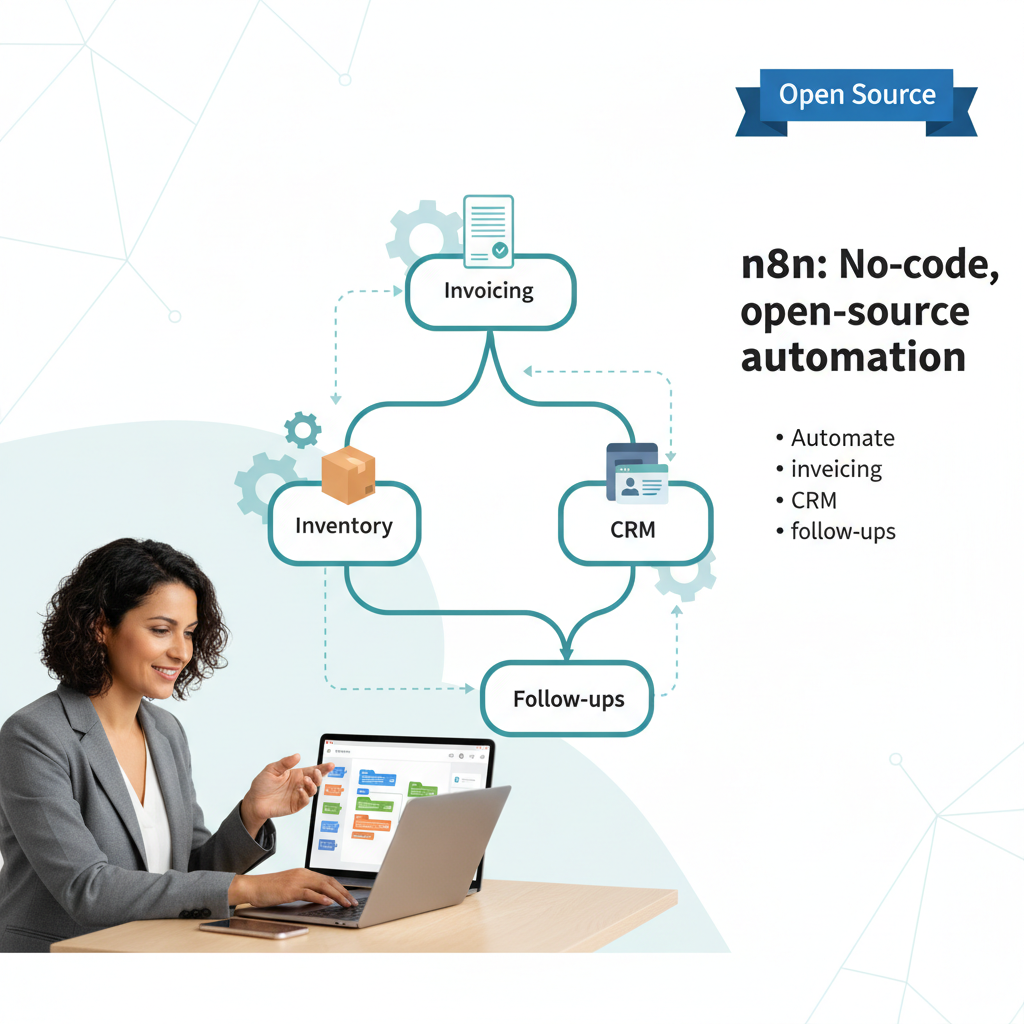
For example, when a customer places an order on your website, an automation platform can automatically:
- Generate and send an invoice
- Update your inventory count
- Add the customer to your CRM
- Schedule a follow-up email for next week
- Create a shipping label
The best part? All of this happens without you lifting a finger.
Think of automation platforms as programmable conveyor belts for your digital tasks. Instead of manually passing information from one system to another, these platforms create reliable pathways that your data follows automatically.
The n8n Platform: Open Source Power Meets Small Business Flexibility
What makes the n8n automation platform for small business stand out? Its combination of open-source flexibility and practical business features hits a sweet spot for SMBs looking to automate without breaking the bank.
At its core, n8n is a powerful automation tool that connects over 500 applications through a visual interface – no coding required. You can link everything from your email marketing platform to your accounting software, creating custom workflows that match your exact needs.
Key features that make n8n particularly valuable for small businesses include:
– Visual workflow builder that lets you map out processes by dragging and connecting nodes
– Self-hosting option to keep costs down and maintain data privacy
– Extensive integration library covering most popular business tools
– Active community sharing workflow templates and solutions
– Ability to create custom integrations when needed
Here’s a real-world example: A local coffee shop uses n8n to automatically track inventory, notify suppliers when stock runs low, and update their online menu – all while the baristas focus on making great coffee.
Tip: If you’re exploring automation options for a small business, our No-Code/Low-Code Automation Tools guide is a great starting point.
For more ideas and context on when to automate, you might find it helpful to read Signs Your Business Needs Automation.
A broad foundation can also be found in Introduction to Business Automation.
And if you’re looking for concrete, practical starting points, check Common Processes to Automate in Small Businesses.
When planning your first automation, How to Plan Your First Automation Project can provide a helpful roadmap.
If you’re aiming to build out more advanced workflows and integrations, Workflow Automation Tools offers a comparative view of tools like n8n.
For foundational workflow concepts, Workflow Automation Basics is a solid resource.
And if you’re curious about how prompts and AI inputs can enhance automation, you might also explore Prompt Engineering.
—
Let’s dig into what makes automation platforms tick and why they’re becoming essential for businesses of any size.
Frequently Asked Questions
What is n8n?
n8n is an open-source automation platform that connects over 500 applications, enabling visual workflow design, self-hosting, and no‑code/low‑code automation.
Who can benefit from automation platforms?
Small businesses and teams looking to streamline repetitive tasks, integrate apps, and automate processes without extensive coding can benefit.