How to Build AI Agents From Scratch: The Ultimate Beginner’s Guide
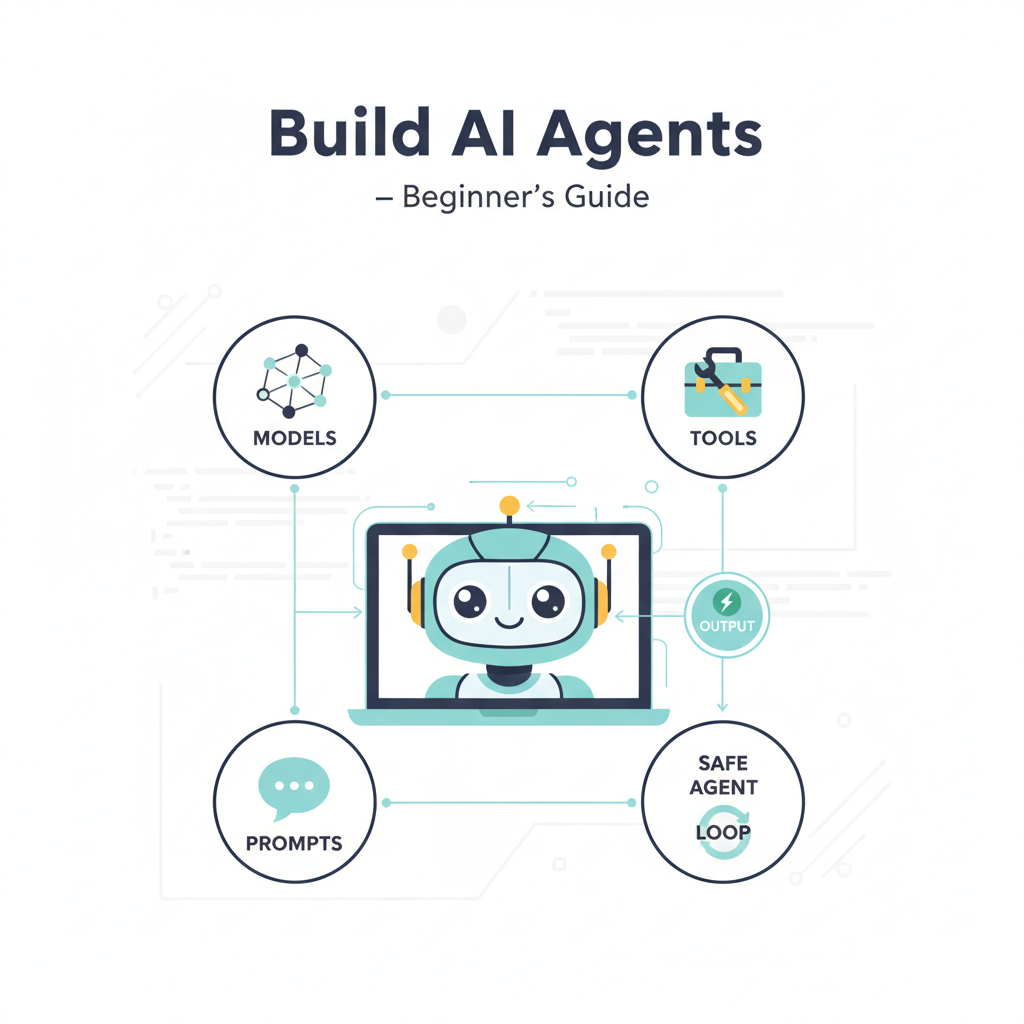
How to Build AI Agents From Scratch: The Ultimate Beginner’s Guide
Estimated reading time: 12 minutes
Key Takeaways
- Define a narrow, clear task you want the AI agent to solve, and keep the scope manageable.
- Choose an AI model that supports function calling or tool integrations.
- Start with a small toolset (about 2–4 tools) to keep the system stable.
- Implement the agent loop: prompt the model, call tools if needed, loop until completion.
- Test thoroughly and iterate, starting from first principles before adding complexity.
Table of contents
- What Is an AI Agent?
- Why Build AI Agents From Scratch?
- Core Components of AI Agents
- The Step-by-Step Blueprint to Build AI Agents From Scratch
- The Minimal “From Scratch” AI Agent in Code
- What Does “From Scratch” Really Mean?
- What Should You Build First?
- Common Pitfalls and How to Avoid Them
- Recommended Development Sequence
- Beyond the Basics: Scaling Your Agent
- Wrapping Up: The Thrill of Building AI Agents From Scratch
- Useful Resources For Your AI Agent Journey
Introduction: Artificial intelligence is reshaping the world as we know it, and at the heart of this revolution are AI agents — intelligent programs that can perform tasks, make decisions, and interact with tools or the environment autonomously. But how do you build AI agents from scratch? Whether you’re a curious developer, a tech enthusiast, or someone eager to explore the fascinating world of AI, this blog post will take you on a detailed journey into creating AI agents from the ground up. We’ll break the process down into clear steps, share expert insights, and show you practical approaches backed by leading research.
Get ready to dive into the mechanics, architecture, and best practices that make building AI agents both exciting and accessible!
What Is an AI Agent?
Before tackling how to build one, let’s quickly define what an AI agent really is. Simply put, an AI agent is a piece of software that:
- Receives inputs (like questions or commands from a user)
- Interprets and reasons using a model (often a large language model or LLM)
- Acts by calling external tools or APIs to perform real-world tasks
- Decides when to continue or stop based on results.
Unlike basic chatbots that just reply with canned responses, AI agents are dynamic, able to plan and use external resources to solve problems autonomously.
Why Build AI Agents From Scratch?
You might find many ready-made frameworks promising “plug-and-play” AI agents. However, building AI agents from scratch — meaning without heavy frameworks or big autonomous suites — is invaluable. It allows you to:
- Understand how agents work under the hood
- Tailor agents to your unique needs without bloated code
- Gain practical experience with core AI components and architectures
- Avoid early pitfalls of complicated systems, and
- Build lightweight, reliable solutions focusing on small, important tasks.
Leading experts recommend starting small with first-principles systems coded in Python or JavaScript before scaling up to complex setups Nikhil Pentapalli, KnowledgeHut.
Core Components of AI Agents
Most AI agents, at their core, share the same architectural pattern. Understanding these building blocks will help you design your own:
- Model: Usually a Large Language Model (LLM) that reasons, interprets input, and decides what actions to take OpenAI.
- Tools: External functions, APIs, or modules the agent can use to perform specific tasks like calculations, web searches, database queries, or calendar management OpenAI.
- Instructions: The set of system prompts or rules that guide the agent’s behavior and ensure safety and focus OpenAI, prompt engineering.
- Agent Loop: The control flow where the model is prompted, decides whether to act or answer, executes tools if necessary, receives feedback, and loops until completion Juntao, anilbohra.me.
The Step-by-Step Blueprint to Build AI Agents From Scratch
Ready to roll up your sleeves? Here’s the concise, research-backed approach to build your very first AI agent.
Step 1: Define a Narrow, Clear Task
Choose a bounded, specific problem you want the AI agent to solve. Narrowing the agent’s domain is a repeated tip across multiple expert sources:
- Examples include: answering customer support questions, scheduling meetings, calculating or summarizing financial data KnowledgeHut, CodeWave, automate small business processes.
Step 2: Choose Your AI Model
Select a capable Large Language Model (LLM) that supports function calling or tool integrations.
- Popular choices include OpenAI’s GPT-4 API or similar LLMs.
- The model is the “brain” that reasons and decides what to do OpenAI.
Step 3: Define a Small Set of Tools
Identify and prepare the external tools or APIs your agent will call to perform real-world tasks.
- Tools can be simple: calculator functions, web search, database lookups, email senders, or internal APIs.
- Tutorials show creating custom tools with decorators or manual function calls Nikhil Pentapalli, anilbohra.me.
- Keep your toolset small (2–4 tools) initially to keep the system stable CodeWave.
Step 4: Write Explicit Instructions
Your agent requires system prompts or behavioral rules to guide its reasoning and tool usage.
- These instructions define the agent’s role, safety boundaries, priorities, and how tools should be used.
- OpenAI and other sources emphasize system prompts as critical components OpenAI, prompt engineering.
Step 5: Implement the Agent Loop
The most crucial part is building the control loop that orchestrates the interaction between the user, model, and tools:
- Send user input and prior dialogue to the LLM.
- Model decides whether to answer directly or call a tool.
- If tool usage is requested, parse the tool name and arguments.
- Execute the tool in your code.
- Send the tool result back to the LLM to continue reasoning.
- Repeat until the model sends a final answer Juntao, anilbohra.me.
Step 6: Add Memory When Useful
Memory lets your agent remember past interactions, context, or retrieved facts:
- Use embeddings or retrieval-augmented generation (RAG) for long-term memory.
- Start without memory; add it only if your use case demands personality or long-running conversations Juntao, memory.
Step 7: Add Guardrails and Define Stop Conditions
To keep your agent safe and efficient:
- Limit the number of tools initially.
- Explicitly define when the agent must stop (e.g., after a clear final answer).
- Guardrails reduce runaway loops and dangerous behaviors CodeWave, KnowledgeHut.
Step 8: Test Thoroughly with Evaluations
Testing helps you find bugs, improve accuracy, and understand limitations:
- Set up evaluation pipelines to benchmark performance on sample queries KnowledgeHut.
- Use real-world examples to iteratively improve your agent.
The Minimal “From Scratch” AI Agent in Code: A Conceptual Look
No need for fancy frameworks—your first agent can be built with just an LLM API and a programming language like Python.
while not done:
    response = llm(messages, tools)
    if response.requests_tool:
        result = run_tool(response.tool_name, response.arguments)
        messages.append(result)
    else:
        done = True
        return response.final_answer
This simple loop queries the model, executes tools if required, and continues until the model concludes Nikhil Pentapalli, anilbohra.me.
What Does “From Scratch” Really Mean?
In practice, building AI agents “from scratch” usually means:
- No frameworks: Using raw LLM APIs combined with your own control code Nikhil Pentapalli, anilbohra.me.
- Applying first principles programming: building the agent loop, tools, and state management yourself, rather than relying on high-level agent libraries GitHub – pguso.
- Typically not training your own LLMs, but using existing models to build functional agents Nikhil Pentapalli.
What Should You Build First?
Great beginner projects that teach you the essentials include:
- A calculator + reasoning agent that performs math and explains results.
- An FAQ agent over a small document or knowledge base.
- A scheduling assistant with calendar tool support.
- A research summarizer that searches and condenses information.
- A support triage agent that classifies and routes customer requests Nikhil Pentapalli, CodeWave, automate small business processes.
Common Pitfalls and How to Avoid Them
Expert guides warn about typical mistakes:
- Trying to build overly broad or “do-it-all” agents from the start CodeWave.
- Using too many tools before the core loop is stable.
- Skipping the use of structured inputs/outputs and relying on messy free text OpenAI.
- Neglecting evaluation and testing phases KnowledgeHut.
- Adding memory or complex planning before the basic loop is fully working Juntao, memory.
To build reliable agents, start small, test regularly, and grow complexity gradually.
Recommended Development Sequence
Synthesizing best practice advice, your development flow should look like this:
- Pick a single, well-defined job.
- Choose an LLM and access its API.
- Define a handful of relevant tools.
- Write precise system prompts (instructions).
- Implement the function/tool calling mechanism.
- Build the agent loop.
- Add memory or RAG only if necessary.
- Consider planning or tool routing later.
- Test with real-world queries.
- Launch behind an API or chat interface KnowledgeHut.
Beyond the Basics: Scaling Your Agent
Once your minimal agent works, consider expanding capabilities:
- Memory: persisting knowledge or user preferences Juntao, memory.
- Planning: breaking complex goals into sub-tasks Juntao.
- Routing: dynamically selecting tools or sub-agents to handle different queries YouTube.
- Guardrails: enforcing safety and reliability OpenAI.
- Multimodal integration: adding speech, image, or file processing Juntao.
But remember: add these only after mastering your core loop.
Wrapping Up: The Thrill of Building AI Agents From Scratch
Building AI agents from scratch may sound complex, but with a focused plan, careful design, and steady iteration, it’s an achievable and inspiring project. The thrill comes from seeing your AI agent autonomously decide, act, and solve real problems — all powered by your own instructions, tools, and code.
The key is to start small, keep your agent focused, and build up functionality step-by-step. By following the structured roadmap presented here, supported by top-tier research, you’ll gain a deep understanding of AI agent mechanics and bring your intelligent systems to life.
The future is here. Why not build your own AI agent today?
Useful Resources For Your AI Agent Journey
- How to Build Your First AI Agent — KnowledgeHut
- Building AI Agents from Scratch (No Frameworks) — Medium Article by Nikhil Pentapalli
- Building an AI Agent From Scratch — Juntao Zhuang’s Substack
- OpenAI’s Official YouTube Tutorial on AI Agents
- Beginner Guide to Building AI Agents — CodeWave
- Principles of Building AI Agents PDF — Key Concepts and Workflows
- Building AI Agents: Comprehensive Beginner’s Guide
- Memory in Agentic AI Systems: Deep Dive
- Prompt Engineering: Effective AI Communication
Stay curious and keep experimenting — your first AI agent may be just a few lines of code away!
}